Are you seeking a competitive edge in your favorite esports titles, where every millisecond and visual detail counts? The choice of your computer monitor can dramatically influence your gaming prowess and overall experience. For dedicated gamers, the Lenovo Legion Y25 series, including popular models like the Y25-25 and the newer Y25-30, presents itself as a compelling option, balancing speed, visual fidelity, and ergonomic design. This comprehensive review will explore what makes the Lenovo Legion Y25 a monitor worth considering, dissecting its features, performance, and value in today’s demanding gaming landscape.
Types of Computer Monitors: Understanding the Landscape
Before diving into the specifics of the Lenovo Legion Y25, it’s essential to understand the broader categories of computer monitors available today. Each technology offers distinct advantages and disadvantages, influencing picture quality, response times, and price points.
LED Computer Monitors
LED (Light Emitting Diode) monitors are essentially LCD (Liquid Crystal Display) monitors that use LEDs for backlighting instead of traditional cold cathode fluorescent lamps (CCFLs). This shift allows for slimmer designs, improved energy efficiency, and often better contrast ratios and color reproduction due to more precise backlight control. The vast majority of modern consumer monitors are LED-backlit LCDs.
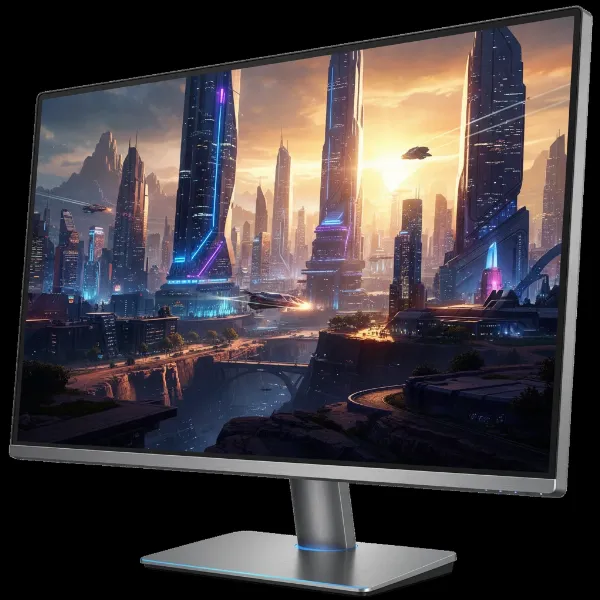 Close-up of a modern LED-backlit gaming monitor displaying vibrant colors and sharp images.
LCD Computer Monitors
LCD (Liquid Crystal Display) technology forms images by blocking light. These monitors use liquid crystals, which are illuminated by a backlight. While all LED monitors are technically LCDs, the term LCD often refers to older models or the fundamental technology itself. Different panel types within LCDs, such as TN, IPS, and VA, offer varying performance characteristics.
OLED Computer Monitors
OLED (Organic Light Emitting Diode) technology is a significant departure from LCD. Instead of a backlight, each pixel in an OLED display emits its own light. This allows for true blacks (pixels can completely turn off), infinite contrast ratios, wider viewing angles, and extremely fast response times. OLED monitors typically offer stunning image quality but come at a higher price point and can be susceptible to burn-in, though this is less of a concern with modern iterations.
QLED Computer Monitors
QLED (Quantum Dot Light Emitting Diode) is Samsung’s proprietary enhancement of traditional LCD technology. QLED monitors use quantum dots—nanocrystals that emit light when illuminated by an LED backlight—to produce a wider color gamut and higher brightness levels than standard LCDs. While QLEDs offer vibrant colors and impressive brightness, they still rely on a backlight and cannot achieve the perfect blacks and infinite contrast of OLED displays.
The Lenovo Legion Y25 series primarily utilizes an IPS (In-Plane Switching) panel, which falls under the broader LCD category with LED backlighting. IPS technology is renowned for its excellent color accuracy and wide viewing angles, making it a popular choice for gamers and content creators alike.
Key Factors to Consider When Buying a Computer Monitor
Choosing the right computer monitor involves evaluating several crucial specifications that impact performance, visual quality, and overall user experience.
Screen Size and Resolution
Screen size and resolution are fundamental to a monitor’s visual experience. The Lenovo Legion Y25 series features a 24.5-inch display with a Full HD (1920×1080) resolution. This combination is highly favored by competitive esports players who prioritize frame rates and quick response over pixel density. A 24.5-inch screen size at 1080p offers a sharp enough image for most gaming scenarios without placing excessive strain on the GPU, ensuring consistently high frame rates. However, some users might find this resolution and size limiting for extensive multitasking or productivity work, where a larger display or higher pixel density can be beneficial for managing multiple windows comfortably.
- Common Screen Sizes: 24-inch, 27-inch, 32-inch, and ultrawide monitors are popular.
- Resolution Options:
- HD (1280×720): Less common for modern PCs.
- Full HD (1920×1080): Standard for many gamers, excellent for high frame rates. The Legion Y25 excels here.
- 2K/QHD (2560×1440): Offers a good balance of detail and performance, increasingly popular for gaming.
- 4K/UHD (3840×2160): Provides stunning detail but requires powerful hardware for gaming.
- 8K (7680×4320): Cutting-edge, very niche, and extremely demanding.
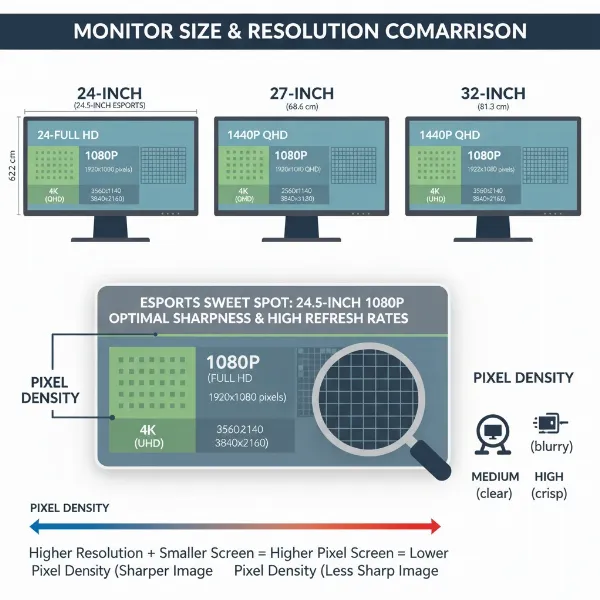 Visual comparison of different monitor screen sizes and resolutions, showing pixel density impact.
Panel Type
The type of panel used significantly affects a monitor’s characteristics. The Lenovo Legion Y25 series features an IPS panel, which is a key advantage for its target audience.
- TN (Twisted Nematic) Panels: Known for extremely fast response times and high refresh rates, making them a traditional choice for competitive gaming. However, they suffer from poor viewing angles and less accurate color reproduction.
- IPS (In-Plane Switching) Panels: Offer superior color accuracy and wide viewing angles compared to TN panels. While historically slower, modern IPS panels like those in the Legion Y25 have achieved impressive refresh rates and response times, making them excellent all-rounders for gaming and general use. The Legion Y25-25 boasts a 1ms GtG (Gray-to-Gray) response time, while the Y25-30 further improves to a blistering 0.5ms.
- VA (Vertical Alignment) Panels: Provide excellent contrast ratios and deeper blacks than IPS or TN, making them suitable for immersive content. Their viewing angles are better than TN but not as wide as IPS, and their response times can be slower, leading to ghosting in fast-paced scenes.
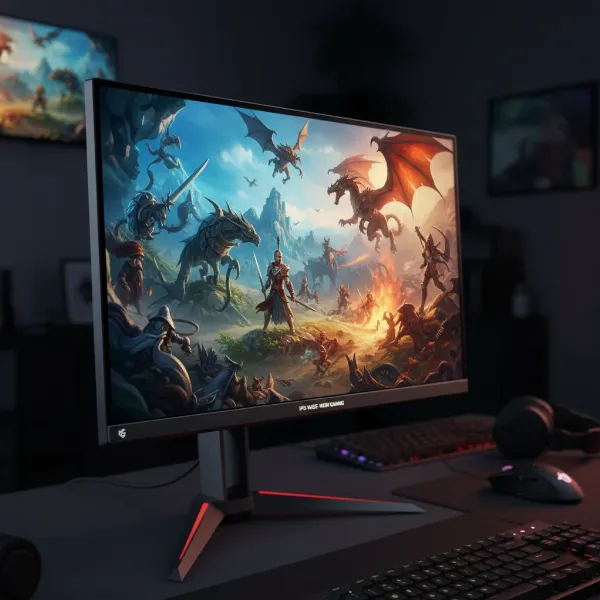 A gaming monitor with an IPS panel, showcasing wide viewing angles and accurate colors.
Refresh Rate and Response Time
For gamers, refresh rate and response time are paramount. The Lenovo Legion Y25 is designed to excel in these areas.
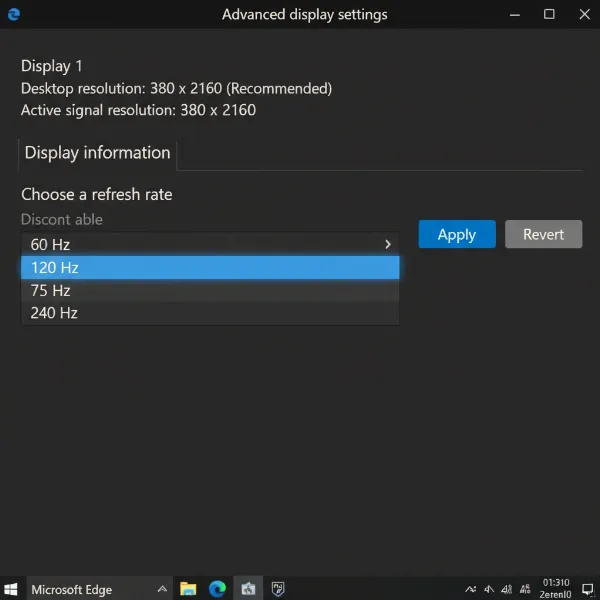
- What is Refresh Rate? Measured in Hertz (Hz), the refresh rate indicates how many times the screen updates its image per second. A higher refresh rate translates to smoother motion and a more fluid gaming experience. The Legion Y25-25 offers a 240Hz refresh rate, while the Y25-30 takes it a step further with a 240Hz native refresh rate that can be overclocked to an astonishing 280Hz. This high refresh rate is crucial for competitive gaming, allowing players to react faster to in-game events.
- What is Response Time? Measured in milliseconds (ms), response time refers to how quickly a pixel can change from one color to another. A faster response time reduces motion blur and “ghosting,” where trails appear behind moving objects. The Lenovo Legion Y25-25’s 1ms GtG response time and the Y25-30’s 0.5ms response time are exceptional, ensuring crisp, clear visuals even in the most frantic action sequences.
- Optimal for Gaming: For gaming, especially competitive esports, a high refresh rate (144Hz and above) combined with a low response time (1ms or less) is ideal. The Legion Y25, with its 240Hz/280Hz refresh rate and sub-1ms response time, firmly positions itself as a top-tier choice for serious gamers.
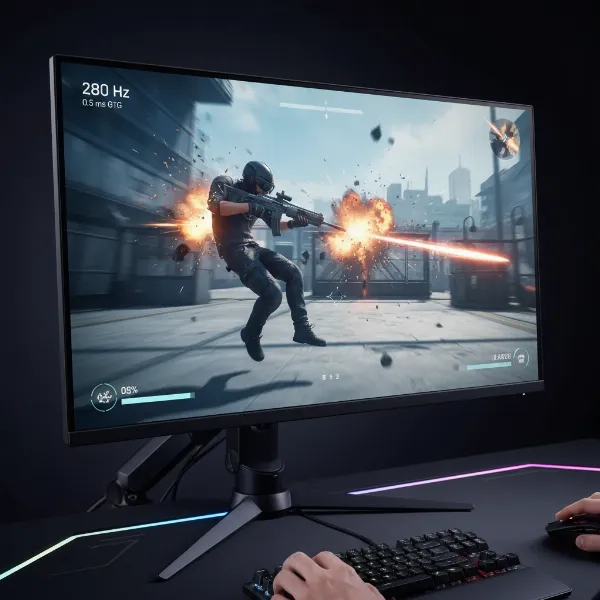 A fast-paced esports game scene on a monitor with high refresh rate and low response time, showing fluid motion.
Connectivity Ports
A monitor’s connectivity options determine its compatibility with various devices. The Lenovo Legion Y25-30 provides a robust selection of ports, including two HDMI ports, one DisplayPort, four USB 3.2 Gen 1 ports (two conveniently located on the side for easy access), an RJ45 Ethernet port, and a headphone jack. The Y25-25 also includes HDMI, DisplayPort, USB 3.0/3.1, and an audio jack.
- Common Port Types:
- HDMI: Versatile for audio and video, found on most modern devices. The Legion Y25 supports HDMI 2.0.
- DisplayPort: Often preferred for gaming due to higher bandwidth support for high refresh rates and Adaptive Sync technologies. The Legion Y25 uses DisplayPort 1.2.
- VGA/DVI: Older analog/digital connections, less common on new monitors.
- USB-C: A modern, multi-functional port for data, video, and power delivery (not present on the Legion Y25-30, which some users might miss).
- Choosing the Right Connection: For high refresh rate gaming with the Legion Y25, DisplayPort is generally recommended to leverage its full capabilities, especially for G-Sync compatibility.
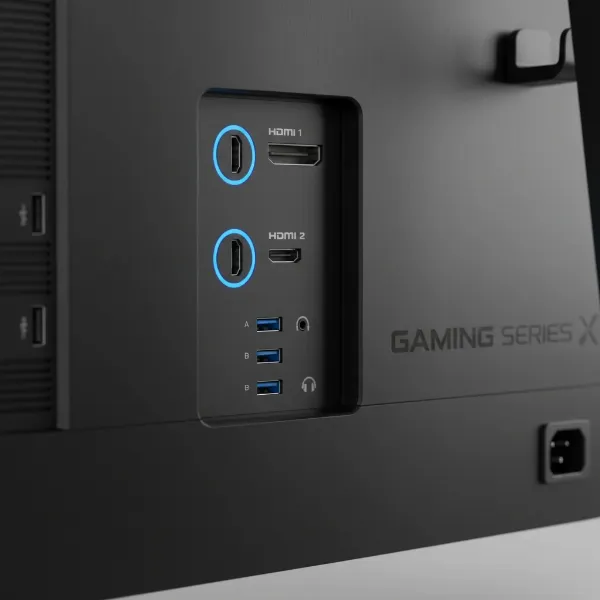 Rear view of a gaming monitor showing various connectivity ports like HDMI, DisplayPort, and USB.
Other Features
Modern computer monitors often come with additional features that enhance the user experience.
- HDR (High Dynamic Range): HDR support aims to deliver a wider range of colors and contrast, making visuals more lifelike. The Legion Y25-30 features HDR400 certification, which offers an entry-level HDR experience. While it can process HDR signals and provide good brightness (up to 400 nits on Y25-25 and 500 nits on Y25-30), it lacks local dimming zones, meaning it won’t achieve the deep, true blacks and intense contrast of higher-tier HDR displays or OLEDs.
- FreeSync and G-Sync: These adaptive synchronization technologies eliminate screen tearing and stuttering by synchronizing the monitor’s refresh rate with the GPU’s frame rate. The Legion Y25-25 is officially FreeSync certified and is also G-Sync compatible via DisplayPort. The Y25-30 supports AMD FreeSync Premium, with some configurations also offering NVIDIA G-Sync directly.
- Integrated Speakers: The Y25-30 includes two built-in 3W speakers, which are convenient for basic audio needs but are typically not a substitute for dedicated external speakers or a gaming headset for a premium audio experience.
- Adjustable Stand: Both Legion Y25 models boast an exemplary ergonomic stand. It allows for extensive adjustments including height, tilt, swivel, and pivot (90-degree rotation), enabling users to find the perfect viewing position. The Y25-25 even includes a handy integrated headset hook. This robust adjustability is a significant advantage for comfort during long gaming sessions.
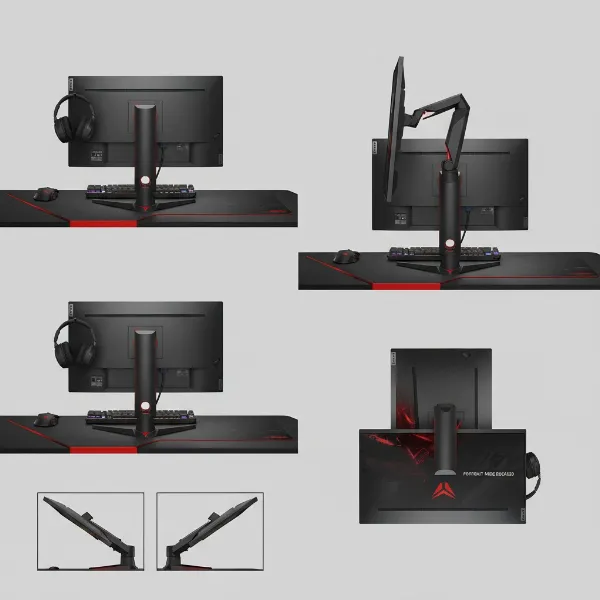 Lenovo Legion Y25 monitor stand demonstrating height, tilt, swivel, and pivot adjustments.
“The Lenovo Legion Y25-30 is an excellent gaming monitor that offers a fantastic balance of speed, adjustability, and overall value, making it a strong contender for esports enthusiasts.” – Rebecca Spear, Gaming and News Editor, Windows Central
Comparison Table of Computer Monitor Types
| Feature | LED (e.g., Lenovo Legion Y25) | LCD (General, often older) | OLED | QLED |
|---|---|---|---|---|
| Pros | Good color, wide viewing angles (IPS), energy-efficient, fast refresh rates/response times (modern IPS) | Affordable, basic functionality. | Perfect blacks, infinite contrast, vibrant colors, extremely fast response. | High brightness, wide color gamut, good contrast (better than standard LCD). |
| Cons | Can have moderate contrast, no true blacks. | Limited viewing angles (older TN), slower response times, poorer contrast. | Expensive, potential for burn-in (less with newer models). | Still uses a backlight, not true black, can be expensive. |
| Cost | Mid-range to High-end (depending on specs) | Low to Mid-range | Very High | High-end |
Where to Buy a Computer Monitor
Finding the right computer monitor often involves exploring both online and physical retail options to compare prices, features, and customer reviews.
Reputable Computer Monitor Retailers
When purchasing a computer monitor, it’s advisable to stick to well-known retailers that offer competitive pricing, reliable customer service, and robust warranty policies. Major electronics stores and online marketplaces often carry a wide selection of brands and models, including the Lenovo Legion Y25.
Buying Computer Monitors Online
Online shopping provides unparalleled convenience and access to a vast inventory. Websites such as Amazon, Best Buy, and the official Lenovo storefront are excellent places to find the Lenovo Legion Y25 series. Keep an eye out for sales and discounts, as prices for gaming monitors can fluctuate. Always check return policies and read recent customer reviews to ensure satisfaction. The Lenovo Legion Y25-30 has been noted for its decent pricing for the features it offers, often found around $340.
 Person browsing online retailers on a laptop, comparing prices and features of gaming monitors.
How to Choose the Right Computer Monitor
Selecting the ideal computer monitor for your needs requires a systematic approach to match your requirements with the available options.
1. Determine Your Usage Needs
Your primary activities will heavily influence your monitor choice. For competitive gaming, prioritizing high refresh rates (240Hz+), low response times (1ms or less), and Adaptive Sync (FreeSync/G-Sync) like those found in the Lenovo Legion Y25 is essential. For graphic design or video editing, focus on color accuracy and resolution. For general productivity, a larger screen or higher resolution might be more beneficial.
2. Set Your Budget
Computer Monitors range widely in price. Establishing a budget early helps narrow down your options. The Lenovo Legion Y25-30 is considered a solid option priced decently for its features, targeting esports enthusiasts on a budget.
3. Research Product Information
Once you have a clear idea of your needs and budget, research specific models. Look for detailed specifications, such as panel type, resolution, refresh rate, response time, and connectivity. Pay attention to features like HDR support and ergonomic adjustments.
4. Compare Different Products
Don’t settle for the first monitor you find. Compare several models side-by-side. Look at their pros and cons, how they stack up against direct competitors, and what reviewers say about real-world performance. Consider the minor differences between models like the Lenovo Legion Y25-25 and Y25-30, such as the Y25-30’s improved response time and higher potential refresh rate.
5. Read Product Reviews
User and expert reviews provide invaluable insights into a monitor’s real-world performance and potential shortcomings. Pay attention to feedback regarding color accuracy, input lag, ghosting, build quality, and customer support. For instance, reviews of the Lenovo Legion Y25-30 highlight its strong gaming performance and adjustable stand but note its bulky base and 1080p resolution possibly being too small for serious multitasking.
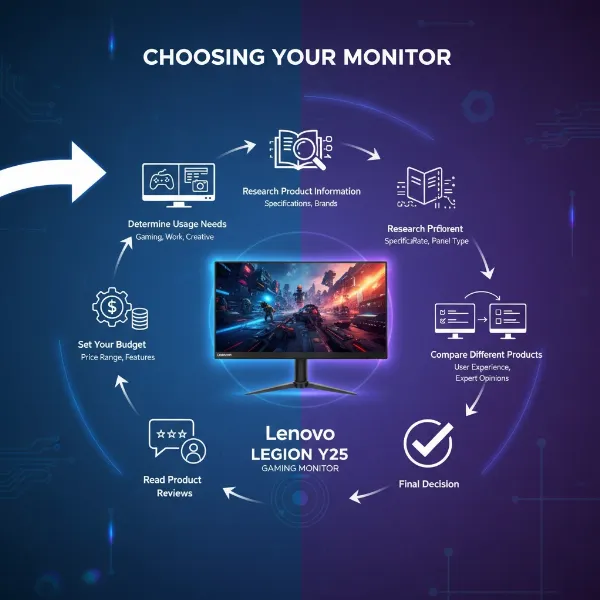 Graphic illustrating the decision-making process for choosing a gaming monitor, with factors like budget and needs.
Conclusion
The Lenovo Legion Y25 series, particularly the Y25-30, stands out as a formidable contender for competitive gamers seeking a high-speed, responsive display without breaking the bank. With its 24.5-inch Full HD IPS panel, a blazing 240Hz (or 280Hz overclocked) refresh rate, and an ultra-low 0.5ms response time, it delivers the fluid, tear-free visuals critical for esports. While its 1080p resolution may not suit heavy multitaskers or those desiring the highest pixel density, its excellent ergonomic stand, good color reproduction, and robust connectivity options offer a compelling package. For gamers prioritizing raw speed and responsive gameplay, the Legion Y25 offers tremendous value. Are you ready to elevate your game with a monitor built for victory?
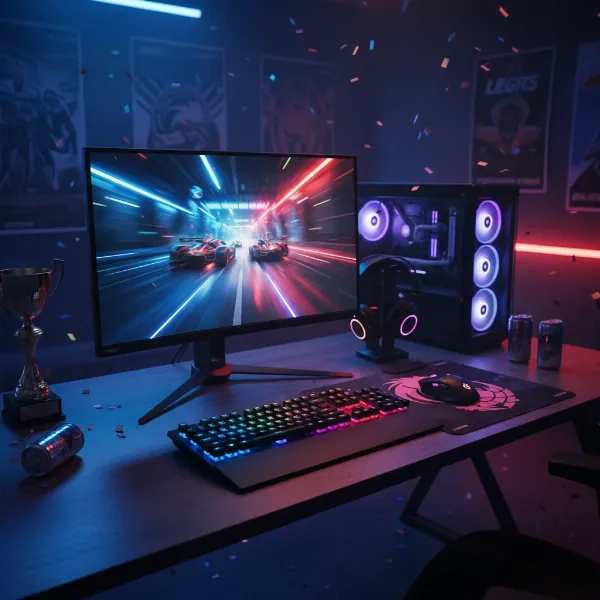 Lenovo Legion Y25 monitor in a high-performance gaming setup, displaying an exciting game with a triumphant vibe.
Frequently Asked Questions
Is the Lenovo Legion Y25 good for competitive gaming?
Yes, the Lenovo Legion Y25 is excellent for competitive gaming. Its high refresh rate (240Hz, or 280Hz overclocked on the Y25-30) and extremely fast response time (0.5ms on Y25-30) significantly reduce motion blur and input lag, giving players a crucial advantage in fast-paced titles.
Does the Lenovo Legion Y25 support G-Sync or FreeSync?
Yes, the Lenovo Legion Y25 supports adaptive synchronization. The Y25-25 is AMD FreeSync certified and G-Sync compatible via DisplayPort, while the Y25-30 supports AMD FreeSync Premium, with some versions featuring NVIDIA G-Sync, ensuring tear-free gameplay with compatible graphics cards.
Is the 1080p resolution on a 24.5-inch monitor still relevant?
For competitive esports, a 1080p resolution on a 24.5-inch monitor like the Lenovo Legion Y25 remains highly relevant. It allows for maximizing frame rates, which is often prioritized over pixel density in fast-paced games. However, for productivity or graphic-intensive single-player games, some users might prefer higher resolutions.
What are the main differences between the Lenovo Legion Y25-25 and Y25-30?
The Lenovo Legion Y25-30 is a newer iteration offering improvements like a faster 0.5ms response time (vs. 1ms for Y25-25), a higher peak brightness of 500 nits (vs. ~386 nits for Y25-25), and an overclockable refresh rate up to 280Hz (vs. 240Hz for Y25-25). Both maintain excellent ergonomics and IPS panels.