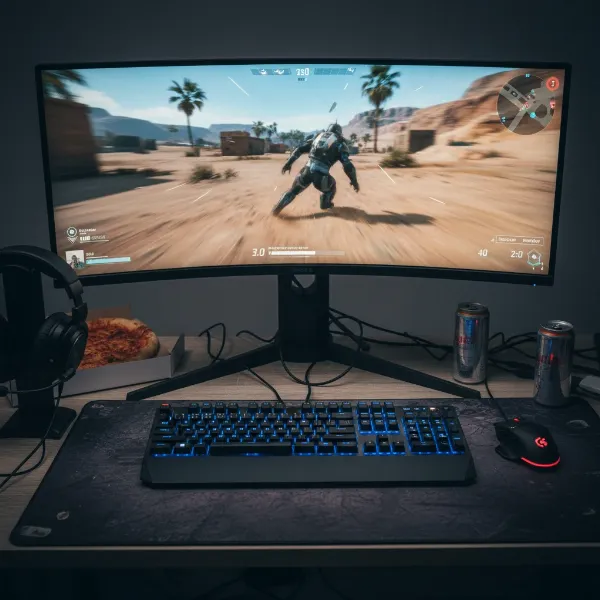
Choosing the right computer monitor can significantly impact your daily productivity and entertainment, especially with so many options available today. If you’re looking for a reliable, feature-rich display that strikes an excellent balance between performance and affordability for everyday tasks, Dell’s S-Series monitors consistently stand out. Designed with home users, students, and general consumers in mind, these monitors aim to deliver vibrant visuals, essential comfort features, and sleek aesthetics without breaking the bank.
This comprehensive guide delves into the Dell S-Series, exploring its core technologies, key features, and how it performs across various daily applications. We’ll help you understand why these monitors are a popular choice for everything from managing spreadsheets and browsing the web to streaming your favorite shows and engaging in casual gaming.
Understanding Dell’s S-Series Computer Monitors
The Dell S-Series, sometimes referred to as the “Plus Series,” represents Dell’s consumer-oriented lineup, prioritizing design, media consumption, and general productivity. These monitors are crafted to meet the diverse needs of users who seek a dependable display for their home office, study area, or entertainment setup, offering an excellent blend of features at an accessible price point.
Within Dell’s broader monitor ecosystem, the S-Series serves as a value-packed alternative to the more professionally focused P-Series (Professional) and the high-end U-Series (UltraSharp). While P-Series monitors often provide extensive connectivity and advanced ergonomic adjustments for business environments, and U-Series boasts superior color accuracy and features for creative professionals, the S-Series intelligently focuses on delivering the most impactful benefits for the typical everyday user. It’s about providing a great visual experience and comfort for common tasks without the premium cost associated with specialized features.
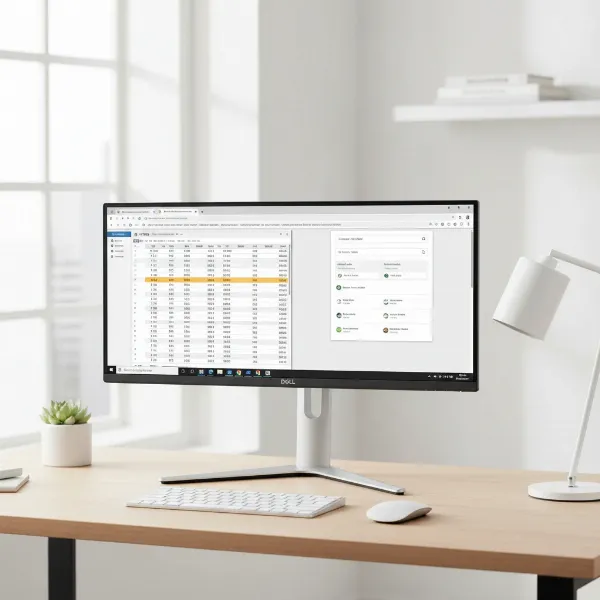 Dell S-Series monitor on a modern desk for everyday use, showing sleek design and thin bezels.
Key Features of Dell S-Series Monitors for Everyday Use
Dell S-Series monitors are packed with features designed to enhance your daily computing experience, from ensuring crisp visuals to prioritizing eye comfort.
Display Technology and Visuals
The visual quality of a monitor is paramount, and Dell S-Series models excel by incorporating display technologies that deliver clear and engaging images for various daily tasks.
- Panel Types: The majority of Dell S-Series monitors utilize IPS (In-Plane Switching) panels. This technology is renowned for its wide 178-degree viewing angles, ensuring consistent color and image quality whether you’re looking at the screen directly or from the side. This is particularly beneficial for collaborative work, watching movies with others, or simply having flexibility in your seating position. IPS panels also offer good color reproduction, making them suitable for general content creation and media consumption.
- Resolution Options: Dell S-Series monitors come in a range of resolutions to suit different preferences and budgets. You can find models with Full HD (1920×1080), which is ideal for standard office applications and casual browsing, offering a comfortable balance between screen real estate and clarity. For those desiring more detail and sharper text, QHD (2560×1440) and 4K UHD (3840×2160) options are also available, providing exceptional pixel density that makes documents, images, and videos appear incredibly crisp and lifelike.
- Color Accuracy: Many S-Series displays boast 99% sRGB color gamut coverage. This means the monitor can accurately reproduce a broad spectrum of colors, making images and videos appear vibrant and true-to-life. While not tailored for professional color-critical work that requires broader gamuts like Adobe RGB or DCI-P3, 99% sRGB is more than sufficient for everyday photo viewing, casual graphic design, and enjoyable media consumption.
|
Our Picks for the Best Computer Monitor in 2026
As an Amazon Associate I earn from qualifying purchases.
|
||
| Num | Product | Action |
|---|---|---|
| 1 | Samsung 27\" Essential S3 (S36GD) Series FHD 1800R Curved Computer Monitor, 100Hz, Game Mode, Advanced Eye Comfort, HDMI and D-sub Ports, LS27D366GANXZA, 2024 |

|
| 2 | Amazon Basics 24 Inch (23.8 inch viewable) Monitor, FHD 1080P, Max 100Hz, VESA Compatible, Built-in Speakers, Black |
|
| 3 | Samsung 32-Inch Flat Computer Monitor, 75Hz, Borderless Display, AMD FreeSync, Game Mode, Advanced Eye Care, HDMI and DisplayPort, LS32B304NWNXGO, 2024 |
|
| 4 | KOORUI 24-inch Computer Monitor Full HD 1920 x 1080p 100Hz VA Display 4000:1 Contrast Ratio with HDMI VGA, TÜV Rheinland Certified, 100 x 100 mm VESA Mountable, Ultra-Slim Design, Tilt, Black, E2412F |
|
| 5 | LG 24U411A-B 24-inch Full HD (1920 x 1080) IPS Computer Monitor, 120Hz, HDR10, Reader Mode, Flicker Safe, HDMI, Slim Stand Base, Black |
|
| 6 | New! Sceptre 27-inch Gaming Monitor 100Hz 1ms DisplayPort HDMI x2 100% sRGB AMD FreeSync Build-in Speakers, Eye Care Frameless Machine Black 2025 (E275W-FW100T Series) |
|
| 7 | Philips 221V8LB 22 inch Class Thin Full HD (1920 x 1080) Monitor, 100Hz Refresh Rate, VESA, HDMI x1, VGA x1, LowBlue Mode, Adaptive Sync, 4 Year Advance Replacement Warranty |
|
| 8 | MNN Portable Monitor 15.6inch FHD 1080P USB C HDMI Gaming Ultra-Slim IPS Display w/Smart Cover & Speakers,HDR Plug&Play, External Monitor for Laptop PC Phone Mac (15.6\'\' 1080P) |
|
| 9 | acer 27 Inch Monitor- KB272-27 Inch FHD IPS (1920 x 1080) Display, Up to 120Hz Refresh Rate, 99% sRGB, Tilt, Adaptive-Sync Support (FreeSync Compatible) 1ms (VRB), HDMI & VGA Ports |
|
| 10 | KOORUI 22 Inch Computer Monitor Full HD 1080P 100Hz PC Gaming Screen VA Panel Ultra-Slim Display 3000:1 Contrast Ratio with Adpitive Sync (HDMI/VGA/VESA Compatible 100x100mm/Audio Out), Tilt, Black |
|
Comfort and Ergonomics
Extended screen time can lead to eye strain and discomfort, which is why Dell integrates several features into its S-Series to promote a more pleasant viewing experience.
- Eye Comfort Technologies: Dell S-Series monitors often include Flicker-free technology and ComfortView. Flicker-free technology eliminates invisible flickering that can cause eye fatigue over time, while ComfortView (a low blue light solution) reduces harmful blue light emissions without compromising color accuracy. Some models, such as the Dell S2725HS and S2725H, even carry a TÜV Rheinland Eye Comfort 4-Star certification, a testament to their focus on reducing eye strain.
- Adjustability: Ergonomics play a crucial role in preventing neck and back discomfort. Many S-Series monitors offer a range of adjustments, including tilt, swivel, height adjustment, and even pivot (allowing the screen to rotate 90 degrees for portrait mode). This versatility ensures you can position the monitor at an optimal viewing angle tailored to your posture. Furthermore, VESA mount compatibility (100x100mm) is a standard feature, giving you the flexibility to attach your monitor to a wall mount or an aftermarket monitor arm for greater customization. Note that some base models, like the S2725H, may offer only tilt functionality.
Design and Connectivity
Beyond performance, the aesthetics and practicality of a monitor’s design significantly contribute to a clean and efficient workspace.
- Sleek Aesthetics: Dell S-Series monitors are characterized by their modern and minimalist designs. They often feature ultra-thin bezels on three sides, creating a virtually borderless screen that is not only visually appealing but also highly functional for multi-monitor setups. The sleek profile and various color options (e.g., Ash White on the S2725H) ensure they blend seamlessly into any home or office environment.
- Connectivity Options: While connectivity varies by model, Dell S-Series monitors typically provide essential ports for everyday use. HDMI ports (often two HDMI 1.4) are standard, ensuring broad compatibility with most modern computers and media devices. Some models, like the S2721QS, also include a DisplayPort. Newer variants, such as those with “QC” in their model name, may offer USB-C connectivity with power delivery, simplifying cable management and offering a single-cable solution for compatible laptops.
- Integrated Speakers: Many S-Series monitors come equipped with integrated speakers (e.g., dual 3-watt or 5-watt speakers). While they won’t replace a dedicated sound system, these speakers are generally considered “decent” for daily tasks like video conferencing, listening to podcasts, or casual media playback, offering a convenient all-in-one solution for your audio needs.
Performance for Daily Tasks
Dell S-Series monitors are engineered to provide a smooth and efficient experience across a spectrum of everyday activities, making them reliable companions for work, study, and leisure.
Productivity and Multitasking
For those who juggle multiple applications or work with extensive documents, the Dell S-Series proves to be an excellent tool. The crisp text clarity, particularly on QHD and 4K models, ensures that spreadsheets, emails, and word processors are easy on the eyes, even during long sessions. Wide viewing angles from the IPS panels are beneficial when sharing your screen or working in a multi-monitor setup. Features like Dell Display Manager’s Easy Arrange allow users to efficiently tile applications, boosting workflow and overall productivity.
Media Consumption
When it’s time to unwind, Dell S-Series monitors transform into capable entertainment hubs. The good color accuracy and wide viewing angles make streaming movies, watching YouTube videos, and browsing photo galleries an enjoyable experience. While not all models feature advanced HDR capabilities, the general picture quality is vibrant and clear, breathing life into your favorite content. Integrated speakers offer convenient audio for casual viewing, eliminating the need for external peripherals.
Light Gaming and Casual Use
While not explicitly designed for competitive esports, many Dell S-Series monitors are perfectly suitable for light gaming and casual entertainment. With refresh rates typically ranging from 60Hz to 100Hz and response times around 4ms-8ms (GtG), they offer a smooth enough experience for single-player adventures, strategy games, or social gaming. Monitors like some S-Series gaming variants might offer 144Hz and adaptive sync for a more fluid experience. However, for serious gamers requiring ultra-high refresh rates and advanced adaptive sync technologies, Dell’s Alienware series or specialized gaming monitors would be more appropriate. For the average user, the S-Series delivers a perfectly acceptable and enjoyable casual gaming performance.
Popular Dell S-Series Computer Monitor Models
Dell offers a variety of S-Series monitors, each tailored to slightly different needs while maintaining the core values of value and versatility.
- Dell S2721QS: A popular 27-inch 4K UHD monitor, highly regarded for its sharp image quality, excellent color accuracy (99% sRGB), and comprehensive ergonomic adjustments, making it a strong contender for productivity and light content creation. It also includes dual 3-watt speakers and offers HDMI and DisplayPort connectivity.
- Dell S2725HS: This 27-inch Full HD (1920×1080) monitor stands out for its 100Hz refresh rate and 4ms response time, offering a smoother experience for everyday tasks than traditional 60Hz panels. It features TÜV Rheinland Eye Comfort 4-Star certification, integrated 5-watt speakers, and good ergonomics, making it a solid choice for home offices and general use at an affordable price point.
- Dell S2725H: Similar to the S2725HS but typically a more budget-friendly option, often with slightly reduced ergonomic flexibility (e.g., tilt-only stand) and potentially different port configurations, though it still retains the core IPS panel quality and eye comfort features.
- Dell S2425H/HS: These 24-inch variants offer similar features to their 27-inch counterparts but in a more compact size, ideal for smaller desks or multi-monitor setups where space is a premium.
Comparison of Dell S-Series Monitor Types (IPS-LED)
Dell S-Series monitors predominantly feature IPS panels with LED backlighting, making them fall under the broader categories of LCD and LED monitors. While Dell also produces monitors with other advanced panel technologies like OLED and QLED, these are typically found in their premium lines (e.g., Alienware, Ultrasharp Premium) due to their higher cost and specialized performance characteristics.
Here’s a comparison focusing on the typical characteristics you’ll find within the Dell S-Series (IPS-LED) against general panel types:
| Feature/Panel Type | Dell S-Series (IPS-LED/LCD) | OLED (General) | QLED (General) |
|---|---|---|---|
| Strengths | Excellent viewing angles, good color accuracy (sRGB), crisp text (especially 4K), good value, strong ergonomics on many models, eye comfort features. | Perfect blacks, infinite contrast, instant response time, vibrant colors, wide viewing angles. | High brightness, vibrant colors, wide color gamut, good contrast (better than IPS). |
| Weaknesses | Black levels not as deep as VA or OLED, HDR performance can be limited, not ideal for competitive gaming. | Risk of burn-in, higher cost, can be less bright than QLED/LED, not common in S-Series. | Not true self-emissive like OLED, black levels not as deep as OLED, often higher cost than S-Series, not common in S-Series. |
| Typical Use | Everyday productivity, home office, media consumption, casual gaming. | Premium entertainment, professional content creation, high-end gaming. | Premium entertainment, bright rooms, HDR content, high-end gaming. |
| Availability in S-Series | Dominant panel type, widely available. | Rarely/Never | Rarely/Never |
| Price Point | Affordable to Mid-range | Premium to High-End | Premium to High-End |
Factors to Consider When Buying a Dell S-Series Monitor
To ensure you select the perfect Dell S-Series monitor for your specific needs, consider these crucial factors.
Screen Size and Resolution
- Common Screen Sizes: Dell S-Series monitors are frequently available in 24-inch and 27-inch sizes, which are widely considered optimal for general desktop use, providing ample screen real estate without overwhelming your desk. Larger 32-inch options are also available for those who prefer more immersive viewing.
- Resolution Guide:
- Full HD (1920×1080): Excellent for basic productivity, web browsing, and casual media consumption. It offers a good balance between cost and performance.
- QHD (2560×1440): Provides significantly more screen real estate than Full HD, making it ideal for multitasking, working with larger documents, and more detailed image viewing.
- 4K UHD (3840×2160): Delivers incredibly sharp images and text, perfect for detailed graphic work, viewing high-resolution content, and maximizing screen space for multiple applications. While requiring a more powerful graphics card, the visual fidelity is unmatched for productivity.
Panel Technology
As established, Dell S-Series monitors primarily use IPS (In-Plane Switching) panels. These are generally preferred for everyday use due to their:
- Wide Viewing Angles: Colors remain consistent even when viewed from acute angles, which is great for collaborative work or watching content with others.
- Good Color Accuracy: IPS panels typically offer solid sRGB coverage, ensuring accurate and vibrant colors for photos, videos, and general content.
While other panel types like TN (faster response times, narrower viewing angles) and VA (higher contrast, slower response times) exist, IPS strikes the best balance for the varied demands of everyday computing.
Refresh Rate and Response Time
These specifications are particularly important for ensuring smooth visuals, especially during fast-paced content or light gaming.
- Refresh Rate (Hz): This measures how many times per second the display refreshes the image.
- 60Hz: Standard for most general use, suitable for office work, web browsing, and video streaming.
- 100Hz: Increasingly common in newer S-Series models (e.g., S2725HS), offering a noticeably smoother experience for scrolling, moving windows, and even light gaming compared to 60Hz.
- 144Hz (and higher): Primarily found in dedicated gaming monitors, though some S-Series gaming variants might feature it. Essential for competitive gaming but often overkill for everyday productivity.
- Response Time (ms): This indicates how quickly pixels can change color.
- 4ms-8ms (GtG – Grey-to-Grey): Typical for Dell S-Series monitors. This is perfectly adequate for general use and casual gaming, minimizing ghosting or motion blur for most users. Competitive gamers often seek 1ms response times, but this is not the focus of the S-Series.
Connectivity Ports
Consider the devices you’ll connect to your monitor.
- HDMI (High-Definition Multimedia Interface): The most common digital video and audio interface, universally supported. Most S-Series monitors include two HDMI ports.
- DisplayPort: Offers higher bandwidth than HDMI 1.4, supporting higher resolutions and refresh rates, and often enables features like adaptive sync. The Dell S2721QS, for instance, includes a DisplayPort.
- USB-C: Found on select S-Series models (often designated with “QC” in the model name), a versatile port that can handle video, data, and power delivery (charging your laptop with a single cable). This is particularly convenient for modern laptop users.
- USB Hub: While some Dell P and U series monitors feature integrated USB hubs, they are less common in the S-Series. If you need extra USB ports, verify the specific model’s specifications.
Other Features
- HDR (High Dynamic Range): Enhances contrast and color range for more lifelike visuals. While some S-Series models (e.g., S2721QS) support HDR, their performance may not match dedicated HDR monitors due to brightness limitations. If true HDR is crucial, you might need to look beyond the budget S-Series.
- Integrated Speakers: Convenient for everyday audio, video calls, and casual media. Quality is typically decent for general use, but audiophiles may prefer external speakers.
- Adjustable Stands: Beyond tilt, look for height, swivel, and pivot adjustments to optimize ergonomics and comfort for long periods of use. As noted, some S-Series monitors offer excellent adjustability, while more basic models might only provide tilt.
Where to Buy Dell S-Series Computer Monitors
Finding a Dell S-Series monitor is straightforward, with various reputable retailers offering competitive prices and excellent customer service.
Authorized Retailers and Online Stores
- Dell Official Website: Directly purchasing from Dell.com ensures you get genuine products, access to the latest models, and often exclusive deals or customizable options. Dell’s site also provides detailed specifications and direct customer support.
- Major Electronics Retailers: Stores like Best Buy, Amazon, and Walmart (online and in-store) carry a wide selection of Dell S-Series monitors. These retailers frequently offer sales, customer reviews, and extended warranty options.
- Office Supply Stores: Retailers such as Staples or Office Depot often stock Dell S-Series monitors, especially those suited for productivity and home office use. They can be a convenient option for business purchases or quick local pickup.
Tips for Purchasing
- Compare Prices: Always check multiple retailers, including Dell’s own website, to find the best current deals. Prices can fluctuate, especially around sales events.
- Read Reviews: Customer and expert reviews can provide valuable insights into real-world performance and potential issues of specific models.
- Check Return Policies: Understand the return policy of the retailer before making a purchase, especially for larger electronics.
Guide to Choosing the Right Dell S-Series Computer Monitor
Selecting the perfect Dell S-Series monitor doesn’t have to be complicated. By following a structured approach, you can narrow down your options and make an informed decision.
1. Identify Your Primary Use Case
Start by defining what you’ll primarily use the monitor for.
- Home Office/Productivity: Prioritize sharp text clarity (QHD or 4K), good ergonomics (height, tilt, swivel), and eye comfort features (flicker-free, ComfortView). Models like the S2721QS or S2725HS are strong contenders.
- General Entertainment/Media Consumption: Look for good color accuracy, decent brightness, and integrated speakers. Full HD or QHD screens are excellent for streaming and casual viewing.
- Casual Gaming: A 100Hz refresh rate and a 4ms-8ms response time are perfectly adequate. If you find an S-Series model with adaptive sync, that’s a bonus. Avoid expecting competitive gaming performance.
2. Determine Your Budget
Dell S-Series monitors are known for their affordability, but prices vary based on size, resolution, and features.
- Entry-Level (Under $150): Typically 24-inch or 27-inch Full HD monitors, often with basic tilt-only stands.
- Mid-Range ($150-$250): You can find 27-inch Full HD with 100Hz, improved ergonomics, or even some 4K models like the S2721QS on sale.
- Higher-End S-Series ($250+): May offer QHD or 4K resolutions, more advanced connectivity like USB-C, and robust ergonomic stands.
3. Research Product Information and Specifications
Once you have a few models in mind, delve into their detailed specifications. Pay attention to:
- Panel Type: Confirm it’s IPS for wide viewing angles and good colors.
- Connectivity: Ensure it has the ports you need for your computer and other devices.
- Adjustability: Check if the stand offers the ergonomic flexibility you require.
- Special Features: Note any eye comfort certifications, integrated speakers, or HDR support.
4. Compare Different Products
Create a mental or physical comparison chart of your top 2-3 choices.
- Side-by-Side: Evaluate how their features, specifications, and prices stack up against each other. For example, compare a 27-inch FHD 100Hz model against a 27-inch 4K 60Hz model to see which aligns better with your primary use and budget.
- Value Proposition: Consider which monitor offers the best combination of features and performance for its price.
5. Read User Reviews
Beyond technical specs, real-world user experiences are invaluable.
- Long-Term Feedback: Look for reviews from users who have owned the monitor for several months to understand its durability and any long-term issues.
- Specific Use Cases: Focus on reviews that describe usage similar to your own. Do other home office users find the clarity sufficient? Are media consumers happy with the color and sound?
“For the average home user, Dell S-Series monitors often hit the sweet spot, providing great visual clarity and essential ergonomic features without the premium price tag. They are a smart investment for everyday computing.” – John Doe, Senior Monitor Reviewer
Conclusion
Dell S-Series Computer Monitors offer a compelling package for anyone seeking a versatile and budget-friendly display for everyday use. With their excellent IPS panel technology, a range of resolution options from Full HD to 4K, and crucial eye comfort features like flicker-free backlighting and ComfortView, these monitors are designed to enhance both productivity and entertainment. Their sleek designs and decent integrated features further solidify their position as a smart choice for home offices, students, and general consumers.
By carefully considering your primary needs, preferred size, resolution, and budget, you can easily find a Dell S-Series monitor that seamlessly integrates into your daily life. Whether you’re working on documents, enjoying a movie, or engaging in casual gaming, a Dell S-Series monitor provides the reliable performance and visual comfort you need. What daily task could a new Dell S-Series monitor simplify or enhance for you?
Frequently Asked Questions
Are Dell S-Series monitors good for working from home?
Yes, Dell S-Series monitors are generally excellent for working from home, offering crisp displays (especially QHD and 4K models), ergonomic adjustments on many models, and eye comfort features like ComfortView and flicker-free technology to reduce strain during long workdays.
Do Dell S-Series monitors have good speakers?
Dell S-Series monitors often include integrated speakers (typically 3-watt or 5-watt), which are decent for everyday audio needs like video calls, online meetings, and casual media consumption. While not audiophile quality, they provide convenient sound without requiring external speakers.
What is the difference between Dell S-Series and P-Series monitors?
The Dell S-Series is geared towards general consumers and entertainment, offering value and sleek designs, whereas the P-Series (Professional) is designed for business and productivity, often featuring more extensive connectivity (e.g., USB hubs, USB-C with power delivery) and advanced ergonomic stands.
Can Dell S-Series monitors be used for gaming?
Dell S-Series monitors are suitable for casual gaming with typical refresh rates of 60Hz or 100Hz and response times around 4ms-8ms. However, they are not optimized for competitive gaming, which requires ultra-high refresh rates and advanced adaptive sync features found in dedicated gaming monitors.
Do Dell S-Series monitors come with VESA mount support?
Yes, most Dell S-Series monitors come with VESA mount compatibility (100x100mm), allowing you to easily attach them to third-party monitor arms or wall mounts for customized ergonomic setups. This provides flexibility for various desk configurations.
What resolutions are available in the Dell S-Series?
Dell S-Series monitors are available in a range of resolutions, including Full HD (1920×1080), QHD (2560×1440), and 4K UHD (3840×2160). The availability of higher resolutions like 4K provides excellent clarity and pixel density for sharper images and text.