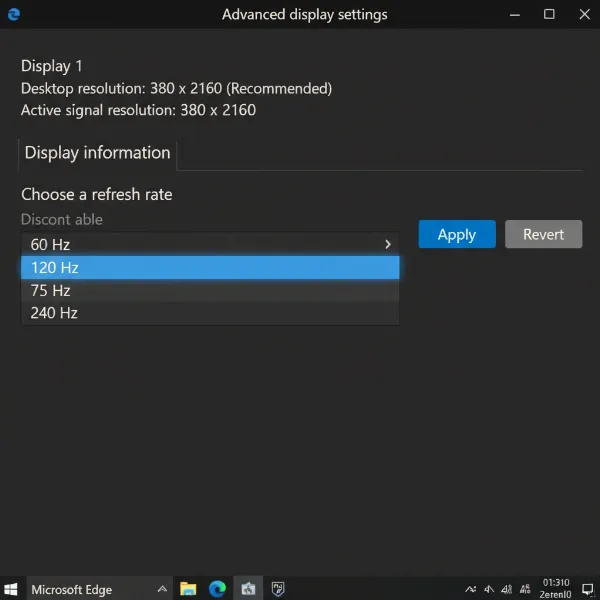
Every gamer knows the frustration: that jarring moment when your meticulously rendered world suddenly tears apart, or the action stutters right when you need fluid precision. Screen tearing and stuttering are immersion-breaking artifacts that plague even the most powerful gaming rigs. Fortunately, modern computer monitor technology offers solutions in the form of Variable Refresh Rate (VRR) technologies: NVIDIA G-Sync and AMD FreeSync. Both promise to synchronize your monitor’s refresh rate with your graphics card’s frame rate, delivering buttery-smooth, tear-free gameplay. But what exactly sets them apart, and does the difference truly matter for your gaming experience? Let’s dive deep into these competing technologies to help you make an informed decision.
Understanding Adaptive Sync Technologies
Before dissecting G-Sync and FreeSync, it’s crucial to understand the problem they solve. When your graphics processing unit (GPU) renders frames faster or slower than your monitor’s fixed refresh rate, visual inconsistencies arise.
What is Screen Tearing and Stuttering?
Screen tearing occurs when your monitor displays parts of multiple frames simultaneously, resulting in a horizontally misaligned image. This happens because the GPU sends a new frame while the monitor is still in the process of drawing the previous one. It’s especially noticeable in fast-paced games where the scene changes rapidly.
Stuttering is the opposite problem. It happens when the GPU is rendering frames slower than the monitor’s refresh rate, causing the monitor to display the same frame multiple times, leading to a choppy, uneven motion.
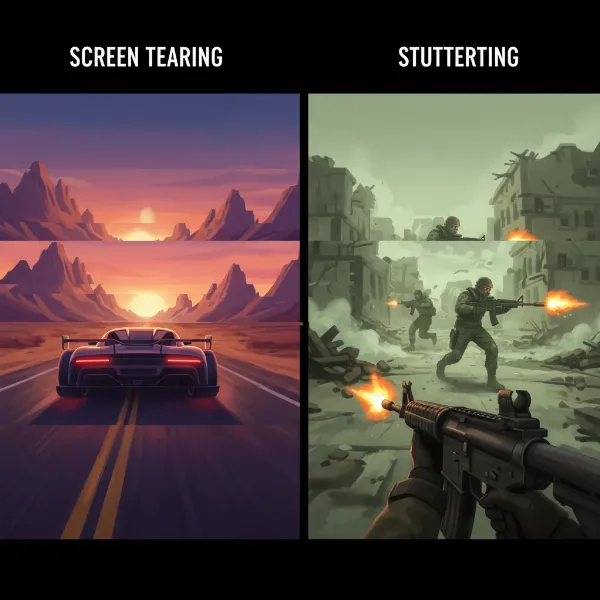 Visual example of screen tearing and stuttering in a game, showing misalignment and choppiness.
How Variable Refresh Rate (VRR) Works
Variable Refresh Rate (VRR) technologies are designed to eliminate these issues by allowing the monitor’s refresh rate to dynamically adjust and match the GPU’s output frame rate in real-time. This ensures that a new frame is only displayed when it’s fully rendered and ready, preventing tearing and stuttering, and delivering a consistently smooth visual experience.
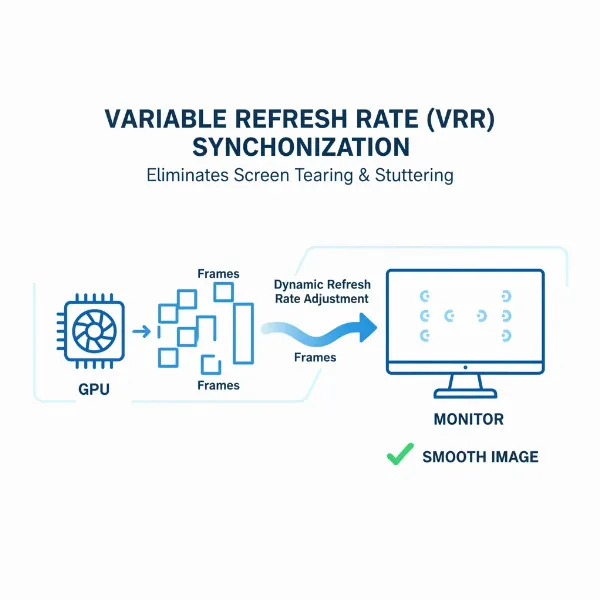 Diagram illustrating how VRR synchronizes monitor refresh rate with GPU frame rate for smooth gameplay.
The Limitations of V-Sync
Historically, V-Sync (Vertical Synchronization) was the primary solution to screen tearing. While effective at preventing tears by forcing the GPU to wait for the monitor’s refresh cycle, it introduces significant input lag and can cause stuttering if the frame rate drops below the monitor’s refresh rate. G-Sync and FreeSync offer a superior alternative, providing tear-free visuals without the drawbacks of V-Sync.
NVIDIA G-Sync: The Premium Solution
NVIDIA’s G-Sync technology entered the market promising a premium, uncompromised VRR experience. It’s a proprietary solution built around a dedicated hardware module integrated directly into the computer monitor.
What is G-Sync?
G-Sync is NVIDIA’s branding for its VRR technology, designed exclusively for NVIDIA GeForce graphics cards. Its core differentiator is the proprietary hardware chip embedded within G-Sync certified monitors. This module manages the synchronization process with NVIDIA GPUs, ensuring strict quality control and a highly optimized experience.
How G-Sync Works
The G-Sync hardware module in the monitor communicates directly with the NVIDIA GPU. This direct communication allows for precise control over the monitor’s refresh rate, matching it exactly to the GPU’s frame output. The result is a seamless, tear-free, and stutter-free visual flow across a wide range of frame rates, even when performance fluctuates dramatically.
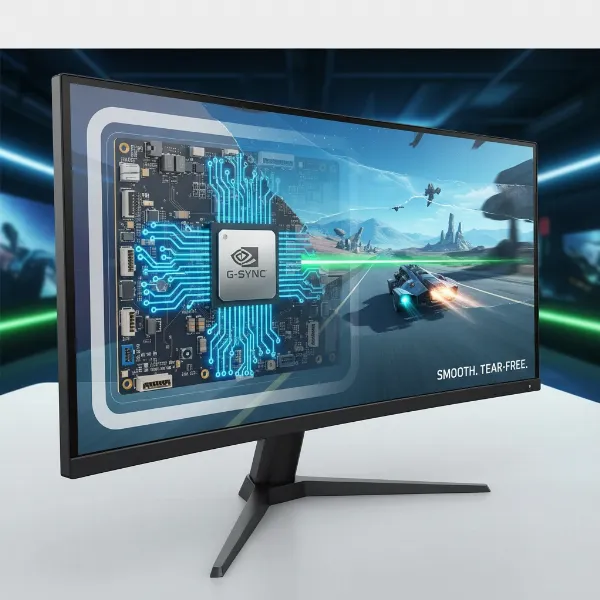 Close-up of an NVIDIA G-Sync hardware module inside a monitor, or a G-Sync certified monitor displaying gameplay.
Key Advantages of G-Sync
- Lower Input Lag: G-Sync monitors are rigorously tested to ensure minimal input lag, a critical factor for competitive gamers where every millisecond counts. This direct hardware integration generally leads to consistent, low latency.
- Superior VRR Performance: G-Sync typically offers a wider variable refresh rate range and robust performance, maintaining smoothness even during rapid and significant frame rate changes. This includes excellent Low Framerate Compensation (LFC), which intelligently multiplies frames at very low FPS to keep the VRR active.
- Consistent HDR Support: Many G-Sync displays, especially higher tiers like G-Sync Ultimate, feature strong and consistent High Dynamic Range (HDR) implementation, providing more vibrant colors and deeper contrast.
- Strict Quality Control: Due to the proprietary hardware and certification process, G-Sync monitors adhere to strict performance standards, offering a more guaranteed level of quality and consistency across different models.
Key Disadvantages of G-Sync
- Higher Price: The inclusion of a proprietary hardware module significantly increases the manufacturing cost of G-Sync monitors, making them generally more expensive than their FreeSync counterparts.
- Restricting Compatibility: G-Sync requires an NVIDIA GPU and a G-Sync certified monitor, limiting flexibility for users with AMD graphics cards or those seeking more budget-friendly options.
- Limited Monitor Options: Compared to FreeSync, there are fewer G-Sync certified monitor models available on the market.
G-Sync Ultimate
NVIDIA offers different tiers of G-Sync: G-Sync Compatible (which we’ll cover next), G-Sync, and G-Sync Ultimate. G-Sync Ultimate monitors represent the pinnacle, featuring the latest G-Sync processors, providing top-tier HDR support, and often delivering superior image quality and a broader VRR range.
AMD FreeSync: The Open Standard
In contrast to NVIDIA’s proprietary approach, AMD developed FreeSync as an open-standard solution, leveraging the VESA Adaptive-Sync technology. This open nature has made FreeSync widely adopted and more accessible.
What is FreeSync?
FreeSync is AMD’s adaptive synchronization technology, designed to eliminate screen tearing and stuttering. It is based on the royalty-free VESA (Video Electronics Standards Association) Adaptive-Sync standard, which is integrated into DisplayPort 1.2a (and newer) and HDMI 2.1 (and some HDMI 2.0b) specifications.
How FreeSync Works
Unlike G-Sync’s dedicated hardware module, FreeSync utilizes the Adaptive-Sync capability already present in many modern display controllers and GPUs. The FreeSync-enabled GPU sends a “frame ready” signal to the monitor, which then adjusts its refresh rate to display the new frame immediately. This dynamic synchronization ensures smooth visuals without proprietary hardware, relying primarily on firmware and software implementation.
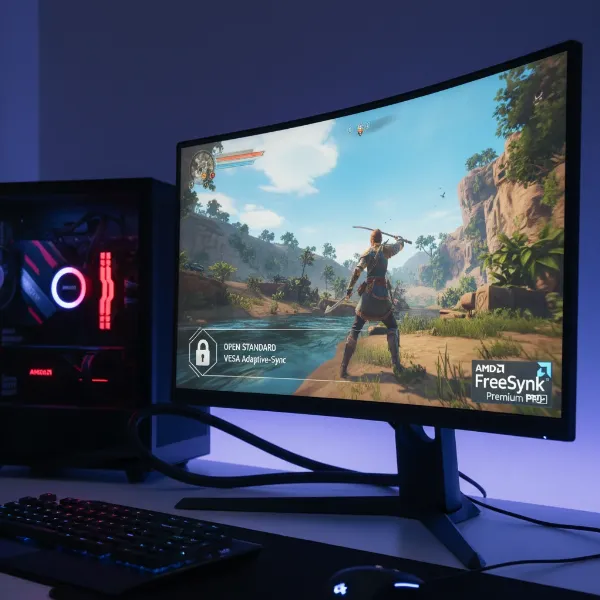 AMD FreeSync logo prominently displayed on a monitor, or a diagram showing FreeSync using VESA Adaptive-Sync.
Key Advantages of FreeSync
- More Economical: As an open standard that doesn’t require additional proprietary hardware, FreeSync monitors are typically more affordable, making VRR technology accessible to a broader range of gamers and budgets.
- Wider Compatibility: FreeSync works natively with AMD GPUs and has seen increasing support with many NVIDIA GPUs through driver updates (as “G-Sync Compatible”). This broad compatibility offers users greater flexibility in their hardware choices.
- Greater Monitor Selection: Due to its open nature and lower cost of implementation, FreeSync is integrated into a vast array of monitors from numerous manufacturers, offering more choices in terms of resolution, refresh rate, panel type, and features.
Key Disadvantages of FreeSync
- Variable Input Lag: While generally low, the input lag on FreeSync monitors can vary more significantly between models and may be marginally higher than that of dedicated G-Sync displays in some cases.
- Performance Inconsistency: Because FreeSync implementations can vary widely across different monitor brands and models, the performance and VRR range can be inconsistent. Not all FreeSync monitors are created equal, necessitating careful research.
- HDR Variations: Although FreeSync Premium Pro offers HDR support, the overall HDR handling and consistency can still vary more across FreeSync monitors compared to G-Sync, especially in lower-tier FreeSync displays.
FreeSync Tiers
AMD categorizes FreeSync into three tiers to denote varying levels of performance and features:
- FreeSync: The baseline, offering basic variable refresh rate capabilities.
- FreeSync Premium: Includes Low Framerate Compensation (LFC) and guarantees at least 120Hz refresh rate at a minimum of FHD resolution. LFC is crucial as it ensures the VRR remains active even when frame rates drop below the monitor’s minimum refresh rate by duplicating frames.
- FreeSync Premium Pro: Builds upon Premium features by adding hardware-enabled HDR support with wide color gamut and broad contrast spectrum, ensuring a superior HDR gaming experience with low latency.
G-Sync Compatible: Bridging the Gap
Recognizing the widespread adoption and affordability of FreeSync, NVIDIA introduced “G-Sync Compatible” in 2019. This initiative allows certain FreeSync monitors that pass NVIDIA’s rigorous testing and validation process to officially support VRR when paired with NVIDIA GPUs.
What “G-Sync Compatible” Means
A G-Sync Compatible monitor is essentially an Adaptive-Sync (FreeSync) display that NVIDIA has tested and certified to work seamlessly with their graphics cards. While it doesn’t contain the proprietary G-Sync hardware module, these monitors meet NVIDIA’s standards for smooth, tear-free gaming with minimal input lag. For many users, this has blurred the lines between the two technologies, as an NVIDIA GPU can now enjoy VRR benefits on a broader range of monitors. It’s important to note that while many FreeSync monitors may work with NVIDIA GPUs, only those specifically “G-Sync Compatible” are officially validated by NVIDIA to guarantee a consistent experience.
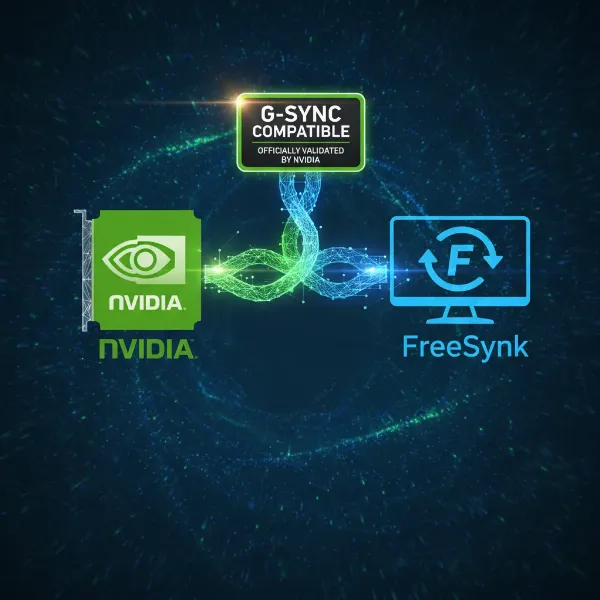 Image showing an NVIDIA GPU icon connected to a FreeSync monitor certified as G-Sync Compatible, illustrating cross-compatibility.
G-Sync vs. FreeSync: A Direct Comparison
Let’s summarize the key differences and similarities in a concise table:
| Feature | G-Sync | FreeSync |
|---|---|---|
| Implementation | Proprietary hardware module within the monitor | Open-standard (VESA Adaptive-Sync), firmware-based |
| Cost | Generally higher due to dedicated hardware | More affordable, no additional hardware cost for manufacturers |
| GPU Compatibility | Exclusively designed for NVIDIA GPUs | Works with AMD GPUs; many models also compatible with NVIDIA GPUs (“G-Sync Compatible”) |
| Monitor Options | Fewer certified models, typically premium segment | Wide array of monitors across all price points |
| Performance | Highly consistent, usually offers the lowest input lag and robust VRR | Can vary significantly between models, generally low input lag |
| Refresh Rate Range | Often wider and more consistent, with excellent LFC | Varies by monitor, improving with Premium and Premium Pro tiers, includes LFC |
| HDR Support | Strong and consistent (especially G-Sync Ultimate) | Improving, with FreeSync Premium Pro offering hardware-level support |
| Certification | Strict NVIDIA validation and testing for all tiers | Open standard, but AMD offers FreeSync, Premium, and Premium Pro certifications |
Does It Matter: Choosing the Right Variable Refresh Rate Computer Monitor
The question of whether G-Sync or FreeSync “matters” is less about one being universally superior and more about which one is better suited for your specific needs, existing hardware, and budget.
For Competitive Gamers
For those who demand every possible competitive edge, G-Sync often holds a slight lead due to its consistent, ultra-low input lag and superior performance during extreme frame rate fluctuations. The strict quality control ensures a predictable, top-tier experience. However, high-end FreeSync Premium Pro monitors can offer a very comparable experience for the vast majority of competitive players.
For Casual Gamers / Budget-Conscious Users
If you’re a casual gamer or operating on a tighter budget, FreeSync is an excellent choice. Its affordability and wide availability mean you can enjoy the benefits of VRR without breaking the bank. The overall visual smoothness it provides is a significant upgrade over playing without any adaptive sync technology.
Existing Hardware Setup
This is often the most critical factor.
- NVIDIA GPU Users: If you own an NVIDIA graphics card, your primary choices are G-Sync monitors (with the dedicated module) or G-Sync Compatible FreeSync monitors. If budget allows for a true G-Sync monitor, it offers a guaranteed premium experience. Otherwise, a G-Sync Compatible FreeSync monitor is a highly viable and often more affordable alternative.
- AMD GPU Users: For AMD graphics card owners, FreeSync is the native and most logical choice. You’ll find a broad selection of FreeSync monitors optimized for AMD hardware at various price points.
The Importance of VRR in General
Regardless of whether you choose G-Sync or FreeSync, incorporating any form of Variable Refresh Rate technology into your gaming setup is a game-changer. It dramatically enhances visual fluidity, eliminates distracting artifacts, and makes for a more immersive and enjoyable gaming experience, especially in titles where frame rates fluctuate.
 Gamer enjoying a fluid and immersive experience on a monitor with VRR, showing no tearing or stuttering.
Factors to Consider When Choosing Your VRR Monitor
When upgrading your computer monitor, consider these points to ensure you pick the best VRR solution for you:
- Your Graphics Card: Match your monitor’s adaptive sync technology to your GPU. NVIDIA users should look for G-Sync or G-Sync Compatible, while AMD users should prioritize FreeSync.
- Budget: G-Sync monitors are typically more expensive. If budget is a major constraint, FreeSync offers excellent value.
- Monitor Certifications: Pay attention to the specific tiers. FreeSync Premium and Premium Pro offer enhanced features like LFC and HDR, making them more competitive with G-Sync. For NVIDIA users, look for “G-Sync Compatible” validation.
- Gaming Style: If you’re an esports enthusiast prioritizing absolute minimal input lag and maximum consistency, a dedicated G-Sync monitor might be worth the investment. For most other gamers, a high-quality FreeSync Premium Pro or G-Sync Compatible monitor will suffice.
“Variable Refresh Rate technology fundamentally changes the gaming experience, offering a level of visual smoothness that was once considered a luxury. The choice between G-Sync and FreeSync often boils down to hardware allegiance and budget, but the core benefit of eliminating screen tearing is universally appreciated.” – Dr. Alex Chen, Lead Display Engineer at InnovateTech
Conclusion
The debate between G-Sync and FreeSync isn’t about a clear winner, but rather about two excellent variable refresh rate technologies that achieve the same goal: smoother, tear-free gaming on your Computer Monitor. G-Sync, with its proprietary hardware and stringent quality control, often represents a premium experience with guaranteed performance, though at a higher cost. FreeSync, built on an open standard, offers remarkable value, widespread compatibility, and a vast selection of monitors, making high-quality VRR accessible to more gamers.
Ultimately, your decision hinges on your GPU, your budget, and how critical every minute detail of performance is to your gaming. With NVIDIA now supporting FreeSync through its “G-Sync Compatible” program, the lines have blurred, giving you more flexibility than ever before. Do you prioritize a guaranteed premium experience, or do you seek excellent performance at a more accessible price point?
Frequently Asked Questions
Can I use FreeSync with an NVIDIA graphics card?
Yes, many NVIDIA GPUs support FreeSync monitors through their “G-Sync Compatible” program. While not all FreeSync monitors are officially validated, many will still work, allowing NVIDIA users to enjoy adaptive sync benefits on a broader range of affordable displays.
Is G-Sync always better than FreeSync?
Not always. While G-Sync often provides slightly more consistent performance and lower input lag due to its dedicated hardware module, high-end FreeSync Premium Pro monitors can offer a very comparable experience. FreeSync excels in affordability and wider compatibility, making it a great value.
Do I really need G-Sync or FreeSync for gaming?
While not strictly essential, implementing G-Sync or FreeSync dramatically enhances your gaming experience by eliminating screen tearing and stuttering, especially in fast-paced games or when your frame rates fluctuate. It delivers a much smoother and more immersive visual flow.
Which VRR technology is better for HDR gaming?
G-Sync, particularly the G-Sync Ultimate tier, generally offers stronger and more consistent HDR support due to its hardware integration and strict certification. However, FreeSync Premium Pro specifically includes hardware-level HDR support and is rapidly catching up in quality.
Can G-Sync monitors work with AMD graphics cards?
Generally, G-Sync monitors are designed for NVIDIA GPUs. However, some newer G-Sync monitors can operate in a “G-Sync Compatible” mode with AMD GPUs that support Variable Refresh Rate (VRR) over DisplayPort, though it might not offer the full suite of features compared to an NVIDIA GPU.
Does G-Sync or FreeSync affect my Frames Per Second (FPS)?
No, neither G-Sync nor FreeSync directly affects your Frames Per Second (FPS). Their purpose is to synchronize your monitor’s refresh rate with the frames your GPU is already producing, eliminating tearing and stuttering without the input lag penalties of traditional V-Sync.
What happens if my monitor doesn’t support G-Sync or FreeSync?
If your monitor lacks VRR technology, you can still use traditional V-Sync to reduce screen tearing, though it may introduce input lag and stuttering. Without any sync technology, you’re likely to experience significant screen tearing, especially in games with fluctuating frame rates.