In an age where our eyes are glued to computer monitors for hours on end, from demanding work tasks to immersive gaming sessions, digital eye strain has become a pervasive issue. Over 59% of digital device users report experiencing some form of eye fatigue, headaches, or discomfort. While high resolution and vibrant colors often steal the spotlight, a less visible but equally crucial aspect of display technology profoundly impacts our visual comfort: screen flicker. But what exactly is flicker-free technology, and does it genuinely make a difference in your daily computer monitor usage? Let’s dive deep into this innovative solution and uncover how it safeguards your eyes in our screen-centric world.
Understanding Flicker-Free Technology
Display flicker is a subtle, rapid change in a screen’s brightness, often imperceptible to the naked eye, yet consistently processed by our brains. This constant light fluctuation forces your eyes to work harder, leading to the common symptoms of digital eye strain. Traditional monitors frequently employ a method called Pulse Width Modulation (PWM) to control screen brightness. PWM dims the display by rapidly turning the backlight on and off at a high frequency. While effective for brightness adjustment, this rapid cycling, especially at lower brightness levels, can introduce noticeable or invisible flicker.
Flicker-free technology, conversely, fundamentally re-engineers how monitors manage brightness. Instead of PWM’s on-off cycling, flicker-free displays utilize Direct Current (DC) dimming. This method varies the electrical current supplied to the LED backlight, maintaining a consistent, continuous light output across all brightness settings. By eliminating these rapid on-off transitions, DC dimming ensures a stable light source, significantly reducing the strain on your eyes.
Flicker-Free Technology vs. Standard Displays
|
Our Picks for the Best Computer Monitor in 2026
As an Amazon Associate I earn from qualifying purchases.
|
||
| Num | Product | Action |
|---|---|---|
| 1 | Samsung 32-Inch Flat Computer Monitor, 75Hz, Borderless Display, AMD FreeSync, Game Mode, Advanced Eye Care, HDMI and DisplayPort, LS32B304NWNXGO, 2024 |

|
| 2 | KOORUI 24-inch Computer Monitor Full HD 1920 x 1080p 100Hz VA Display 4000:1 Contrast Ratio with HDMI VGA, TÜV Rheinland Certified, 100 x 100 mm VESA Mountable, Ultra-Slim Design, Tilt, Black, E2412F |
|
| 3 | KOORUI 22 Inch Computer Monitor Full HD 1080P 100Hz PC Gaming Screen VA Panel Ultra-Slim Display 3000:1 Contrast Ratio with Adpitive Sync (HDMI/VGA/VESA Compatible 100x100mm/Audio Out), Tilt, Black |
|
| 4 | Philips 221V8LB 22 inch Class Thin Full HD (1920 x 1080) Monitor, 100Hz Refresh Rate, VESA, HDMI x1, VGA x1, LowBlue Mode, Adaptive Sync, 4 Year Advance Replacement Warranty |
|
| 5 | Samsung 27\" Essential S3 (S36GD) Series FHD 1800R Curved Computer Monitor, 100Hz, Game Mode, Advanced Eye Comfort, HDMI and D-sub Ports, LS27D366GANXZA, 2024 |
|
| 6 | LG 24U411A-B 24-inch Full HD (1920 x 1080) IPS Computer Monitor, 120Hz, HDR10, Reader Mode, Flicker Safe, HDMI, Slim Stand Base, Black |
|
| 7 | Amazon Basics 24 Inch (23.8 inch viewable) Monitor, FHD 1080P, Max 100Hz, VESA Compatible, Built-in Speakers, Black |
|
| 8 | MNN Portable Monitor 15.6inch FHD 1080P USB C HDMI Gaming Ultra-Slim IPS Display w/Smart Cover & Speakers,HDR Plug&Play, External Monitor for Laptop PC Phone Mac (15.6\'\' 1080P) |
|
| 9 | New! Sceptre 27-inch Gaming Monitor 100Hz 1ms DisplayPort HDMI x2 100% sRGB AMD FreeSync Build-in Speakers, Eye Care Frameless Machine Black 2025 (E275W-FW100T Series) |
|
| 10 | acer 27 Inch Monitor- KB272-27 Inch FHD IPS (1920 x 1080) Display, Up to 120Hz Refresh Rate, 99% sRGB, Tilt, Adaptive-Sync Support (FreeSync Compatible) 1ms (VRB), HDMI & VGA Ports |
|
Understanding the core difference in brightness control mechanisms highlights why flicker-free technology stands as a superior choice for eye comfort.
| Feature | Standard PWM Displays | Flicker-Free Technology |
|---|---|---|
| Brightness Control Method | Rapid on/off cycling of LED backlight (Pulse Width Modulation) | Direct Current (DC) modulation (constant power flow) |
| Light Output | Intermittent pulses | Constant, steady stream |
| Typical Flicker Frequency | 200-250Hz (often imperceptible) | Completely eliminated at all brightness levels |
| Eye Strain Potential | High, especially at lower brightness settings | Minimal, significantly reduces fatigue |
| Visual Experience | Can lead to subtle discomfort over time | Smoother, more comfortable viewing |
This fundamental shift from intermittent pulses to a constant light stream makes a remarkable difference in visual ergonomics, providing a much more comfortable viewing experience for users.
The Impact of Screen Flicker on Eye Health
While screen resolution and refresh rates often capture attention, the hidden danger of screen flicker can have significant, long-term implications for eye health. Modern professionals, for instance, spend an average of seven hours daily staring at digital screens, making constant exposure to flicker a serious concern.
Symptoms of Screen Fatigue
The insidious nature of screen flicker lies in its ability to cause digital eye strain, also known as Computer Vision Syndrome, even when the flicker itself is not consciously perceived. The constant effort by your eyes to adapt to these rapid light changes triggers a cascade of uncomfortable symptoms, which can manifest during or after prolonged screen usage. These common signs include persistent eye fatigue, dryness, redness, or irritation. Users may also experience headaches ranging from mild to severe, blurred or double vision, and difficulty maintaining focus, all stemming from the visual stress induced by imperceptible flicker.
Long-Term Effects of Prolonged Exposure to Flicker
Beyond immediate discomfort, prolonged exposure to screen flicker can lead to more serious and chronic eye problems. Consider a monitor flickering at 200Hz; over an eight-hour workday, your eyes are effectively subjected to approximately 5.8 million rapid light changes. This relentless visual bombardment puts ongoing strain on your ocular system, preventing your eyes from ever truly resting. Possible long-term effects include accelerated retinal cell damage, an increased risk of macular degeneration, permanent changes to light sensitivity, and the development of chronic vision problems that may require corrective measures. Prioritizing flicker-free technology today is a proactive step towards safeguarding your vision for the future.
Benefits of Flicker-Free Displays
Flicker-free technology offers tangible benefits that extend beyond mere comfort, significantly enhancing overall user well-being and productivity. These displays represent a major step forward in creating healthier digital environments.
Reduced Eye Strain and Discomfort
The most immediate and widely reported benefit of flicker-free displays is a noticeable reduction in eye strain and discomfort. By eliminating the rapid on-off cycles of traditional PWM backlights, flicker-free monitors allow your eyes to maintain a more stable state. This reduction in continuous effort translates into less eye fatigue and dryness, fewer headaches and migraines, and decreased instances of blurred vision. Many users report feeling a difference almost immediately after switching, finding they can work or enjoy digital content for much longer periods without the usual strain or the need for frequent breaks.
Improved Productivity and Focus
Screen flicker, even when not consciously seen, can be a subtle yet persistent distraction that drains cognitive resources and impairs concentration. By providing a stable, consistent light source, flicker-free displays create a more visually calm environment, enabling users to stay focused for extended durations. This leads to improved productivity and reduced error rates, as your brain is no longer expending energy trying to compensate for imperceptible visual instability. Studies indicate that users on flicker-free displays can maintain focus for significantly longer periods and complete tasks faster, making this technology invaluable for professionals, students, and content creators alike.
Specific Benefits for Certain Conditions
The advantages of flicker-free technology are particularly profound for individuals with certain medical conditions who are highly sensitive to light fluctuations. For those with ADHD, flicker-free displays can reduce irritation and hyperactivity caused by visual distractions, helping them maintain focus more effectively. Moreover, for individuals with epilepsy, flicker-free technology drastically lowers the danger of triggering seizures, which can be provoked by flashing lights or strong glare. This makes flicker-free monitors not just a comfort feature, but a crucial element for accessibility and well-being.
Flicker-Free Technology in Action
Leading computer monitor manufacturers have recognized the critical importance of eye health, integrating flicker-free technology as a standard feature in many of their displays. Brands like BenQ and ViewSonic have been at the forefront of this movement, showcasing advanced implementations designed for comprehensive eye care.
BenQ’s Flicker-Free Technology, for example, is engineered to eliminate flicker across all brightness levels, ensuring a consistently comfortable viewing experience in any lighting condition. Their approach often combines flicker reduction with other eye-care features, such as Low Blue Light filters, which further mitigate eye strain. Many BenQ monitors also carry TÜV Rheinland certification, an independent validation that confirms the display meets rigorous standards for flicker-free performance.
ViewSonic, another industry pioneer, offers what they term “True Flicker-Free” technology, utilizing DC modulation to deliver a constant flow of light. Beyond flicker elimination, ViewSonic integrates sophisticated blue light filter technology with up to 100 adjustable levels, allowing users to fine-tune protection based on their environment and personal sensitivity. Monitors like the ViewSonic VP3881 exemplify this holistic approach, combining flicker-free operation with anti-glare coatings and ergonomic designs for optimal user comfort during prolonged use. These examples highlight a broader industry shift towards prioritizing user visual health through robust and certified flicker-free solutions.
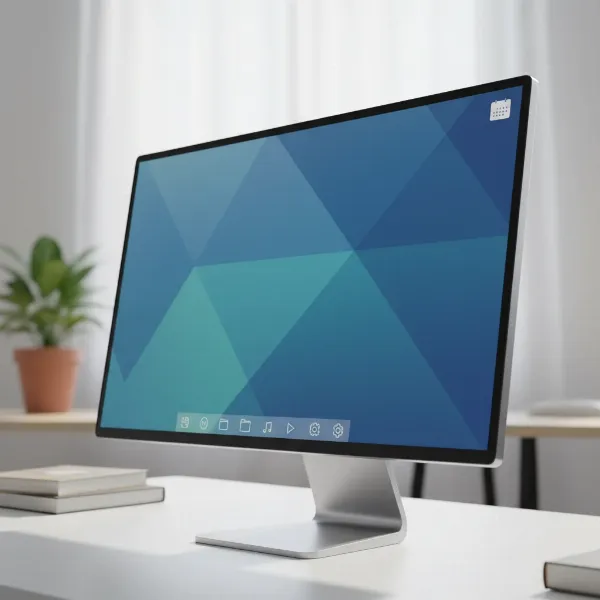 A close-up of a computer monitor displaying a smooth, flicker-free image, highlighting visual comfort and eye protection.
Flicker-Free Technology vs. Adaptive Sync (FreeSync/G-Sync)
It’s common for consumers to confuse flicker-free technology with adaptive sync technologies like FreeSync and G-Sync, or to believe they serve the same purpose. While both aim to enhance the visual experience, their mechanisms and primary benefits are distinct.
Flicker-Free Technology directly addresses eye strain and fatigue by ensuring a stable, non-pulsating backlight. Its goal is visual comfort and long-term eye health, primarily by eliminating the rapid on-off cycles of PWM dimming.
Adaptive Sync technologies (AMD FreeSync and NVIDIA G-Sync), on the other hand, focus on improving the fluidity of moving images, especially in gaming. They synchronize a monitor’s refresh rate with the graphics card’s frame rate. This synchronization eliminates visual artifacts like screen tearing (when multiple frames are displayed simultaneously, creating a horizontal split) and stuttering (when frames are held back, causing choppy motion). FreeSync and G-Sync primarily target a smoother gaming experience and visual responsiveness, not the underlying backlight flicker that causes eye strain.
While many high-performance gaming monitors now incorporate both flicker-free technology and adaptive sync features, it’s crucial to understand that one does not substitute for the other. A monitor can be flicker-free without having FreeSync/G-Sync, and vice-versa, though the best modern displays often offer a combination to provide both superior visual comfort and fluid motion. For users who prioritize eye health during long work or intense gaming sessions, flicker-free is essential. For competitive gamers seeking the smoothest, tear-free visuals, adaptive sync is the key. Ideally, a monitor offering both provides a comprehensive premium experience.
Are OLED Monitors Flicker Free?
As OLED (Organic Light-Emitting Diode) technology gains prominence for its stunning contrast and true blacks, a common question arises: are OLED computer monitors inherently flicker-free? The answer is nuanced.
OLED displays differ significantly from traditional LED-backlit LCDs because each pixel is self-illuminating. This means individual pixels can turn completely off to achieve perfect black, rather than relying on a constantly illuminated backlight filtered by pixels. In theory, this self-emissive nature suggests OLEDs should be flicker-free. However, the reality is more complex. While many high-end OLED monitors are designed to be flicker-free across a wide range of brightness levels, some OLED displays still utilize Pulse Width Modulation (PWM) for brightness control, particularly at lower brightness settings. This can introduce a form of flicker, though often at a much higher frequency than that found in older LED-backlit LCDs, making it less noticeable to most users.
Compared to LED and LCD technologies, OLED generally offers benefits like reduced blue light emission and higher refresh rates, which can indirectly contribute to eye comfort. The superior contrast and deep blacks can also lessen eye strain in certain viewing conditions by reducing overall light emission. However, for those specifically prioritizing flicker-free performance, it’s vital to research individual OLED models. Manufacturers like ASUS, with their ProArt series, offer high-end OLED monitors explicitly engineered to be flicker-free across all brightness levels, combining OLED’s visual strengths with advanced eye protection. When considering an OLED monitor for eye health, always verify the specific model’s specifications and look for independent reviews confirming its flicker-free claims.
Choosing the Right Flicker-Free Computer Monitor
Selecting the ideal flicker-free computer monitor involves balancing eye health benefits with your performance needs and budget. A thoughtful approach ensures you invest in a display that truly enhances your digital experience.
Key Features to Look For
When assessing flicker-free computer monitors, several key features should guide your decision. First and foremost, look for explicit mention of DC dimming or “true flicker-free” technology in the manufacturer’s specifications. This indicates the display controls brightness by varying current rather than rapid on-off cycling. Secondly, robust blue light filters are crucial. Monitors offering adjustable blue light settings are preferable, allowing you to customize the filter strength based on time of day or personal sensitivity. High refresh rates (120Hz or above for smoother motion) and quick response times are also beneficial, contributing to an overall smoother image and reduced perceived blur, which can further lessen eye strain. Additionally, anti-glare coatings are vital for minimizing reflections, another common source of visual discomfort.
Certifications and Standards
Independent certifications provide invaluable assurance of a monitor’s eye-care performance. The TÜV Rheinland Flicker-Free certification is widely respected and signifies that a display has undergone rigorous testing to confirm the absence of visible and imperceptible flicker. Other reputable certifications include Eyesafe® Display and UL Verified Low Blue Light, which certify reduced blue light emissions without compromising color accuracy. Always prioritize monitors with these third-party validations, as they confirm adherence to strict eye health standards. Beware of vague “flicker-safe” claims without specific technological details or certifications, as they may not offer complete flicker elimination.
How to Verify a Flicker-Free Monitor
Beyond manufacturer claims and certifications, you can conduct simple tests to verify a monitor’s flicker-free status. The most common method involves using a smartphone camera. Set your monitor to its lowest brightness setting, open your smartphone’s camera app, and point it at the monitor screen. If you observe horizontal rolling bars or a strobing effect through your phone’s screen, the monitor likely uses PWM and is not truly flicker-free. A genuinely flicker-free display will appear stable and uniform. Additionally, consulting long-term user reviews and professional tech site analyses can provide real-world insights into a monitor’s flicker performance.
Flicker-Free vs. Flicker Safe Monitors
The terms “flicker-free” and “flicker safe” are often used interchangeably in marketing, leading to consumer confusion. Understanding the subtle but significant distinction is critical when prioritizing eye health in your monitor purchase.
Flicker-Free monitors are designed to completely eliminate screen flicker across all brightness levels, typically by employing DC (Direct Current) dimming. These displays provide a consistent, stable light output, thereby offering maximum protection against eye strain and associated discomfort. They aim for absolute flicker elimination.
Flicker Safe monitors, on the other hand, implement measures to reduce flicker, but may not entirely eliminate it. These monitors often minimize the visible effects of flicker, especially at higher brightness levels, but might still utilize high-frequency Pulse Width Modulation (PWM) for brightness control, particularly when the brightness is set lower. While an improvement over older, standard PWM monitors, flicker-safe displays may still introduce imperceptible flicker that can affect sensitive individuals over extended periods.
When making a choice, if eye strain is a significant concern or if you spend prolonged hours in front of a screen, opting for a monitor that is explicitly advertised and certified as “flicker-free” with DC modulation is the superior choice. These provide the most comprehensive eye protection. Flicker-safe options can be suitable for less intensive use or for users who are less sensitive, but they do not guarantee the same level of flicker elimination as truly flicker-free models. Always look for clear technical explanations and reputable third-party certifications to ensure the monitor truly delivers on its eye-care promises.
“Investing in flicker-free technology is not just about comfort; it’s a strategic move towards preserving long-term ocular health in an increasingly digital world. The subtle stress from monitor flicker accumulates, and preventing it is paramount.” – Dr. Elena Petrova, Optometry Specialist in Digital Ergonomics
Conclusion
Flicker-free technology represents a pivotal advancement in computer monitor design, offering substantial benefits for eye health and overall user comfort. By eliminating the rapid on-off cycles that cause screen flicker, these displays significantly reduce eye strain, headaches, and visual fatigue—symptoms that plague millions in our digital age. The shift from Pulse Width Modulation to Direct Current dimming ensures a stable, consistent light source, transforming long hours in front of a screen from a chore into a more comfortable and productive experience.
The question of whether flicker-free technology really helps can be answered with a resounding yes. From enhancing productivity for office workers to providing crucial relief for gamers and individuals with light sensitivities, the real-world impact is undeniable. As you consider your next computer monitor, prioritize models that explicitly feature and are certified for flicker-free operation. Your eyes will undoubtedly thank you for this thoughtful investment in your long-term visual well-being. What steps will you take today to ensure a more eye-friendly digital future for yourself?
Frequently Asked Questions
What exactly is display flicker and how does it affect me?
Display flicker is the rapid on-off cycling of a screen’s backlight, often imperceptible but still processed by your eyes. This constant light fluctuation causes eye strain, fatigue, headaches, and can contribute to long-term vision issues, especially during prolonged screen use.
How can I tell if a computer monitor is truly flicker-free?
Check the manufacturer’s specifications for “flicker-free” technology or “DC dimming.” You can also use your smartphone camera: set your monitor to low brightness and point your phone at it. If you see rolling horizontal bars, it’s likely not truly flicker-free. Look for certifications like TÜV Rheinland.
Do flicker-free monitors reduce blue light emissions too?
Flicker-free technology primarily addresses backlight pulsations, not blue light directly. However, many flicker-free monitors also integrate separate blue light filter features to offer comprehensive eye protection. Always check for specific blue light reduction claims or certifications in addition to flicker-free technology.
Is flicker-free technology only important for gamers?
No, flicker-free technology is crucial for anyone who spends significant time in front of a screen, including office workers, students, content creators, and casual users. While gamers benefit from reduced fatigue during long sessions, the eye health advantages are universal across all types of Computer Monitor usage.
Are there any downsides to using flicker-free technology?
Generally, there are no notable downsides to flicker-free technology itself. In some cases, very early or poorly implemented DC dimming might lead to slightly less accurate color reproduction at extremely low brightness levels compared to PWM, but modern flicker-free monitors have largely overcome this. The benefits for eye health overwhelmingly outweigh any minimal theoretical drawbacks.
Should I choose a monitor with FreeSync/G-Sync or flicker-free technology?
Ideally, choose a monitor with both. FreeSync/G-Sync eliminate screen tearing and stuttering for smoother gaming, while flicker-free technology reduces eye strain for better comfort. If you must prioritize, flicker-free is for eye health and comfort, while adaptive sync is for competitive gaming performance.
Can flicker-free technology help with my migraines?
Many individuals who experience migraines triggered or worsened by screen use report a significant reduction in symptoms after switching to flicker-free monitors. By eliminating the subtle visual stress caused by flicker, these displays can create a more comfortable environment that is less likely to provoke headaches or migraines.