In today’s fast-paced digital world, where remote work and virtual collaboration have become integral to our daily routines, a high-performing computer monitor is more than just a screen. For many, the ideal workspace is clean, efficient, and free from clutter. This is where monitors with built-in speakers and webcams shine, offering an all-in-one solution that integrates essential peripherals directly into your display. These innovative monitors are designed to streamline your setup, enhance productivity, and ensure you’re always ready for a video call without the hassle of extra cables and devices.
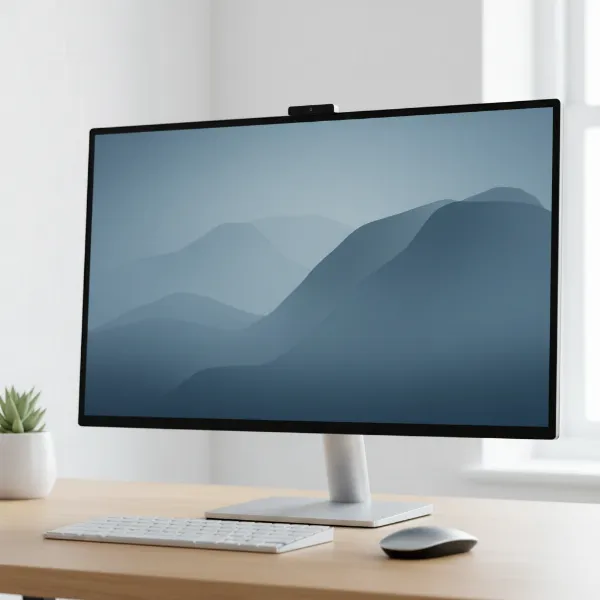 A modern, minimalist desk setup featuring a sleek computer monitor with integrated webcam and speakers, showing a clean workspace.
Why Choose a Computer Monitor with Built-in Speakers and Webcams?
The primary appeal of a monitor with integrated speakers and a webcam lies in its unparalleled convenience and ability to declutter your workspace. Imagine a desk free from an external webcam perched precariously atop your screen, or separate speakers taking up valuable real estate. These all-in-one solutions offer a sleek aesthetic and simplified connectivity. With USB-C or Thunderbolt compatibility, many models can connect to your laptop with a single cable, handling video, audio, data transfer, and even charging simultaneously. This means less cable management and more time focusing on what truly matters, whether that’s an important video conference or immersive multimedia consumption. The rise of hybrid work models further cements their value, providing a seamless transition between office and home setups.
Key Features to Consider in Monitors with Integrated Peripherals
When investing in a computer monitor with built-in speakers and a webcam, several factors warrant careful consideration to ensure it meets your specific needs. Understanding these features will help you make an informed decision and optimize your daily workflow.
Webcam Quality and Features
The quality of the integrated webcam is paramount for clear video conferencing. While built-in cameras have historically lagged behind dedicated external webcams, many modern monitors now offer impressive performance.
- Resolution: Look for a minimum of 1080p (Full HD) resolution for sharp, clear video. Premium models boast 4K or even 6K webcams, providing exceptional detail for professional settings.
- Megapixels (MP): Generally, a higher MP count (e.g., 5MP or 12MP) translates to better image quality, especially in varying lighting conditions.
- AI Auto-Tracking: Advanced features like AI auto-tracking keep you centered in the frame, even if you move, ensuring you’re always in view during calls.
- Privacy Shutter: A physical privacy shutter offers peace of mind by allowing you to block the camera when not in use.
- Windows Hello: For Windows users, an infrared webcam with Windows Hello support enables secure facial recognition login, adding a layer of convenience and security.
- Adjustability: Some monitors feature pop-up or tiltable webcams, offering flexibility in camera angle.
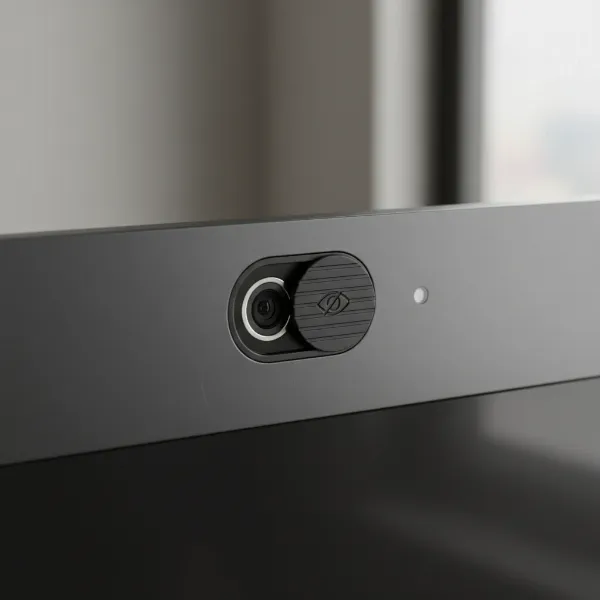 Close-up view of a monitor's integrated webcam with a physical privacy shutter in use.
Audio Performance (Speakers and Microphones)
Integrated speakers and microphones are designed for convenience, providing a complete audio-visual experience without external hardware.
- Speaker Wattage: While integrated speakers generally won’t match the richness of dedicated sound systems, models with higher wattage (e.g., dual 5W or 14W speakers) offer clearer and more robust audio for calls and casual media.
- Sound Clarity: Look for monitors that emphasize clear voice reproduction, crucial for understanding every word in a meeting.
- Noise-Canceling Microphones: Integrated microphones with noise-canceling capabilities help filter out background distractions, ensuring your voice comes through clearly to others.
- Dolby Atmos: Some high-end monitors even include advanced audio technologies like Dolby Atmos for a more immersive sound experience.
Display Specifications
Beyond the integrated peripherals, the core display features remain essential for overall user experience.
- Screen Size and Resolution: Common sizes range from 24-inch to 34-inch and beyond. Resolution choices include Full HD (1920×1080), QHD (2560×1440), 4K (3840×2160), 5K (5120×2880), and even 6K (6144×3456). Higher resolutions offer more screen real estate and sharper images, ideal for detailed work.
- Panel Type:
- IPS (In-Plane Switching): Offers excellent color accuracy and wide viewing angles, making it suitable for creative professionals and general use.
- VA (Vertical Alignment): Provides strong contrast ratios and deep blacks, great for media consumption, though viewing angles might be slightly narrower than IPS.
- TN (Twisted Nematic): Fastest response times, often favored by competitive gamers, but with the poorest color reproduction and viewing angles.
- Refresh Rate and Response Time: For most productivity and video conferencing tasks, a 60Hz refresh rate and 5-8ms response time are sufficient. Gamers may prefer higher refresh rates (144Hz+) and faster response times (1ms-3ms) for smoother gameplay.
Connectivity Options
Robust connectivity is key to an efficient setup.
- USB-C/Thunderbolt: This is a game-changer, allowing a single cable to transmit video, audio, data, and power delivery (charging your laptop). Look for models with high power delivery (e.g., 65W or 140W).
- HDMI and DisplayPort: Standard video inputs for connecting various devices.
- USB Hubs: Integrated USB-A and additional USB-C ports on the monitor act as a hub, making it easy to connect peripherals like keyboards, mice, and external drives.
- Ethernet Port: Some high-end monitors include an Ethernet port, providing a stable wired network connection directly through the monitor.
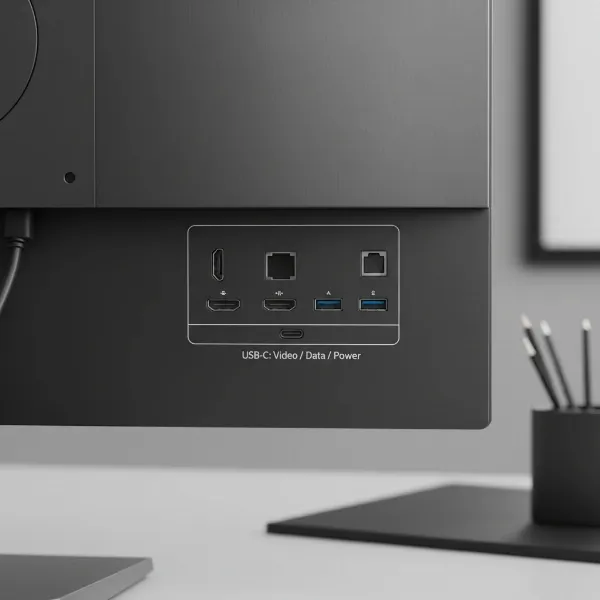 The back of a computer monitor showing various connectivity ports, highlighting USB-C.
Ergonomics and Design
An ergonomic stand is crucial for comfort during long working hours. Look for monitors that offer:
- Height Adjustment: To align the screen with your eye level.
- Tilt: To adjust the vertical viewing angle.
- Swivel: To rotate the screen horizontally.
- Pivot: To rotate the screen into portrait mode, useful for coding or document review.
Thin bezels enhance immersion and are ideal for multi-monitor setups.
Top-Rated Monitors with Built-in Speakers and Webcams
The market offers a range of excellent monitors that seamlessly integrate webcams and speakers, catering to different needs and budgets. Here are a few notable options:
Dell UltraSharp U3224KB
This 32-inch 6K monitor stands out with its breathtaking clarity, a 4K HDR webcam, and dual 14W speakers. It’s a premium choice for creatives and professionals demanding top-tier visual and conferencing performance, featuring extensive Thunderbolt 4 connectivity.
Dell UltraSharp U3223QZ
A fantastic 32-inch 4K option, offering a high-quality 4K webcam with a Sony STARVIS CMOS Sensor, AI auto-tracking, and dual microphones. It balances impressive display quality with robust conferencing features, making it ideal for executive-level productivity.
HP E27m G4 FHD USB-C Conferencing Monitor
This 27-inch QHD monitor is a strong contender for professional use, featuring a 5-megapixel webcam, 5-watt stereo speakers, and extensive USB-C connectivity with 65W power delivery. It’s an excellent choice for those needing reliable conferencing capabilities.
HP Z34c G3 Curved Display
For users who prefer an immersive, ultrawide experience, the 34-inch curved HP Z34c G3 offers a 5MP webcam and accurate color reproduction. It’s well-suited for business and creative tasks, though its 60Hz refresh rate may not appeal to serious gamers.
Apple Studio Display
A premium 27-inch 5K Retina display with a 12MP ultrawide camera featuring Center Stage, and a studio-quality three-mic array with Dolby Atmos audio. It’s designed for seamless integration with Mac systems and is a strong choice for Apple users.
 A professional using a high-end computer monitor with built-in webcam and speakers during a video conference.
Integrated vs. External Peripherals: A Comparison
The decision to opt for integrated or external peripherals often comes down to a trade-off between convenience and ultimate performance.
Choosing a monitor with built-in features simplifies your setup and reduces cable clutter, offering a tidy and efficient workspace. For casual video calls and general productivity, the quality of integrated webcams and speakers has significantly improved. However, “for most people a dedicated webcam is still the way to ensure a sharp feed in meetings,” notes one expert. Dedicated external webcams typically offer superior image quality, advanced features like better low-light performance, and more control over settings. Similarly, while integrated speakers are convenient, external speakers or a headset will almost always deliver superior audio fidelity and immersive sound. The main drawback of integrated solutions is that if one component fails, the entire monitor might need servicing or replacement.
“While built-in webcams offer undeniable convenience, for professional-grade video and audio, external solutions still hold an edge in terms of specialized performance and flexibility.” – Alex Chen, Lead Tech Analyst at MonitorPro Reviews
Bảng so sánh các loại Computer Monitor với Camera và Loa tích hợp
| Feature | Dell UltraSharp U3224KB | Dell UltraSharp U3223QZ | HP E27m G4 | Apple Studio Display |
|---|---|---|---|---|
| Display Size | 32-inch | 32-inch | 27-inch | 27-inch |
| Resolution | 6K (6144 x 3456) | 4K (3840 x 2160) | QHD (2560 x 1440) | 5K Retina (5120 x 2880) |
| Panel Type | IPS Black | IPS | IPS | IPS |
| Webcam Resolution | 4K HDR | 4K (Sony STARVIS CMOS) | 5 MP | 12 MP Ultrawide |
| Speakers | Dual 14W | N/A (Integrated Mics) | Dual 5W | High-fidelity 6-speaker system (Dolby Atmos) |
| Microphone | Dual Microphones | Dual Microphones | Noise-canceling Mics | Studio-quality 3-mic array |
| Connectivity | Thunderbolt 4 (140W PD), USB-C, HDMI 2.1, DisplayPort 2.1, Ethernet | USB-C (90W PD), HDMI, DisplayPort, USB-A | USB-C (65W PD), HDMI, DisplayPort | Thunderbolt 3, USB-C |
| Key Features | AI auto-tracking, KVM, Pop-out ports | AI auto-tracking, Presence detection | Windows Hello, Ergonomic stand | Center Stage, A13 Bionic chip |
| Target User | Creative Pros, Executives | Executives, Creative Pros | Business Professionals, Remote Workers | Apple Ecosystem Users, Creatives |
Mua Computer Monitor ở đâu?
Finding the perfect monitor with built-in speakers and webcams is easier than ever, with numerous reputable channels available.
Các cửa hàng bán Computer Monitor uy tín
For a hands-on experience and expert advice, visiting major electronics retailers is often beneficial. Stores like Best Buy, Micro Center, and Fry’s Electronics (where available) typically have a wide selection of monitors on display. This allows you to compare screen quality, test webcam features, and assess speaker performance in person. Sales associates can also provide personalized recommendations based on your needs and budget.
Mua Computer Monitor online
Online retailers offer an unparalleled selection, often with competitive pricing and detailed customer reviews. Websites like Amazon, Dell’s official store, HP.com, B&H Photo Video, and Newegg are excellent places to start. These platforms allow you to filter by specific features, read comprehensive product specifications, and compare models side-by-side. Always check the retailer’s return policy and warranty information before making a purchase.
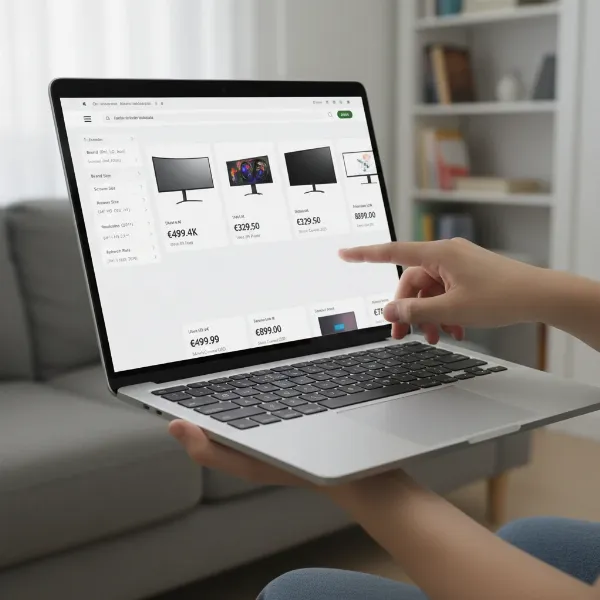 A person browsing computer monitors on an e-commerce website on a laptop or tablet.
Hướng dẫn chọn mua Computer Monitor phù hợp
Selecting the ideal monitor involves a thoughtful process that aligns your technical needs with your budget and usage habits.
Xác định nhu cầu sử dụng
Begin by clearly defining your primary use case. Are you a remote worker needing a reliable setup for daily video calls? A content creator who values color accuracy and high resolution for detailed work? Or a student looking for an affordable, convenient display for online classes and general tasks? Your answers will guide your feature priorities, from webcam resolution to panel type and connectivity.
Xác định ngân sách
Monitors with integrated features range widely in price, from budget-friendly Full HD options to premium 6K displays. Setting a clear budget beforehand helps narrow down your choices and prevents overspending. Remember to factor in potential long-term benefits, such as reduced clutter and enhanced productivity, which can justify a higher initial investment.
Tìm hiểu thông tin sản phẩm
Once you have a few models in mind, delve into detailed product information. Visit manufacturer websites for official specifications and user manuals. Pay close attention to webcam resolution, speaker wattage, connectivity ports (especially USB-C Power Delivery), and ergonomic adjustments. Understanding these specifics will help you ascertain if a monitor truly meets your requirements.
So sánh các sản phẩm
Don’t settle for the first option. Compare specifications, features, and pricing across several top contenders. Use the comparison table provided earlier as a guide, noting differences in screen size, resolution, webcam capabilities, and audio output. This comparative approach ensures you’re getting the best value for your investment.
Đọc đánh giá sản phẩm
Customer and expert reviews offer invaluable real-world insights into a monitor’s performance and reliability. Look for reviews that discuss webcam and speaker quality in detail, as well as overall display performance, connectivity, and user experience. Pay attention to common praises and complaints to get a balanced perspective.
“The integration of a high-quality webcam and speakers into a monitor isn’t just about saving space; it’s about creating a more cohesive and professional virtual presence. Focus on webcam clarity and microphone noise cancellation for truly impactful video calls.” – Dr. Emily R. Thorne, Ergonomics and Remote Work Specialist
 A person reviewing and comparing technical specifications of computer monitors on multiple screens or documents.
Kết luận
Computer Monitors with built-in speakers and webcams represent a significant leap towards a more integrated and efficient workspace. They offer unparalleled convenience by combining essential communication tools into a single, elegant device, drastically reducing desk clutter and simplifying your setup. From enhanced video conferencing to seamless multimedia consumption, these all-in-one displays cater to a diverse range of users, from busy professionals to casual home users. By carefully considering factors such as webcam resolution, audio quality, display specifications, and connectivity, you can find a monitor that not only meets your technical demands but also transforms your daily computing experience.
Are you ready to embrace the simplicity and power of an all-in-one monitor for your next upgrade?
Frequently Asked Questions
Are built-in webcams as good as external ones?
While dedicated external webcams often offer superior image quality and more advanced features, modern monitors with built-in webcams have significantly improved. Many now provide 1080p or even 4K resolution, making them perfectly suitable for most video conferencing needs.
Can I use a monitor with built-in speakers and webcam for gaming?
Yes, you can use these monitors for gaming. However, if competitive gaming is your priority, you might prefer a dedicated gaming monitor with higher refresh rates (144Hz+) and faster response times, as built-in webcam monitors often focus on productivity features.
Do monitors with built-in webcams need extra drivers?
Typically, monitors with built-in webcams are plug-and-play, with drivers automatically installed by your operating system. For specific advanced features, you might need to download proprietary software or drivers from the manufacturer’s website.
How do I ensure privacy with a built-in webcam?
Many monitors with integrated webcams include a physical privacy shutter that allows you to block the camera lens when not in use. Always check for this feature or consider placing a small cover over the lens for complete peace of mind.
What is the advantage of USB-C connectivity on these monitors?
USB-C connectivity is highly advantageous as it allows a single cable to transmit video, audio, data, and power (charging your laptop or device). This significantly reduces cable clutter and simplifies your desktop setup.