Transforming your home entertainment setup starts with the right display, and for cinephiles and binge-watchers, a dedicated computer monitor can offer an unparalleled viewing experience. Forget settling for mediocre visuals; the perfect computer monitor elevates every frame, bringing your favorite movies and Netflix series to life with stunning clarity, vibrant colors, and deep contrast. We’ll explore the crucial features and cutting-edge technologies that make a monitor truly cinematic, guiding you to an informed choice that will redefine your personal home theater.
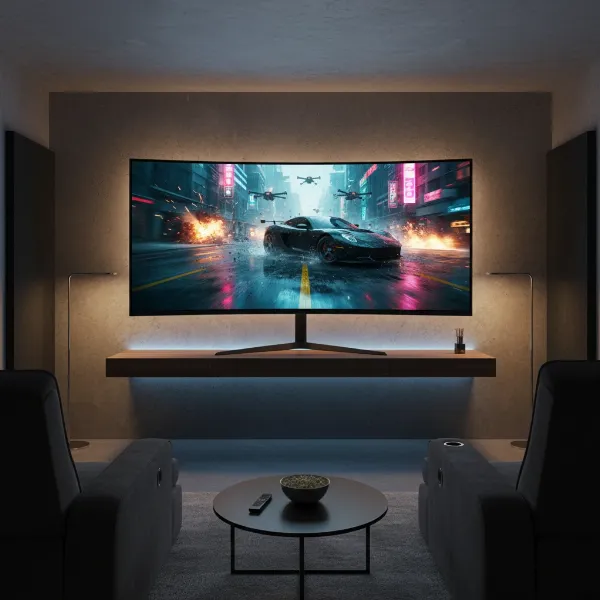 A sleek, modern computer monitor displaying a vibrant, cinematic movie scene in a cozy home theater setting.
Understanding Monitor Technologies for Entertainment
The core technology behind a computer monitor significantly influences its picture quality, especially for movies. Different panel types offer unique advantages and disadvantages that cater to various viewing preferences and environments.
Computer Monitor OLED: The Ultimate Cinematic Choice
OLED (Organic Light-Emitting Diode) monitors are widely regarded as the gold standard for cinematic viewing. Each pixel in an OLED display is self-illuminating, meaning it can turn completely off, resulting in true, inky blacks and an infinite contrast ratio. This capability delivers unparalleled depth and realism to dark scenes, where subtle details often get lost on other panel types. OLEDs also boast exceptional color accuracy, wide viewing angles, and near-instantaneous response times, ensuring smooth, blur-free motion even in fast-paced action sequences. While historically more expensive and with concerns about burn-in from static images, modern OLED panels incorporate sophisticated technologies to mitigate these risks, making them a premium choice for an immersive movie and Netflix experience.
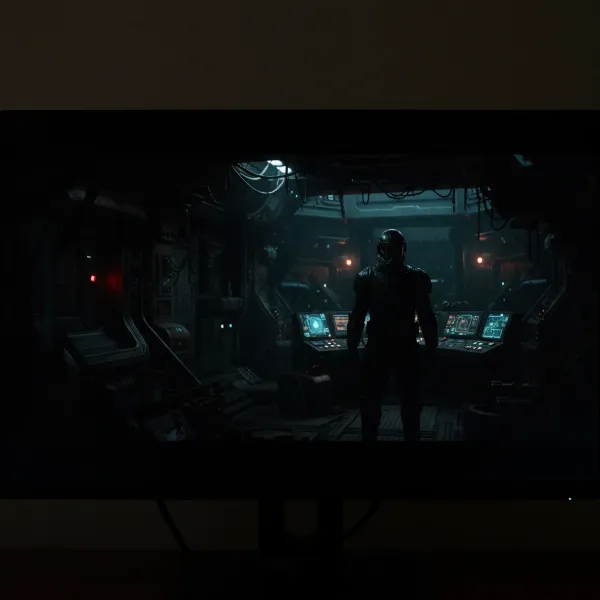 An OLED computer monitor displaying a dark, high-contrast scene from a dramatic movie, showcasing true blacks and vibrant highlights.
Computer Monitor QLED: Brightness Meets Vivid Color
QLED (Quantum Dot Light-Emitting Diode) technology enhances traditional LED-backlit LCD panels by incorporating a quantum dot layer. These nanocrystals boost color volume and brightness, allowing QLED monitors to produce incredibly vibrant and expansive color palettes. QLEDs excel in bright viewing environments, maintaining color saturation and clarity even with ambient light. While they cannot achieve the perfect blacks of OLEDs, advanced QLED monitors, especially those with Mini-LED backlighting, offer excellent contrast through precise local dimming zones. This results in very deep blacks and brilliant highlights, making them a compelling option for those who watch movies in rooms with varying light conditions and desire impactful HDR performance without the OLED price tag or burn-in considerations.
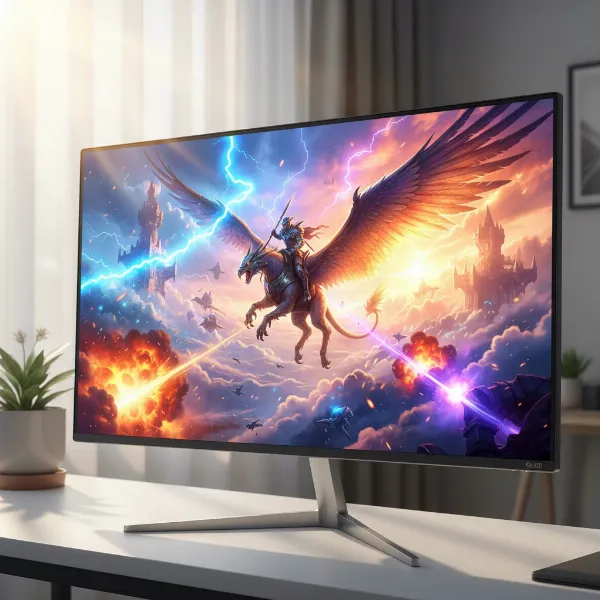 A QLED computer monitor displaying a brightly lit, colorful scene from an action movie, emphasizing vibrant hues and impactful HDR.
Computer Monitor VA (Vertical Alignment): Balanced Contrast and Value
VA (Vertical Alignment) panels strike a commendable balance between contrast and affordability, making them a popular choice for movie enthusiasts. They offer significantly higher native contrast ratios compared to IPS panels, often achieving deep blacks that enhance the overall cinematic feel. VA panels also provide good color reproduction and decent viewing angles, though they may not be as wide as IPS or OLED. The trade-off often lies in slightly slower response times compared to IPS or OLED, which generally isn’t an issue for typical movie playback but can lead to minor ghosting in very fast-moving scenes or gaming. For viewers prioritizing deep blacks and rich contrast on a budget, a VA panel computer monitor is an excellent option for watching movies and Netflix.
Computer Monitor IPS (In-Plane Switching): Color Accuracy, But Mind the Blacks
IPS (In-Plane Switching) panels are renowned for their superior color accuracy and extremely wide viewing angles, making them a favorite among creative professionals. For movie watching, this translates to consistent, true-to-life colors that remain accurate even when viewed from the side, perfect for shared viewing experiences. However, IPS panels typically have a lower native contrast ratio than VA or OLED displays, often resulting in “IPS glow” and blacks that appear more grey in dark scenes. While some high-end IPS monitors incorporate local dimming to improve contrast, they generally can’t match the depth of blacks offered by VA or OLED. If precise color reproduction and wide viewing angles are paramount and you typically watch in a moderately lit room, an IPS computer monitor can still deliver a pleasant movie experience.
Computer Monitor TN (Twisted Nematic): Best Avoided for Movies
TN (Twisted Nematic) panels are primarily designed for competitive gaming, prioritizing lightning-fast response times and high refresh rates above all else. Unfortunately, these benefits come at the cost of color accuracy, contrast, and especially viewing angles. Colors can appear washed out or inaccurate, and even a slight shift in your viewing position can dramatically alter the image quality. For watching movies and Netflix, where immersion and visual fidelity are key, TN panels are generally unsuitable.
Essential Factors When Choosing Your Movie & Netflix Monitor
Beyond the fundamental panel technology, several critical specifications contribute to an exceptional movie-watching experience. Understanding these factors will help you narrow down the best computer monitor for your personal cinema.
Screen Size and Resolution: The Canvas for Your Content
The physical size of your monitor and the number of pixels it displays are paramount for immersion.
Popular Screen Sizes and Their Impact
For movies and Netflix, bigger is often better, but balance is key with viewing distance. A 27-inch monitor is a good starting point for a personal viewing experience, offering a significant upgrade over smaller displays. However, for a truly cinematic feel, many users gravitate towards 32-inch monitors or even larger options in the 40-43 inch range, especially if your desk depth or room allows for a comfortable viewing distance. Larger screens inherently offer a more enveloping visual field, drawing you deeper into the content.
Resolution: From Full HD to Glorious 4K and Beyond
Resolution determines the sharpness and detail of the image. While Full HD (1920×1080) is the baseline, 2K (2560×1440 or 1440p) provides a noticeable jump in clarity for 27-inch monitors. For 32-inch and larger displays, 4K Ultra HD (3840×2160) is highly recommended. A 4K computer monitor displays four times the pixels of a Full HD screen, revealing intricate details and textures in high-resolution films and shows. Keep in mind that playing 4K content requires a capable computer system and a strong internet connection for streaming services like Netflix. While 8K monitors exist, 4K remains the sweet spot for mainstream movie content due to availability and hardware requirements.
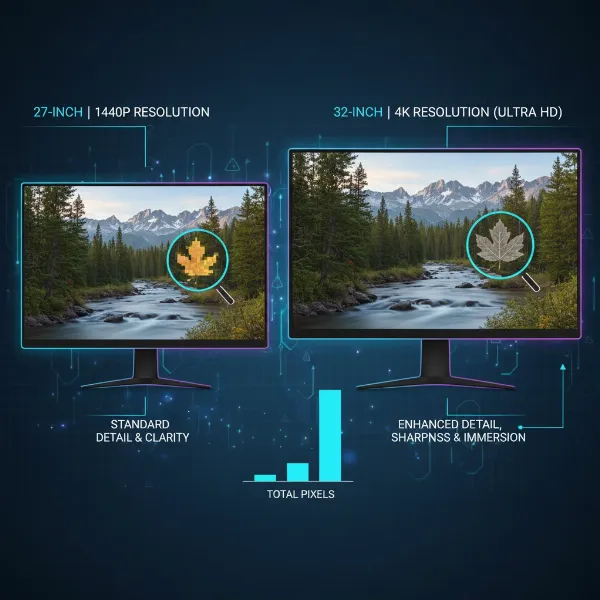 An infographic comparing different monitor sizes and resolutions (27-inch 1440p, 32-inch 4K) showing how detail increases with resolution.
Panel Technology: The Heart of Visuals
As discussed, the panel type fundamentally dictates image quality.
Why Contrast Matters: VA vs. IPS vs. OLED
For movies, contrast is king. High contrast ratios allow for deep, true blacks and bright, vibrant whites simultaneously, creating a more dynamic and realistic image.
- OLED offers “perfect blacks” due to self-emissive pixels, providing infinite contrast.
- VA panels deliver strong native contrast (typically 3000:1 or more), making them excellent for dark scenes.
- IPS panels generally have lower contrast (around 1000:1), which can lead to lighter blacks and less impactful visuals in dimly lit movie scenes.
Viewing Angles: Sharing the Screen
If you plan to watch movies with others or from various positions, wide viewing angles are essential to prevent color shifting or brightness degradation. IPS and OLED panels excel in this area, maintaining image fidelity from almost any angle. VA panels offer good viewing angles but are generally not as wide as IPS or OLED.
High Dynamic Range (HDR) and Brightness: Bringing Scenes to Life
HDR (High Dynamic Range) technology is a game-changer for movie watching, expanding the range of colors and contrast a monitor can display. An HDR-capable computer monitor delivers more lifelike images with incredibly bright highlights and richly detailed shadows, mimicking how the human eye perceives light in the real world.
Understanding HDR Standards (HDR400, HDR600, HDR1000)
HDR performance varies significantly. DisplayHDR certifications (HDR400, HDR600, HDR1000, etc.) indicate the monitor’s peak brightness and local dimming capabilities. For a truly impactful HDR experience, look for monitors rated HDR600 or, ideally, HDR1000 and above. These higher tiers ensure sufficient brightness and contrast to make HDR content truly pop.
Peak Brightness for Impactful HDR
High peak brightness is crucial for an impactful HDR presentation. A monitor capable of reaching 600 nits or more allows bright elements in a scene, like explosions or sunlight, to truly stand out, creating a more dynamic and immersive visual. OLEDs, while having perfect blacks, sometimes have lower peak brightness than top-tier QLED or Mini-LED monitors, which can affect the intensity of bright highlights in some HDR content.
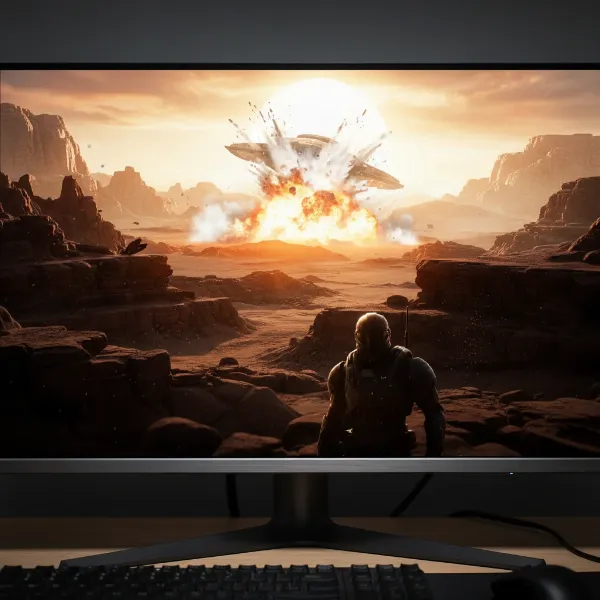 A monitor displaying a high dynamic range (HDR) movie scene with extreme brightness and deep shadow details.
Color Accuracy and Gamut: True-to-Life Hues
Accurate and wide color reproduction ensures that movies are displayed as the creators intended, evoking authentic emotions and visual artistry.
DCI-P3 vs. sRGB for Cinematic Colors
Most movies are graded within the DCI-P3 color space, which is wider than the standard sRGB gamut used for general computer tasks. A monitor with high DCI-P3 coverage (90% or more) can reproduce a broader spectrum of vibrant colors, making cinematic content appear richer and more true-to-life. While sRGB is sufficient for standard definition content, DCI-P3 is vital for modern HDR movies and shows.
Bit Depth and Color Banding
Bit depth refers to the number of colors a monitor can display. An 8-bit panel displays roughly 16.7 million colors, while a 10-bit panel (often achieved through 8-bit + FRC, or Frame Rate Control) can display over a billion colors. Higher bit depth helps reduce color banding, where smooth color gradients appear as distinct, unnatural steps. For critical movie watching, a 10-bit panel is preferable, especially when viewing HDR content.
Refresh Rate and Response Time: Smooth Motion, Not Just for Gaming
While often highlighted for gaming, refresh rate and response time still play a role in movie enjoyment.
What Refresh Rate Means for Movies
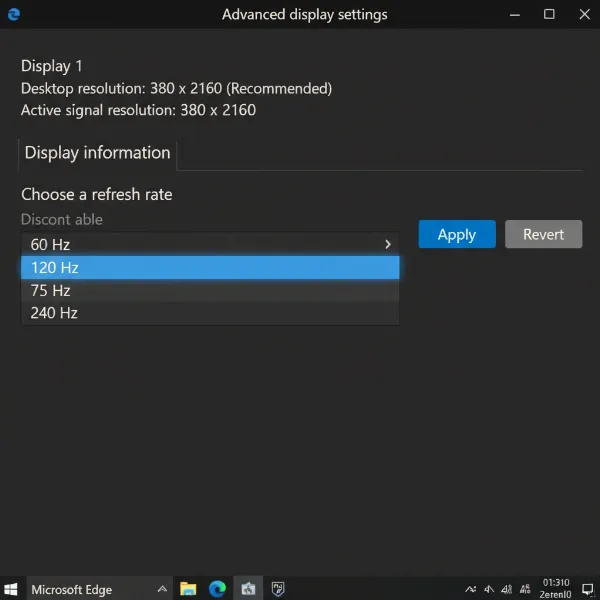
Refresh rate is how many times per second the screen updates its image. A standard 60Hz refresh rate is perfectly adequate for most movies, which are typically filmed at 24 frames per second (fps). However, some higher frame rate content or motion interpolation features can benefit from higher refresh rates. Be aware that some high refresh rate OLEDs might introduce a slight “stutter” with 24fps content due to their near-instantaneous pixel response, though many viewers don’t find this distracting.
Response Time: Less Critical, Still Important for Smoothness
Response time measures how quickly pixels can change color. For movies, extremely low response times (like those crucial for competitive gaming) are less critical. However, a monitor with a reasonably fast response time helps prevent motion blur, ensuring that fast-moving scenes remain clear and crisp. VA panels tend to have slightly slower response times than IPS or OLED, but generally not to a degree that significantly impacts movie viewing.
Connectivity Options: Hooking Up Your Devices
Ensuring your computer monitor can connect seamlessly to your various playback devices is crucial.
HDMI, DisplayPort, and USB-C
Look for monitors with multiple HDMI ports (ideally HDMI 2.0 or 2.1 for 4K 60Hz+ and full HDR support), allowing you to connect a PC, streaming stick, or console simultaneously. DisplayPort is common for PC connections and often supports higher refresh rates and resolutions. USB-C with DisplayPort Alternate Mode is a versatile option for laptops, enabling video, data, and power delivery over a single cable.
HDCP for Streaming Content
HDCP (High-bandwidth Digital Content Protection) is a copy protection technology used by streaming services like Netflix. Ensure your monitor and all connected cables support the latest HDCP version (usually 2.2 for 4K content) to avoid playback issues or lower resolutions.
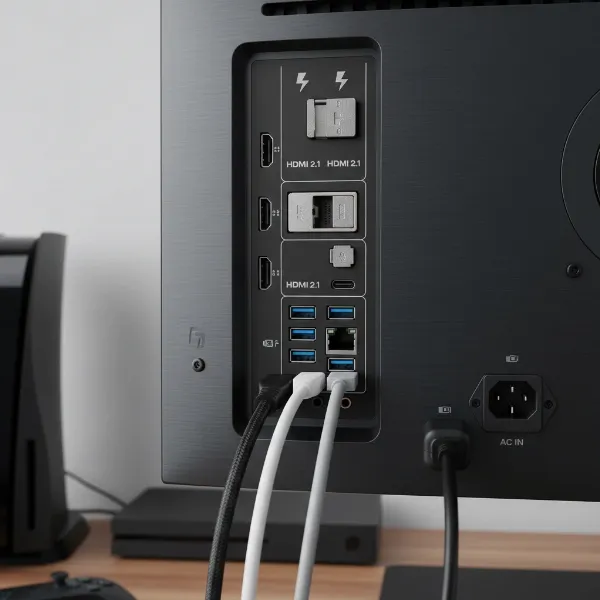 The back panel of a computer monitor showcasing multiple connectivity ports like HDMI, DisplayPort, and USB-C for various devices.
Other Features for Enhanced Viewing
Modern monitors offer a range of additional features that can improve your movie-watching experience.
Integrated Speakers and Audio Solutions
While many computer monitors include built-in speakers, their audio quality is often basic. For a truly immersive cinematic experience, investing in external speakers, a soundbar, or quality headphones is highly recommended. However, integrated speakers can be convenient for casual viewing or if desk space is limited.
Smart Monitor Capabilities
Some monitors, like certain Samsung Smart Monitors, integrate smart TV functionalities directly into the display. This allows you to access streaming apps like Netflix, YouTube, and Prime Video without needing a connected PC or streaming stick, essentially turning your monitor into a standalone smart entertainment hub. This is ideal for minimalist setups or dedicated media consumption.
Eye Care Technologies
For long movie marathons, eye comfort is important. Features like flicker-free backlighting, low blue light modes, and intelligent brightness sensors that adjust to ambient room lighting can significantly reduce eye strain and fatigue, making extended viewing sessions more enjoyable.
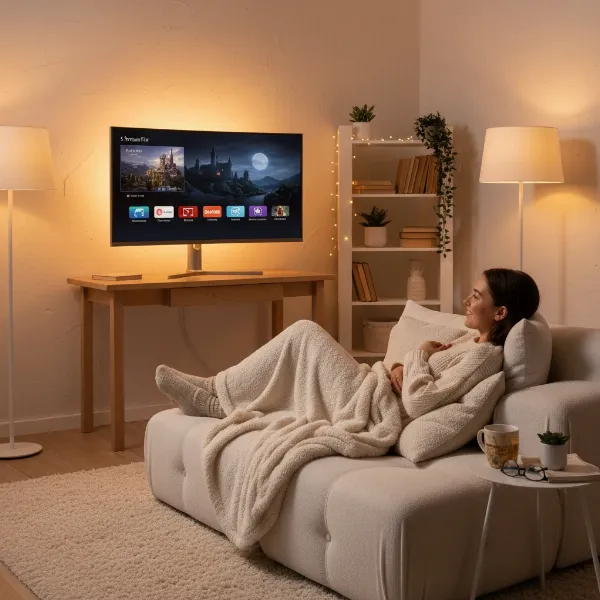 A person comfortably watching a movie on a computer monitor in a relaxed setting, highlighting eye-care features and smart monitor capabilities.
Comparing Top Monitor Technologies for Movie Watching
Let’s quickly compare the primary panel technologies that are suitable for movies and Netflix.
| Feature | OLED | QLED | VA (Vertical Alignment) | IPS (In-Plane Switching) |
|---|---|---|---|---|
| Pros | Perfect blacks, infinite contrast, instant response, wide viewing angles, superb colors, true HDR. | High brightness, vibrant colors, no burn-in risk, good local dimming (Mini-LED), good for bright rooms. | Deep blacks, high native contrast, good colors, good viewing angles, great value. | Excellent color accuracy, very wide viewing angles, fast response. |
| Cons | Higher cost, potential burn-in (less with modern tech), lower peak brightness than top QLEDs. | Not true blacks (some blooming), can be expensive for top models, not as good as OLED in dark rooms. | Slower response times (can have minor ghosting), viewing angles not as wide as IPS/OLED. | Lower native contrast (greyeer blacks), “IPS glow,” less immersive for dark scenes. |
| Ideal For | Dark room, cinematic purists, HDR content, rich contrast. | Bright rooms, vibrant colors, impactful HDR, general entertainment. | Budget-conscious viewers, good dark room performance, balanced use. | Color-critical work, shared viewing, consistent off-angle colors. |
| Price Range | Premium | Mid-to-High | Budget-to-Mid | Mid-to-High |
“The secret to an unforgettable movie night isn’t just the film itself, but the display that brings it to life. Prioritize contrast and color gamut, and you’ll unlock a new dimension of immersion.” – Dr. Elena Petrova, Display Technology Expert
Where to Purchase Your Ideal Entertainment Monitor
Finding the perfect computer monitor for movies and Netflix involves knowing where to look.
Reputable Retailers for Computer Monitors
Major electronics retailers, both physical and online, are excellent starting points. Stores like Best Buy, Micro Center, and Fry’s Electronics (if still available in your region) allow you to see monitors in person, compare picture quality, and assess screen sizes firsthand. For the widest selection and competitive pricing, online retailers such as Amazon, Newegg, and the official websites of monitor brands (Dell, LG, Samsung, BenQ, ASUS, Acer) are highly recommended.
Online Shopping vs. In-Store Experience
Buying online often provides more competitive pricing and a larger selection. However, if possible, visiting a physical store to see a monitor in action is invaluable. You can judge brightness, color reproduction, and viewing angles much better in person. If buying online, always check return policies and read customer reviews extensively.
Your Step-by-Step Guide to Choosing the Perfect Movie Monitor
Making the right choice involves a systematic approach to match your needs with the available technology.
Define Your Entertainment Needs and Viewing Environment
Consider where you’ll be using the monitor. Is it for a dedicated dark room, a bright living space, or a multi-purpose office? Do you primarily watch HDR content, or mostly standard definition Netflix? Will you be watching alone, or with family and friends? Answering these questions will help prioritize features like peak brightness, contrast, and viewing angles.
Set a Realistic Budget for Your Cinematic Upgrade
Monitor prices vary widely based on technology, size, and features. Establish a clear budget range upfront. While premium OLEDs offer the best experience, excellent VA and even some QLED monitors can deliver fantastic visuals at more accessible price points. Remember to factor in potential accessories like a sound system or mounting options.
Research Specific Models and Read Expert Reviews
Once you have an idea of the panel type and key features you need, dive into researching specific models. Websites like RTINGS.com, Hardware Unboxed, and professional tech reviews offer in-depth analysis, measurements, and comparisons that can be invaluable. Pay attention to user reviews as well, looking for common praises or complaints related to movie watching.
Compare Features and Specifications Critically
Don’t get lost in jargon. Focus on the specifications that directly impact movie quality: native contrast ratio, DCI-P3 color gamut coverage, HDR certification (e.g., DisplayHDR 600 or 1000), resolution for your chosen size, and panel type. Compare these metrics across a few shortlisted models.
Consider Your Current Setup and Future Plans
Ensure the monitor’s connectivity options are compatible with your existing devices (PC, streaming stick, console). Also, think about future upgrades. If you plan to build a powerful PC or invest in a new-generation console, an HDMI 2.1 port might be a crucial feature for higher refresh rates at 4K.
 A person sitting at a desk, actively researching different computer monitor models on a laptop, comparing specifications and reviews.
Conclusion
Choosing the best computer monitor for watching movies and Netflix is an investment in your entertainment, transforming mundane viewing into a truly cinematic journey. By prioritizing key features like a high contrast ratio (especially with OLED or VA panels), wide color gamut (DCI-P3), robust HDR capabilities, and appropriate screen size and resolution, you can create an immersive visual experience right at your desktop. Whether you opt for the perfect blacks of an OLED, the vibrant brightness of a QLED, or the balanced performance of a VA panel, the right monitor will draw you into every scene with stunning clarity and rich, lifelike colors. So, are you ready to upgrade your movie nights and dive into a world of unparalleled visual splendor?
Frequently Asked Questions
Which monitor panel type is best for dark room movie watching?
OLED monitors are generally considered the best for dark room movie watching due to their ability to achieve perfect blacks and offer an infinite contrast ratio, creating an incredibly immersive and detailed viewing experience in dimly lit environments.
Is a 4K resolution necessary for watching Netflix on a monitor?
While not strictly necessary for all content, a 4K resolution significantly enhances the viewing experience on larger monitors (32 inches and up) by providing exceptional sharpness and detail, especially for native 4K content available on Netflix.
What is HDR, and how important is it for movies?
HDR (High Dynamic Range) is a technology that expands a monitor’s contrast and color capabilities, resulting in more vibrant colors, brighter highlights, and deeper shadows that closely mimic real-world visual perception, making it very important for an immersive cinematic experience.
Should I get an ultrawide monitor for watching movies?
Ultrawide monitors (21:9 aspect ratio) can be fantastic for movies filmed in Cinemascope (2.35:1 aspect ratio), as they fill the entire screen without black bars. However, standard 16:9 content will have black bars on the sides, so consider your primary content type.
Do I need a high refresh rate monitor for movies?
For most movies, which are typically filmed at 24 frames per second, a standard 60Hz refresh rate is perfectly sufficient. Higher refresh rates (e.g., 120Hz or 144Hz) are more beneficial for gaming but generally provide minimal additional benefit for standard movie playback.
Can I use a computer monitor as a smart TV for Netflix?
Yes, some modern computer monitors, known as “smart monitors,” come with integrated operating systems and streaming apps like Netflix, allowing them to function as standalone smart TVs without needing a connected computer or external streaming device.
How much DCI-P3 coverage should I look for?
For a truly cinematic experience with modern movies and Netflix content, aim for a Computer Monitor with at least 90% to 95% DCI-P3 color gamut coverage, as this wider color space is used for mastering most theatrical and HDR content.