In an increasingly connected world, protecting your digital information has become more crucial than ever. Whether you’re working on sensitive documents in a bustling cafe, managing personal finances on a crowded train, or simply want to reduce eye strain from harsh office lighting, an anti-glare privacy filter for your computer monitor offers a dual solution for both visual security and viewing comfort. These essential accessories act as a barrier against prying eyes and distracting reflections, ensuring your screen’s content remains confidential while improving your overall viewing experience. This comprehensive guide will walk you through everything you need to know about selecting the best anti-glare privacy filter to meet your specific needs.
Understanding Anti-Glare Privacy Filters
At its core, an anti-glare privacy filter is a thin sheet of plastic or acrylic designed to overlay your monitor screen. It employs sophisticated technology to achieve two primary objectives: safeguarding your screen from onlookers and minimizing irritating reflections.
Privacy functionality is typically achieved through micro-louver technology, which consists of tiny, vertical slats embedded within the filter. These louvers work much like venetian blinds, narrowing the viewing angle so that content is only visible to someone directly in front of the screen. From side angles, typically beyond 30 degrees from the center, the screen appears darkened or completely black, effectively preventing “shoulder surfing” – the act of someone looking over your shoulder to view private information.
The anti-glare aspect is usually provided by a matte finish on one side of the filter. This surface diffuses incoming light rather than reflecting it directly back to your eyes, significantly reducing glare from ambient light sources like windows or overhead lights. This diffusion helps to alleviate eye fatigue and makes your screen more readable in brightly lit environments, merging security with ergonomic benefits.
Key Features of Top Anti-Glare Privacy Filters
When exploring anti-glare privacy filters, several key features distinguish the best products and cater to different user priorities. Understanding these aspects is crucial for making an informed decision.
Privacy Angle
|
Our Picks for the Best Computer Monitor in 2026
As an Amazon Associate I earn from qualifying purchases.
|
||
| Num | Product | Action |
|---|---|---|
| 1 | Amazon Basics 24 Inch (23.8 inch viewable) Monitor, FHD 1080P, Max 100Hz, VESA Compatible, Built-in Speakers, Black |

|
| 2 | Samsung 32-Inch Flat Computer Monitor, 75Hz, Borderless Display, AMD FreeSync, Game Mode, Advanced Eye Care, HDMI and DisplayPort, LS32B304NWNXGO, 2024 |
|
| 3 | New! Sceptre 27-inch Gaming Monitor 100Hz 1ms DisplayPort HDMI x2 100% sRGB AMD FreeSync Build-in Speakers, Eye Care Frameless Machine Black 2025 (E275W-FW100T Series) |
|
| 4 | KOORUI 24-inch Computer Monitor Full HD 1920 x 1080p 100Hz VA Display 4000:1 Contrast Ratio with HDMI VGA, TÜV Rheinland Certified, 100 x 100 mm VESA Mountable, Ultra-Slim Design, Tilt, Black, E2412F |
|
| 5 | MNN Portable Monitor 15.6inch FHD 1080P USB C HDMI Gaming Ultra-Slim IPS Display w/Smart Cover & Speakers,HDR Plug&Play, External Monitor for Laptop PC Phone Mac (15.6\'\' 1080P) |
|
| 6 | LG 24U411A-B 24-inch Full HD (1920 x 1080) IPS Computer Monitor, 120Hz, HDR10, Reader Mode, Flicker Safe, HDMI, Slim Stand Base, Black |
|
| 7 | acer 27 Inch Monitor- KB272-27 Inch FHD IPS (1920 x 1080) Display, Up to 120Hz Refresh Rate, 99% sRGB, Tilt, Adaptive-Sync Support (FreeSync Compatible) 1ms (VRB), HDMI & VGA Ports |
|
| 8 | Samsung 27\" Essential S3 (S36GD) Series FHD 1800R Curved Computer Monitor, 100Hz, Game Mode, Advanced Eye Comfort, HDMI and D-sub Ports, LS27D366GANXZA, 2024 |
|
| 9 | KOORUI 22 Inch Computer Monitor Full HD 1080P 100Hz PC Gaming Screen VA Panel Ultra-Slim Display 3000:1 Contrast Ratio with Adpitive Sync (HDMI/VGA/VESA Compatible 100x100mm/Audio Out), Tilt, Black |
|
| 10 | Philips 221V8LB 22 inch Class Thin Full HD (1920 x 1080) Monitor, 100Hz Refresh Rate, VESA, HDMI x1, VGA x1, LowBlue Mode, Adaptive Sync, 4 Year Advance Replacement Warranty |
|
The effectiveness of a privacy filter hinges on its viewing angle. Most high-quality anti-glare privacy filters offer a narrow viewing angle, typically ±30 degrees from the center of the screen. This means that anyone positioned outside of this 60-degree cone will see a black or distorted display, ensuring your sensitive data remains private. This feature is paramount for professionals handling confidential information in public or shared workspaces.
Anti-Glare Properties (Matte vs. Glossy)
A significant advantage of these filters is their anti-glare capability. Most premium filters feature a reversible design, offering both a matte and a glossy side. The matte finish is specifically engineered to reduce reflections and glare, making it ideal for use in bright environments and reducing eye strain. While effective, the matte side might slightly diminish screen clarity and sharpness. Conversely, the glossy side offers vibrant colors and sharper images, but it is more prone to reflections. The ability to choose between these finishes allows users to prioritize glare reduction or visual clarity based on their current environment and tasks.
Blue Light Reduction
Beyond privacy and glare, many modern anti-glare privacy filters integrate blue light reduction technology. Prolonged exposure to blue light emitted by screens can contribute to eye strain, fatigue, and disrupt sleep patterns. Filters with blue light reduction capabilities can block a significant percentage of harmful blue light (e.g., up to 52%), promoting better eye health and more comfortable extended screen time. This feature is particularly beneficial for those who spend long hours in front of a computer.
Installation Methods
The ease and security of installation are vital considerations. Anti-glare privacy filters typically come with a few common installation options:
- Magnetic Attachment: Ideal for laptops, these filters snap onto the screen using built-in magnets. They are incredibly easy to attach and remove, offering flexibility for users who frequently need to switch between private and shared viewing.
- Hanging-Tab Design: These filters hang over the top bezel of the monitor. They are versatile, often fitting a wide range of monitors including those with ultra-thin bezels, and require no adhesives.
- Adhesive Strips: These involve small, clear adhesive tabs that stick to the monitor frame, holding the filter in place. They offer a secure and seamless fit but are more permanent and might leave residue upon removal.
Screen Protection
An often-overlooked benefit of anti-glare privacy filters is the physical protection they offer to your monitor. Acting as an extra layer, they shield your screen from scratches, dust, and fingerprints, helping to maintain the integrity and longevity of your display. This added durability is a valuable bonus, especially for laptops and touchscreens that are frequently handled.
Factors to Consider When Choosing an Anti-Glare Privacy Filter
Selecting the perfect anti-glare privacy filter requires careful consideration of several factors to ensure it aligns with your specific monitor and usage patterns.
Monitor Size and Aspect Ratio
Accuracy is key here. Measure your monitor’s diagonal, width, and height (excluding the bezel) precisely. Filters are manufactured for specific screen sizes (e.g., 24-inch) and aspect ratios (e.g., 16:9, 16:10, 4:3). A mismatch can result in gaps, an imperfect fit, or reduced effectiveness.
Brightness and Clarity
Be aware that all privacy filters inherently cause a slight reduction in screen brightness and can impact color fidelity. This is a trade-off for privacy and glare reduction. High-quality filters minimize this effect, but it’s important to set realistic expectations. Some users might need to slightly increase their monitor’s brightness settings after installation.
Touchscreen Compatibility
If you use a touchscreen monitor, verify that the privacy filter is specifically designed for touch functionality. Some filters, especially thicker ones or those with certain installation methods, may interfere with touch responsiveness or sensitivity. Magnetic filters, while convenient, can sometimes affect touchscreen precision.
Cost and Brand Reputation
Prices for anti-glare privacy filters vary widely based on size, features, and brand. Reputable brands like Kensington, 3M, and SightPro often command a higher price but typically offer superior performance, durability, and customer support. While budget-friendly options exist, ensure they don’t compromise too much on core functionalities like privacy angle and glare reduction.
> “In today’s interconnected professional landscape, visual privacy is no longer a luxury but a necessity. Investing in a quality anti-glare privacy filter is a proactive step towards safeguarding sensitive data and maintaining focus in any work environment.” – Dr. Evelyn Reed, Cybersecurity & Ergonomics Expert
Comparison of Anti-Glare Privacy Filter Types
Understanding the different characteristics of filter types can help you pinpoint the best fit for your needs.
| Feature | Magnetic Privacy Filter | Hanging Privacy Filter | Adhesive Privacy Filter |
|---|---|---|---|
| Primary Advantage | Easiest to attach/detach, often reversible | Versatile for various monitor bezels, no sticky residue | Most secure and seamless fit |
| Common Use | Laptops, hybrid work, frequent removal | Desktop monitors, shared office spaces, non-touch screens | Fixed workstations, optimal aesthetics, less frequent removal |
| Anti-Glare | Excellent (often reversible matte/glossy) | Excellent (often reversible matte/glossy) | Excellent (often reversible matte/glossy) |
| Blue Light Reduction | Frequently included | Frequently included | Frequently included |
| Privacy Angle | Standard ±30° | Standard ±30° | Standard ±30° |
| Potential Drawbacks | May affect touchscreen, can be slightly thicker | May leave a small gap at bottom, not ideal for all curved screens | More permanent, can leave residue upon aggressive removal |
Where to Buy Anti-Glare Privacy Filters
Anti-glare privacy filters are readily available from a variety of sources. You can find a broad selection on major online retailers such as Amazon, Best Buy, and Walmart. Many manufacturers, including Kensington, 3M, and SightPro, also sell directly through their official websites, often providing detailed product specifications and compatibility tools. For those who prefer to see products in person, electronics stores typically stock popular models. Always check product reviews and compatibility guides before making a purchase.
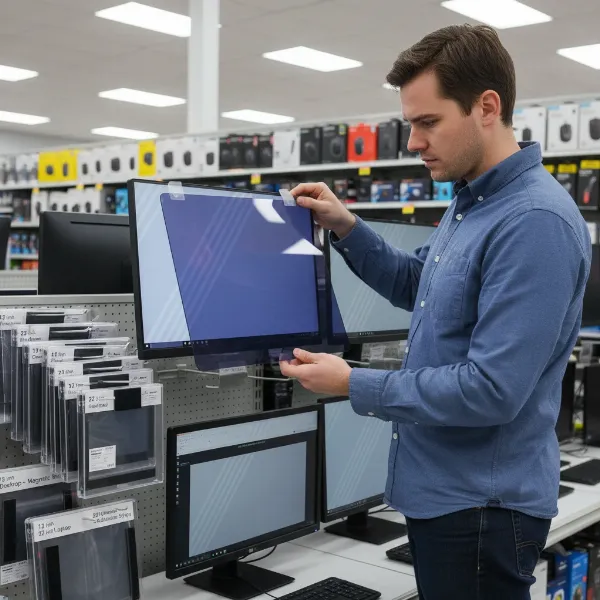 A person comparing different anti-glare privacy filters for a computer monitor in a store setting, emphasizing choice and features
How to Choose the Right Anti-Glare Privacy Filter for You
Making the final decision involves a holistic assessment of your environment, habits, and priorities.
- Identify Your Primary Need: Are you prioritizing strict privacy in a public setting, aggressive glare reduction for comfortable viewing, or a balance of both? Your main concern will dictate which features take precedence.
- Consider Your Environment: If you frequently work in open-plan offices, coffee shops, or travel, a filter with a strong privacy angle and easy installation/removal (like magnetic) is beneficial. For fixed desk setups with significant ambient light, a high-performance anti-glare matte finish might be your focus.
- Measure Your Screen Accurately: This cannot be stressed enough. A precisely fitting filter is essential for optimal performance and aesthetics. Double-check all dimensions.
- Read Reviews About Brightness and Touchscreen Impact: User experiences can provide valuable insights into how a specific filter affects screen brightness and, if applicable, touchscreen responsiveness. Look for consistent feedback on these points.
- Set a Budget: While quality is important, there’s a range of effective options. Determine how much you’re willing to spend, keeping in mind that a good filter is an investment in your privacy, productivity, and eye health.
Conclusion
In an era where digital security and visual comfort are paramount, an anti-glare privacy filter for your Computer Monitor is an indispensable accessory. By effectively preventing visual hacking and mitigating distracting glare, these filters empower you to work, browse, and create with confidence and ease. From the privacy-enhancing micro-louvers to the eye-protecting blue light reduction, the right filter offers a tangible upgrade to your digital experience. Carefully consider your monitor’s specifications, your working environment, and your personal preferences to select a filter that perfectly blends security with superior viewing.
Are you ready to enhance your digital privacy and reduce eye strain today?
Frequently Asked Questions
Do anti-glare privacy filters significantly reduce screen clarity?
While all privacy filters will cause a slight reduction in clarity and brightness due to their optical properties, high-quality anti-glare filters are designed to minimize this impact. The matte side of reversible filters may appear slightly less sharp than a glossy display, but the benefits of reduced glare and enhanced privacy often outweigh this minor trade-off for many users.
Can I use a privacy filter on a touchscreen monitor?
Yes, many anti-glare privacy filters are designed to be compatible with touchscreen monitors. However, it’s crucial to check the product specifications for explicit touchscreen compatibility before purchasing. Some filters, especially those with magnetic attachments or thicker designs, might slightly affect touch sensitivity or accuracy, so reading user reviews is highly recommended.
How do I clean my anti-glare privacy filter?
Most anti-glare privacy filters can be easily cleaned with a soft, lint-free microfiber cloth. For stubborn smudges or fingerprints, a small amount of screen-cleaning solution (specifically designed for electronics) or a mixture of water and a drop of mild soap can be applied to the cloth, then gently wiped across the filter. Avoid harsh chemicals or abrasive materials that could damage the filter’s surface.
Are privacy filters worth it for home use?
Even for home use, privacy filters can be highly beneficial, especially if you handle sensitive information, live in a shared household, or have monitors exposed to bright windows. They protect personal data from family members or houseguests and significantly reduce eye strain caused by glare, making your computing experience more comfortable and secure.