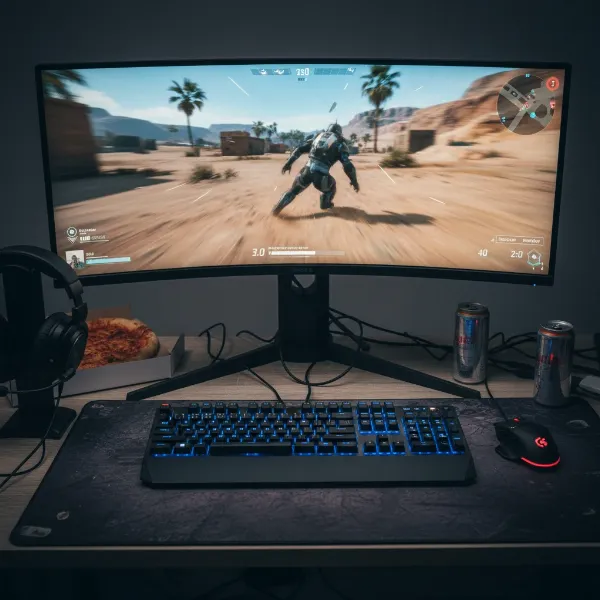
Navigating the vast world of computer monitors can feel like a labyrinth of technical specifications, especially when faced with terms like IPS, VA, and TN panels. These three core display technologies underpin almost every monitor on the market, each offering a distinct set of advantages and compromises. Understanding their differences is crucial, as the panel type significantly influences your visual experience, whether you’re battling it out in competitive esports, meticulously editing photos, or simply enjoying a movie night. This comprehensive guide will dissect each panel technology, compare their strengths and weaknesses, and help you pinpoint the ideal computer monitor for your specific needs.
Understanding Computer Monitor Panel Technologies
The monitor panel is the central component that dictates how light and color are rendered on your screen. Different panel technologies achieve this in varied ways, impacting everything from color accuracy and response time to viewing angles and contrast ratio. The choice of panel can profoundly affect image quality and overall performance.
Computer Monitor TN Panels (Twisted Nematic)
|
Our Picks for the Best Computer Monitor in 2026
As an Amazon Associate I earn from qualifying purchases.
|
||
| Num | Product | Action |
|---|---|---|
| 1 | KOORUI 24-inch Computer Monitor Full HD 1920 x 1080p 100Hz VA Display 4000:1 Contrast Ratio with HDMI VGA, TÜV Rheinland Certified, 100 x 100 mm VESA Mountable, Ultra-Slim Design, Tilt, Black, E2412F |

|
| 2 | Amazon Basics 24 Inch (23.8 inch viewable) Monitor, FHD 1080P, Max 100Hz, VESA Compatible, Built-in Speakers, Black |
|
| 3 | Samsung 27\" Essential S3 (S36GD) Series FHD 1800R Curved Computer Monitor, 100Hz, Game Mode, Advanced Eye Comfort, HDMI and D-sub Ports, LS27D366GANXZA, 2024 |
|
| 4 | LG 24U411A-B 24-inch Full HD (1920 x 1080) IPS Computer Monitor, 120Hz, HDR10, Reader Mode, Flicker Safe, HDMI, Slim Stand Base, Black |
|
| 5 | New! Sceptre 27-inch Gaming Monitor 100Hz 1ms DisplayPort HDMI x2 100% sRGB AMD FreeSync Build-in Speakers, Eye Care Frameless Machine Black 2025 (E275W-FW100T Series) |
|
| 6 | acer 27 Inch Monitor- KB272-27 Inch FHD IPS (1920 x 1080) Display, Up to 120Hz Refresh Rate, 99% sRGB, Tilt, Adaptive-Sync Support (FreeSync Compatible) 1ms (VRB), HDMI & VGA Ports |
|
| 7 | Samsung 32-Inch Flat Computer Monitor, 75Hz, Borderless Display, AMD FreeSync, Game Mode, Advanced Eye Care, HDMI and DisplayPort, LS32B304NWNXGO, 2024 |
|
| 8 | MNN Portable Monitor 15.6inch FHD 1080P USB C HDMI Gaming Ultra-Slim IPS Display w/Smart Cover & Speakers,HDR Plug&Play, External Monitor for Laptop PC Phone Mac (15.6\'\' 1080P) |
|
| 9 | KOORUI 22 Inch Computer Monitor Full HD 1080P 100Hz PC Gaming Screen VA Panel Ultra-Slim Display 3000:1 Contrast Ratio with Adpitive Sync (HDMI/VGA/VESA Compatible 100x100mm/Audio Out), Tilt, Black |
|
| 10 | Philips 221V8LB 22 inch Class Thin Full HD (1920 x 1080) Monitor, 100Hz Refresh Rate, VESA, HDMI x1, VGA x1, LowBlue Mode, Adaptive Sync, 4 Year Advance Replacement Warranty |
|
TN, or Twisted Nematic, panels are often considered the traditional workhorse of the monitor world, especially dominant in entry-level and high-performance gaming segments for years. They are typically the oldest and most affordable panel technology.
TN panels excel in speed. They boast the fastest response times, often achieving 1ms (gray-to-gray) or even lower, making them ideal for competitive gaming where every millisecond counts. This rapid pixel transition virtually eliminates motion blur and ghosting, crucial for fast-paced action. Additionally, TN panels support some of the highest refresh rates, frequently reaching 240Hz and beyond, contributing to incredibly fluid motion on screen.
However, TN panels come with notable drawbacks. Their color reproduction is generally the least accurate among the three types, leading to less vibrant images and narrower color gamuts. More significantly, TN panels have limited viewing angles, particularly vertically. When viewed from off-center, colors can shift dramatically, and brightness can degrade, making them unsuitable for collaborative work or media consumption with multiple viewers.
Computer Monitor IPS Panels (In-Plane Switching)
IPS, or In-Plane Switching, panels are widely regarded as the gold standard for color accuracy and visual consistency. They represent a significant leap in image quality compared to older TN technology.
The primary advantage of IPS panels lies in their superior color reproduction. They deliver vibrant, natural colors with excellent accuracy and consistency across the entire screen. This makes them the preferred choice for professionals in graphic design, photo editing, video production, and other color-critical applications. IPS panels also offer exceptionally wide viewing angles, typically 178 degrees both horizontally and vertically. This means the image remains consistent in color, brightness, and contrast even when viewed from extreme angles, perfect for shared viewing or multi-monitor setups.
Historically, IPS panels were slower and more expensive than TN panels. However, recent advancements have significantly improved their response times, with many modern IPS displays offering 1ms to 4ms GtG, making them highly viable for both immersive and even some competitive gaming. Their main downside is often a lower native contrast ratio compared to VA panels, which can result in less profound blacks and lighter shadows, a phenomenon sometimes referred to as “IPS glow.”
Computer Monitor VA Panels (Vertical Alignment)
VA, or Vertical Alignment, panels offer a compelling middle ground between TN and IPS, particularly excelling in contrast. They provide a rich visual experience that balances many aspects of the other two technologies.
The standout feature of VA panels is their exceptionally high native contrast ratio, often several times greater than IPS or TN panels. This translates to incredibly deep, inky blacks and vibrant, bright whites, creating a more dynamic and immersive image, especially noticeable in dark scenes of movies or games. Their strong contrast also makes them excellent for HDR content. VA panels also offer good color reproduction, generally superior to TN and often rivaling IPS in certain aspects, though perhaps not with the same consistency across angles. Their viewing angles are better than TN panels but typically not as wide or consistent as IPS.
Response times for VA panels have traditionally been their weakest point, often leading to noticeable ghosting or smearing behind fast-moving objects in games. While modern VA panels have made strides to improve this, they generally still lag behind TN and the faster IPS options for highly competitive gaming. This makes them less ideal for esports but highly suitable for immersive single-player games and media consumption.
Factors to Consider When Buying a Computer Monitor
Choosing the right monitor panel involves a careful consideration of your primary activities and preferences. There’s no one-size-fits-all answer; the “best” panel is the one that best serves your individual needs.
Usage Needs: Gaming, Professional Work, or General Use?
Your monitor’s primary purpose should guide your panel choice.
- Competitive Gaming: For professional esports players or those who prioritize every millisecond, TN panels still offer the fastest response times and highest refresh rates, providing a crucial edge. However, many fast IPS panels now deliver excellent gaming performance with superior visuals, offering a more balanced experience for most gamers.
- Content Creation/Design: If color accuracy, consistency, and wide viewing angles are paramount for tasks like graphic design, photo editing, or video production, an IPS panel is the undisputed champion.
- Movies/Immersive Gaming: For those who crave deep blacks, vibrant colors, and a truly immersive experience when watching films or playing story-driven single-player games, a VA panel often provides the best contrast and cinematic feel. IPS panels are also excellent for immersive gaming due to their vibrant colors.
- General Productivity: For everyday tasks, web browsing, and office work, both IPS and VA panels offer great experiences, with IPS generally providing better text clarity and VA offering better contrast for media.
Budget
Price often plays a significant role. TN panels are typically the most budget-friendly option. VA panels sit in the mid-range, offering a great balance of features for their cost. IPS panels generally occupy the higher end of the spectrum, reflecting their premium color performance and wide viewing angles.
Refresh Rate and Response Time
These specifications are critical for smooth motion, especially in gaming.
- Refresh Rate: Measured in Hertz (Hz), this indicates how many times the screen updates per second. Higher is smoother. While all panel types can achieve high refresh rates, TN panels historically led the charge. Modern IPS and VA panels can also reach high refresh rates (144Hz, 165Hz, 240Hz+).
- Response Time (GtG): Measures how quickly a pixel can change color. Lower is better to prevent ghosting. TN panels are generally 1ms GtG. Many modern IPS panels achieve 1-4ms GtG. VA panels typically range from 3-6ms GtG, though some high-end models offer faster performance.
Color Accuracy and Viewing Angles
These factors define the visual fidelity of your display.
- Color Accuracy: IPS panels offer the best color accuracy and consistency, crucial for professional work. VA panels provide good color, better than TN, while TN panels have the least accurate colors.
- Viewing Angles: IPS panels offer the widest viewing angles (178°/178°), ensuring colors and brightness remain consistent from almost any perspective. VA panels are better than TN but show more color/contrast shift than IPS. TN panels have the narrowest viewing angles, with significant degradation when viewed off-axis.
Contrast Ratio
Contrast ratio measures the difference between the brightest white and darkest black a monitor can produce.
- VA panels lead significantly in this area, delivering deep blacks and impressive visual depth.
- IPS panels offer good contrast but typically cannot match VA.
- TN panels have the lowest contrast ratios.
Bảng so sánh các loại Computer Monitor
| Feature | TN (Twisted Nematic) | IPS (In-Plane Switching) | VA (Vertical Alignment) |
|---|---|---|---|
| Pros | Fastest response time, high refresh rates, affordable | Excellent color accuracy, wide viewing angles, good consistency | High contrast ratio, deep blacks, good color, decent viewing angles |
| Cons | Poor color, narrow viewing angles, color shifting | Lower contrast than VA, can crush blacks, generally more expensive | Slower response time (ghosting), less consistent viewing angles than IPS |
| Ideal Use | Competitive gaming, esports | Graphic design, photo/video editing, immersive gaming, general use | Movies, single-player gaming, general use (good dark scenes) |
| Response Time | ~1ms GtG (Fastest) | 1-4ms GtG (Very good) | 3-6ms GtG (Good, but can be slower) |
| Viewing Angles | Narrow (170°/160°) | Wide (178°/178°) | Moderate |
| Contrast | Lowest | Highest (Deepest blacks) | High (Deep blacks) |
| Price | Lowest | Highest | Mid-range |
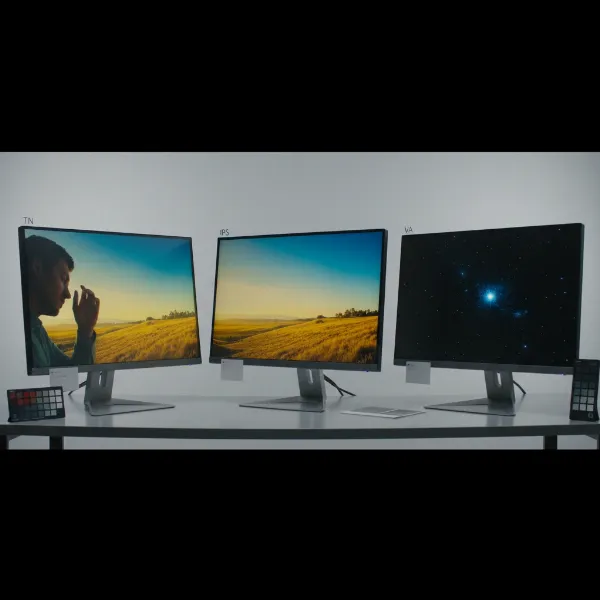 Three different computer monitors displaying distinct image qualities for TN, IPS, and VA panels.
Making the Right Choice: A Guide to Selecting Your Computer Monitor
With a deeper understanding of each panel type, you’re better equipped to make an informed decision. Remember that while these are general characteristics, panel quality can vary between manufacturers and specific monitor models.
Assess Your Primary Activities
Before anything else, honestly evaluate how you’ll primarily use your computer monitor. Are you a professional artist, a hardcore gamer, a movie enthusiast, or someone who needs a balanced display for everyday tasks? Your main activities should dictate your priorities. If gaming is your life, you might lean towards speed. If creativity fuels your day, color accuracy is king.
Balance Performance with Budget
While it’s tempting to aim for the best of everything, budget often imposes realistic limits. TN panels offer incredible value for speed-focused gamers on a tight budget. VA panels provide an excellent all-around experience for a reasonable price, particularly if you value contrast. IPS panels offer premium visuals and are a worthwhile investment for professionals or those who demand the best image quality, even if it means a higher price tag.
Consider Future-Proofing
Think about your future needs. Will you be upgrading your PC to play more demanding games? Are you considering dabbling in photo editing? Investing in a monitor that offers a bit more versatility than your current needs might save you from another upgrade sooner than expected.
Read Reviews for Specific Models
While panel types provide a general framework, individual monitor models within each category can vary significantly in quality. Always read detailed reviews from reputable tech sites and user feedback for specific models you are considering. This can reveal nuances like response time overdrive implementation, backlight bleeding, or specific color calibration issues that aren’t apparent from just knowing the panel type.
“Choosing a monitor panel is less about ‘which is best’ and more about ‘which is best for you. Modern advancements have blurred some of the lines, but the core strengths of TN, IPS, and VA still hold true for specific user needs.” – Dr. Elena Petrova, Lead Display Engineer at PixelPerfect Labs
Conclusion
The choice between IPS, VA, and TN computer monitor panels is a critical decision that profoundly impacts your daily computing and entertainment experience. TN panels offer unmatched speed and affordability for competitive gamers. IPS panels deliver superior color accuracy and wide viewing angles, making them ideal for creative professionals and general users who prioritize visual fidelity. VA panels strike an excellent balance with their exceptional contrast, perfect for immersive media consumption and single-player gaming. By understanding the unique strengths and weaknesses of each, you can align your monitor choice with your specific priorities—be it lightning-fast reflexes, breathtaking visuals, or cinematic depth.
Ultimately, your ideal Computer Monitor is the one that best suits your lifestyle and budget. Which panel type resonates most with your computing habits?
Frequently Asked Questions
Is IPS always better than VA and TN?
Not necessarily. While IPS panels offer superior color accuracy and viewing angles, TN panels are faster for competitive gaming, and VA panels provide significantly better contrast for immersive media. The “best” panel depends entirely on your specific use case and priorities.
Can I use a TN panel for professional work?
While a TN panel can be used, it is generally not recommended for professional work that requires color accuracy, such as graphic design, video editing, or photography. Their limited color reproduction and narrow viewing angles can lead to inaccurate results and a poor collaborative experience.
Do VA panels suffer from ghosting in all games?
VA panels have historically been prone to ghosting or smearing in fast-paced content due to slower pixel response times, particularly in transitions from dark to light. However, many modern VA panels have significantly improved response times, and the effect might be less noticeable in slower-paced or single-player games.
What about OLED panels?
OLED (Organic Light-Emitting Diode) panels are a distinct technology, not a variation of LCD like TN, IPS, and VA. OLEDs offer perfect blacks, infinite contrast, and extremely fast response times by individually lighting pixels. They provide the absolute best image quality but come at a much higher price point and can have concerns regarding burn-in.