In today’s digital world, a computer setup is more than just a collection of hardware; it’s a reflection of personal style and a space designed to inspire. The trend of crafting aesthetically pleasing workspaces has brought white computer monitors into the spotlight, transforming desks from purely functional areas into visually cohesive and inviting environments. Gone are the days when black was the only choice for tech, as white displays now offer a fresh, modern alternative that perfectly blends performance with unparalleled style.
Choosing the right white computer monitor is about finding that perfect balance between sleek aesthetics and cutting-edge functionality. Whether you’re a competitive gamer seeking an immersive experience, a creative professional demanding color accuracy, or simply someone who appreciates a clean and minimalist desk, a white monitor can significantly enhance your digital life. This comprehensive guide will navigate you through the world of white computer monitors, helping you uncover the ideal display to match and elevate your unique setup aesthetic.
 a pristine white monitor on a minimalist desk with subtle lighting
The Allure of White Computer Monitors
Why are white computer monitors gaining such immense popularity? The appeal goes beyond mere appearance, touching upon both aesthetic and psychological benefits that contribute to a superior user experience. A white monitor instantly introduces a modern, minimalist, and clean look to any desk setup. Unlike traditional dark monitors that can make a space feel heavy, a white display feels lighter and can make smaller rooms appear larger and more open.
White monitors also reflect ambient light effectively, which can help reduce eye strain and improve visual contrast in well-lit environments. This characteristic makes them a natural fit for contemporary interior design trends such as Scandinavian, Japandi, or pure minimalist styles. Beyond the visual appeal, the color white in a tech setup can psychologically foster a sense of focus, order, and immersion, thereby boosting productivity and sparking creativity. It’s not just a screen; it’s a statement piece that enhances the entire room’s ambiance.
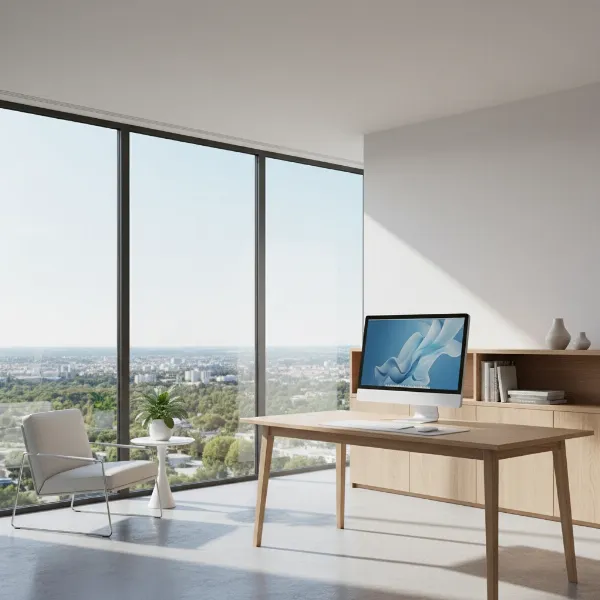 a white computer monitor seamlessly integrated into a bright, minimalist room interior
Understanding Computer Monitor Display Technologies
Before diving into specific features, it’s essential to understand the underlying display technologies that power modern computer monitors, regardless of their color. The external white casing primarily serves an aesthetic purpose; the internal panel technology dictates performance.
Computer Monitor LED
|
Our Picks for the Best Computer Monitor in 2026
As an Amazon Associate I earn from qualifying purchases.
|
||
| Num | Product | Action |
|---|---|---|
| 1 | Philips 221V8LB 22 inch Class Thin Full HD (1920 x 1080) Monitor, 100Hz Refresh Rate, VESA, HDMI x1, VGA x1, LowBlue Mode, Adaptive Sync, 4 Year Advance Replacement Warranty |

|
| 2 | KOORUI 24-inch Computer Monitor Full HD 1920 x 1080p 100Hz VA Display 4000:1 Contrast Ratio with HDMI VGA, TÜV Rheinland Certified, 100 x 100 mm VESA Mountable, Ultra-Slim Design, Tilt, Black, E2412F |
|
| 3 | MNN Portable Monitor 15.6inch FHD 1080P USB C HDMI Gaming Ultra-Slim IPS Display w/Smart Cover & Speakers,HDR Plug&Play, External Monitor for Laptop PC Phone Mac (15.6\'\' 1080P) |
|
| 4 | New! Sceptre 27-inch Gaming Monitor 100Hz 1ms DisplayPort HDMI x2 100% sRGB AMD FreeSync Build-in Speakers, Eye Care Frameless Machine Black 2025 (E275W-FW100T Series) |
|
| 5 | LG 24U411A-B 24-inch Full HD (1920 x 1080) IPS Computer Monitor, 120Hz, HDR10, Reader Mode, Flicker Safe, HDMI, Slim Stand Base, Black |
|
| 6 | KOORUI 22 Inch Computer Monitor Full HD 1080P 100Hz PC Gaming Screen VA Panel Ultra-Slim Display 3000:1 Contrast Ratio with Adpitive Sync (HDMI/VGA/VESA Compatible 100x100mm/Audio Out), Tilt, Black |
|
| 7 | Samsung 27\" Essential S3 (S36GD) Series FHD 1800R Curved Computer Monitor, 100Hz, Game Mode, Advanced Eye Comfort, HDMI and D-sub Ports, LS27D366GANXZA, 2024 |
|
| 8 | acer 27 Inch Monitor- KB272-27 Inch FHD IPS (1920 x 1080) Display, Up to 120Hz Refresh Rate, 99% sRGB, Tilt, Adaptive-Sync Support (FreeSync Compatible) 1ms (VRB), HDMI & VGA Ports |
|
| 9 | Amazon Basics 24 Inch (23.8 inch viewable) Monitor, FHD 1080P, Max 100Hz, VESA Compatible, Built-in Speakers, Black |
|
| 10 | Samsung 32-Inch Flat Computer Monitor, 75Hz, Borderless Display, AMD FreeSync, Game Mode, Advanced Eye Care, HDMI and DisplayPort, LS32B304NWNXGO, 2024 |
|
Light Emitting Diode (LED) technology is not a standalone panel type but rather the backlight source for most modern Liquid Crystal Display (LCD) monitors. These LED backlights offer significant improvements over older Cold Cathode Fluorescent Lamp (CCFL) backlights, providing better brightness, contrast, and energy efficiency. When you see an “LED monitor,” it’s almost always an LCD panel illuminated by LEDs.
Computer Monitor LCD
Liquid Crystal Display (LCD) technology is the most common form of display panel. It works by using liquid crystals to either block or allow light from a backlight (typically LED) to pass through, creating images on the screen. LCDs are versatile and can be found in a vast array of monitor types, offering a good balance of performance and affordability. The characteristics of an LCD monitor largely depend on the specific panel type used (TN, IPS, or VA).
Computer Monitor OLED
Organic Light Emitting Diode (OLED) technology represents a significant leap in display quality. Unlike LCDs, OLED panels do not require a backlight; each pixel emits its own light. This allows for perfect blacks, an infinite contrast ratio, and incredibly vibrant colors. OLED monitors also boast exceptionally fast response times, making them ideal for high-end gaming and professional content creation. However, they typically come with a higher price tag and, historically, have had concerns about potential screen burn-in, though modern advancements have largely mitigated this risk. White OLED monitors specifically are still a premium and somewhat rare option.
Computer Monitor QLED
Quantum Dot Light Emitting Diode (QLED) is a technology developed by Samsung, primarily found in their monitors and TVs. QLED enhances traditional LED-backlit LCDs by adding a quantum dot layer, which improves brightness, color volume, and color accuracy. While QLED monitors offer a wider color gamut and higher peak brightness than standard LCDs, they still rely on a backlight, meaning they cannot achieve the perfect black levels and infinite contrast of OLED displays. They provide a vibrant and bright visual experience, making them excellent for both gaming and multimedia consumption.
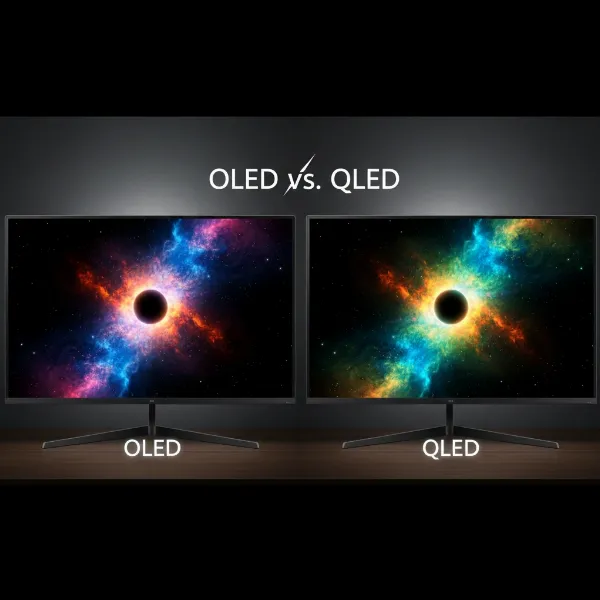 a side-by-side comparison illustrating vibrant colors and deep blacks of OLED vs QLED displays
Key Factors When Choosing a White Computer Monitor
Selecting the perfect white computer monitor involves evaluating various technical specifications to ensure it meets your performance needs while complementing your aesthetic goals.
Screen Size and Resolution
The size and resolution of your monitor profoundly impact your viewing experience. Common screen sizes range from 24 to 27 inches, offering a balanced combination of usability and clarity for most desktop setups. However, for immersive gaming or extensive multitasking, larger displays like 32-inch, 34-inch ultrawide, or even 39-inch monitors are available in white finishes.
Resolution, measured in pixels, dictates image sharpness. Full HD (1920×1080) is standard for basic use, but QHD (2560×1440) offers significantly sharper details, especially on screens 27 inches and larger. For ultimate clarity, 4K (3840×2160), 5K, or even 8K resolutions provide incredibly crisp visuals, which are particularly beneficial for content creation and high-fidelity gaming.
Panel Technology
The panel type is crucial as it determines key visual characteristics like color accuracy, viewing angles, and response time.
- TN Panel Monitors (Twisted Nematic): These panels are renowned for their extremely fast response times, often as low as 1ms. This makes them a favored choice for competitive gamers where every millisecond counts. However, TN panels generally offer the narrowest viewing angles and less accurate color reproduction compared to other panel types.
- IPS Panel Monitors (In-Plane Switching): IPS panels are celebrated for their exceptional color accuracy and wide viewing angles (up to 178 degrees). This makes them the go-to choice for graphic designers, photographers, video editors, and anyone for whom precise color representation is critical. Many white monitors feature IPS panels due to their superior image quality.
- VA Panel Monitors (Vertical Alignment): VA panels strike a good balance, offering high contrast ratios and deeper black levels than IPS panels, making them excellent for media consumption and gaming in darker environments. They also provide better viewing angles and color than TN panels, though typically slower response times than IPS. Many curved monitors utilize VA technology.
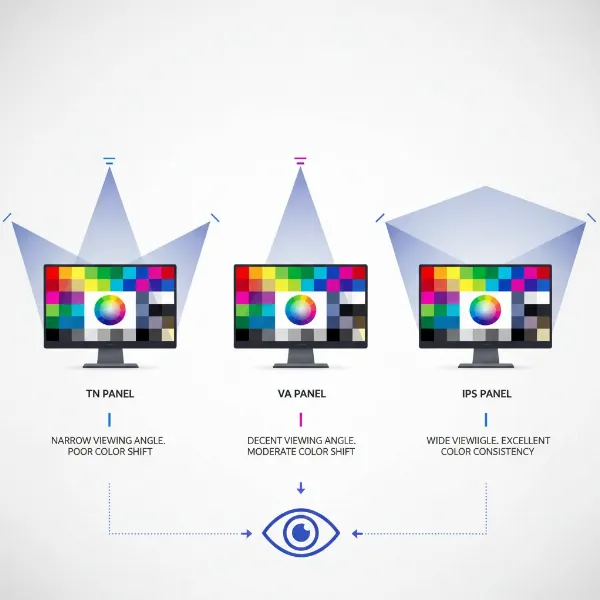 a visual representation comparing viewing angles and color accuracy across IPS, VA, and TN panels
Refresh Rate and Response Time
For gamers, these two specifications are paramount.
- Refresh Rate: Measured in Hertz (Hz), the refresh rate indicates how many times per second the display updates its image. A higher refresh rate translates to smoother motion and a more fluid visual experience. While 60Hz is standard for general use, gamers often seek 144Hz, 165Hz, 240Hz, or even 360Hz monitors for a competitive edge and tear-free gameplay.
- Response Time: Measured in milliseconds (ms), response time refers to how quickly a pixel can change from one color to another. A low response time (e.g., 1ms or 2ms) is crucial for fast-paced gaming to minimize motion blur and ghosting, ensuring sharp and clear visuals during rapid movements.
Connectivity Options
Modern computer monitors offer a variety of ports to connect to different devices. Ensuring your white computer monitor has the necessary connectivity is vital for a seamless setup.
- HDMI (High-Definition Multimedia Interface): The most common digital video and audio interface, supporting various resolutions and refresh rates. HDMI 2.0 is standard, while HDMI 2.1 is needed for 4K at 120Hz or higher.
- DisplayPort: Often preferred by gamers and professionals for its high bandwidth, supporting high resolutions and refresh rates, and frequently used for adaptive sync technologies. DisplayPort 1.4 is common.
- USB-C: A versatile port that can transmit video, audio, data, and power (USB Power Delivery), making it ideal for connecting laptops with a single cable solution.
- DVI (Digital Visual Interface) and VGA (Video Graphics Array): Older legacy ports, less common on new monitors but still found on some budget options or for connecting older devices.
Additional Features
Beyond the core specifications, several other features can enhance your white computer monitor experience:
- HDR (High Dynamic Range): HDR technology significantly expands the range of colors and contrast a monitor can display, offering more vibrant images with greater depth and realism, particularly noticeable in compatible games and movies.
- Adaptive Sync (FreeSync and G-Sync): AMD FreeSync and NVIDIA G-Sync are technologies that synchronize the monitor’s refresh rate with the graphics card’s frame rate. This eliminates screen tearing and reduces stuttering, providing a much smoother and more enjoyable gaming experience.
- Integrated Speakers: While often not studio quality, built-in speakers offer convenience for basic audio needs, reducing cable clutter and keeping your setup minimalist.
- Ergonomic Stand: An adjustable stand that offers height, tilt, swivel, and pivot adjustments is crucial for comfort during long hours of use. VESA mount compatibility also allows you to attach your monitor to aftermarket arms for ultimate flexibility and a cleaner desk aesthetic.
- Eye Care Technologies: Features like low blue light modes and flicker-free backlighting help reduce eye strain and fatigue during prolonged screen time, promoting healthier viewing habits.
- RGB Lighting: Some premium white gaming monitors include customizable RGB lighting on their rear panel or stand, allowing you to personalize your setup with ambient glow effects that complement your overall aesthetic.
 the back of a white monitor showing various connectivity ports and an adjustable ergonomic stand
Comparison of Computer Monitor Display Technologies
Understanding the core differences between display technologies is crucial for making an informed decision for your white computer monitor.
| Feature | LCD (LED-backlit) | OLED | QLED |
|---|---|---|---|
| Advantages | Cost-effective, widespread availability, good brightness, mature technology, diverse panel types (TN, IPS, VA). | Perfect blacks, infinite contrast ratio, extremely fast response times, wide viewing angles, vibrant colors. | High peak brightness, wide color gamut, vibrant colors, good contrast ratios (better than standard LCD), less burn-in risk than OLED. |
| Disadvantages | Limited contrast compared to OLED, potential for backlight bleed/glow, slower response times than OLED. | Higher cost, potential for burn-in (though reduced with modern tech), lower peak brightness compared to QLED in some scenarios. | Still relies on a backlight (cannot achieve true black), higher cost than standard LCD, viewing angles can be more limited than IPS. |
| Typical Price Range | Budget-Mid-range | Premium | Mid-Premium |
Where to Buy a White Computer Monitor
Finding your ideal white computer monitor involves knowing where to look to ensure you get a genuine product with reliable support.
Reputable Retailers
For purchasing white computer monitors, several reputable retailers offer a wide selection and reliable customer service. Online giants like Amazon, Best Buy, and B&H Photo are excellent starting points, often providing competitive pricing and extensive product reviews from other buyers. Major electronics retailers like Micro Center (in the US) also offer a good range.
Additionally, consider checking the official websites of monitor manufacturers such as Dell, LG, Samsung, ASUS, and Acer. These sites often showcase their full lineup, including white variants, and may offer direct purchase options, sometimes with exclusive deals or bundles. For those on a tighter budget or looking for specific models, authorized dealers selling refurbished units can also be a viable option, typically offering full warranties at discounted prices.
Tips for Online vs. In-Store Shopping
When deciding between buying online or in-store, weigh the pros and cons:
- Online Shopping: Offers the widest selection of white computer monitors, allowing you to compare models from numerous brands side-by-side. You’ll often find more competitive pricing and benefit from vast user reviews that provide real-world insights. However, you can’t physically inspect the monitor for its exact shade of white, build quality, or potential blemishes before it arrives.
- In-Store Shopping: Provides the advantage of seeing the monitor in person. You can assess the actual color, feel the build quality, and check ergonomic features firsthand. This is especially helpful for white monitors, as shades can vary, and you can ensure it perfectly matches your envisioned aesthetic. The trade-off might be a more limited selection and potentially higher prices compared to online retailers.
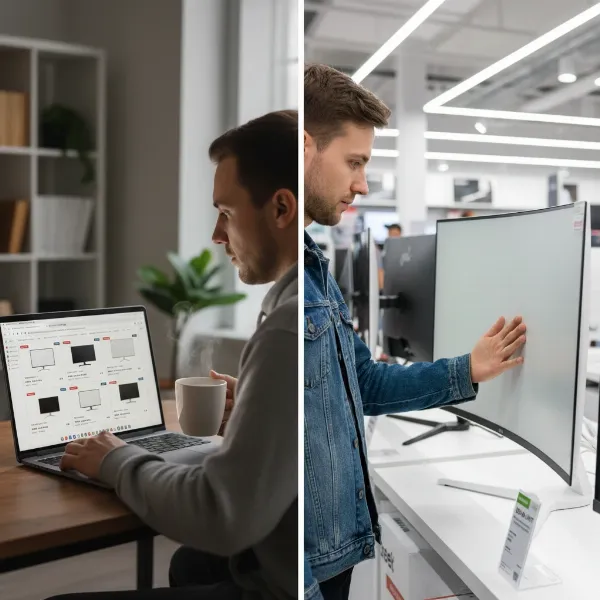 a split image showing someone browsing monitors online and someone inspecting a monitor in a store
A Guide to Selecting Your Ideal White Computer Monitor
Choosing the best white computer monitor for your setup aesthetic requires a systematic approach, combining your visual preferences with your functional needs.
Define Your Primary Use
Your monitor’s main purpose should guide your choices.
- For Gamers: Prioritize a high refresh rate (144Hz or higher), low response time (1ms or 2ms), and adaptive sync technology (FreeSync or G-Sync) to ensure smooth, tear-free gameplay. Look for IPS or VA panels for vibrant colors and good contrast.
- For Professionals and Creatives: Focus on an IPS panel for superior color accuracy and wide viewing angles. High resolutions (QHD or 4K) are essential for detailed work, and features like factory calibration and wide color gamut coverage (sRGB, Adobe RGB) are highly beneficial.
- For General Use and Productivity: A balance of features is key. A 24- to 27-inch IPS or VA panel with Full HD or QHD resolution, coupled with comfortable ergonomics, will provide a pleasant and efficient user experience.
Budgeting Smartly
While white monitors might sometimes carry a slight premium due to lower production volumes or perceived luxury, it’s important to set a realistic budget. You can find excellent budget-friendly white monitors, mid-range options with a good balance of features, and premium displays with top-tier specifications. Keep an eye out for seasonal sales events like Black Friday or Prime Day for potential discounts.
Research and Reviews
Thorough research is invaluable. Read reviews from trusted tech publications and, crucially, analyze user feedback on retail platforms. Pay close attention to comments regarding the actual white finish, build quality, and long-term durability. Be wary of “white only” marketing, where only the bezel is white while the rest of the monitor remains dark; always check high-resolution product images and detailed descriptions to ensure the monitor is white all around if that’s your preference.
Inspecting the Product
Upon receiving your white computer monitor, take the time to inspect it thoroughly. Check for any scratches, blemishes, or discoloration, especially on the white surfaces, which can be harder to conceal flaws. Understand the specific maintenance requirements for your chosen model, as white plastics can be prone to showing fingerprints, dust, and potential yellowing over time if exposed to direct UV light or harsh cleaning agents. Proper care is essential to maintain its pristine appearance.
 a person carefully unboxing and inspecting a brand new white computer monitor for any flaws
Conclusion
The journey to find the perfect white computer monitor to match your setup aesthetic is an exciting one, blending the best of visual appeal with cutting-edge performance. You’ve explored the diverse world of white monitors, understanding their aesthetic benefits, the intricate display technologies that power them, and the crucial factors to consider before making a purchase.
From the vibrant hues of an IPS panel to the rapid response times of a gaming-focused display, and from the sleek curves of an ultrawide monitor to the essential ergonomic adjustments, a white computer monitor offers a unique opportunity to personalize your digital space. Remember to define your primary use, set a sensible budget, and conduct thorough research to ensure your chosen monitor not only looks stunning but also performs flawlessly for years to come. The right white display is more than just hardware; it’s an investment in a clean, modern, and inspiring environment. Are you ready to transform your workspace with a sleek white computer monitor?
Frequently Asked Questions
Do white Computer Monitors yellow over time?
Yes, some white computer monitors, particularly those with plastic casings, can yellow over time due to prolonged exposure to UV light or certain harsh cleaning chemicals. To prevent this, keep your monitor out of direct sunlight and use only electronics-specific, non-abrasive cleaners with a microfiber cloth for regular maintenance.
Are white Computer Monitors harder to keep clean?
White computer monitors may show fingerprints, dust, and smudges more noticeably than darker-colored monitors because the light color doesn’t absorb but rather reflects light. However, many models feature matte or textured finishes to mitigate this, and regular gentle cleaning with a microfiber cloth is usually sufficient to maintain their pristine appearance.
Is there a performance difference between white and black Computer Monitors?
No, there is no inherent performance difference between white and black computer monitors. The color of the monitor’s casing is purely an aesthetic choice. Internal components, display technology, resolution, refresh rate, and all other performance specifications are independent of the external color.
Can white Computer Monitors be used for professional design work?
Absolutely. White computer monitors are highly suitable for professional design work, provided they feature the necessary technical specifications. Look for models with IPS panels for superior color accuracy, high resolutions (QHD or 4K), wide color gamut coverage (e.g., 100% sRGB or Adobe RGB), and ideally, factory calibration to ensure precise color representation.
What is the ideal screen size for a white Computer Monitor?
The ideal screen size for a white Computer Monitor largely depends on your specific use case and available desk space. For most general productivity and light gaming, a 24-inch to 27-inch monitor offers a great balance of usability and clarity. For immersive gaming or intensive multitasking, larger ultrawide monitors (34-inch and above) can provide an expansive workspace.