Navigating the dynamic world of stock trading demands a setup that empowers swift decision-making and clear data analysis. In an environment where seconds can mean the difference between profit and loss, your computer monitors are far more than just screens; they are your windows into the market, your dashboards for real-time information, and your command center for executing trades. For serious traders, a single display often falls short, making multi-screen setups an essential tool to monitor multiple charts, news feeds, and trading platforms simultaneously. Let’s delve into how to choose the ideal computer monitors to build a high-performance trading station tailored to your needs.
Types of Computer Monitors for Trading
Understanding the various types of computer monitors available is crucial for building an effective trading setup. Each offers distinct advantages and considerations that can impact your workflow and viewing experience.
Standard (Flat) Computer Monitors
Standard flat computer monitors are typically characterized by a 16:9 aspect ratio and are widely available in various sizes and resolutions. Their flat design makes them highly versatile for multi-monitor arrays, allowing traders to create extensive horizontal or vertical setups without distortion. They are often the most cost-effective solution for building a large-scale trading desk, allowing for easy arrangement of multiple displays to track different market segments or timeframes.
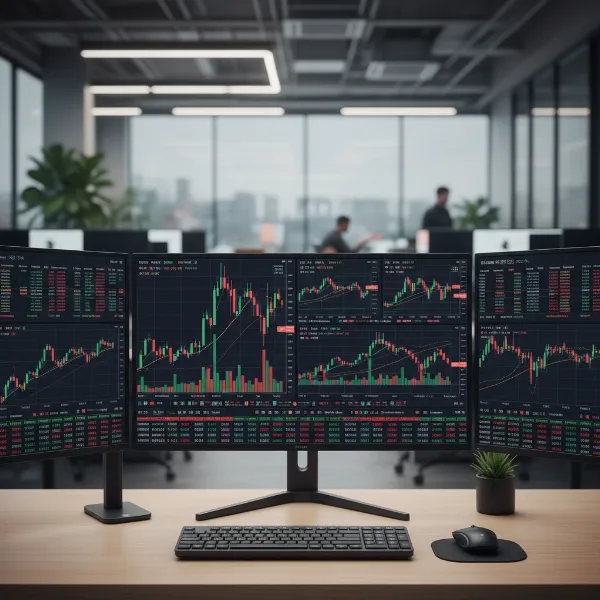 A standard flat computer monitor displaying stock charts and financial data on a trading desk.
Ultrawide Computer Monitors
Ultrawide monitors feature a wider aspect ratio, commonly 21:9 or even 32:9, providing significantly more horizontal screen space than standard monitors. A single ultrawide monitor can effectively replace two or three standard displays, creating a seamless, bezel-free viewing experience. This expansive canvas is perfect for displaying numerous charts side-by-side or for spreading out a complex trading platform across one continuous display, enhancing productivity by reducing the need to switch between windows.
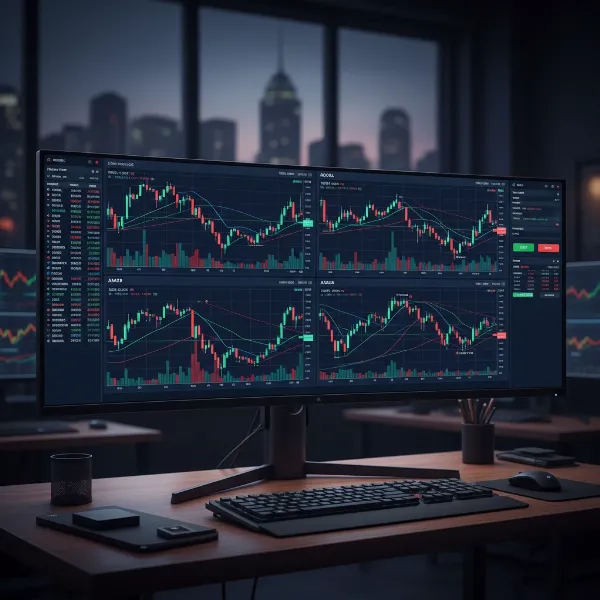 An ultrawide computer monitor showing a vast, seamless trading platform with numerous charts.
Curved Computer Monitors
Curved monitors are designed with a gentle curvature that matches the natural arc of the human eye. This design aims to reduce eye strain and provide a more immersive viewing experience, especially with larger screens or ultrawide formats, by keeping all parts of the display at a consistent distance from your eyes. For traders who spend countless hours monitoring financial markets, a curved monitor can significantly enhance comfort and reduce fatigue during long sessions.
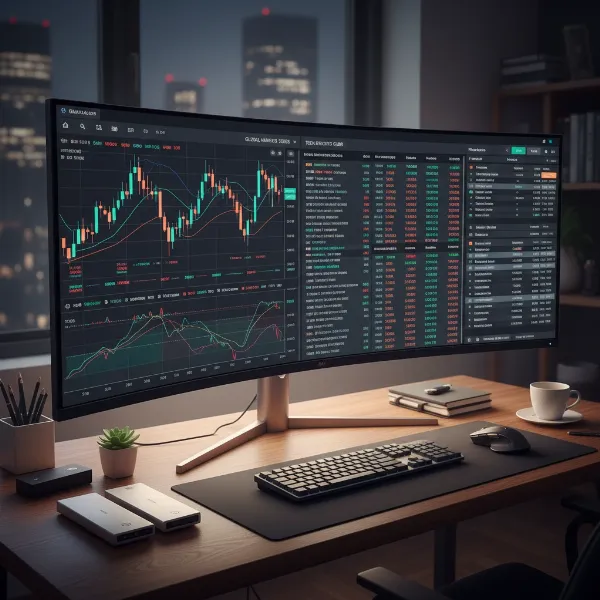 A curved computer monitor displaying financial markets for an immersive trading experience.
Advanced Panel Technologies (OLED, QLED for Trading)
While LED and LCD form the backbone of most computer monitors, advanced panel technologies like OLED (Organic Light-Emitting Diode) and QLED (Quantum Dot Light-Emitting Diode) offer superior visual performance. OLED monitors are known for perfect blacks, infinite contrast, and vibrant colors, as each pixel emits its own light. QLED monitors, typically found in Samsung displays, use quantum dots to enhance brightness and color volume. For trading, these technologies provide exceptionally sharp text and vivid charts, which can be beneficial for discerning fine details in market data and improving the overall visual appeal of your setup, though they often come at a premium price point.
Key Factors When Choosing Computer Monitors for Stock Trading
Selecting the right computer monitors for your trading setup involves careful consideration of several technical specifications and features. These elements directly impact clarity, efficiency, and ergonomic comfort.
Screen Size and Resolution
The combination of screen size and resolution dictates how much information you can comfortably view and the sharpness of that detail. Traders need ample screen real estate to simultaneously display multiple charts, news feeds, and order books without clutter.
Common Screen Sizes for Trading
For stock trading, common monitor sizes range from 24 inches for secondary displays to 32 inches for primary screens. Many professional traders find that 27-inch monitors strike an excellent balance between screen real estate and desk space, allowing for flexible multi-monitor configurations. Ultrawide monitors, typically 34 inches or 49 inches, are also popular as they provide the equivalent of two or more standard monitors in a single, seamless display, which can be ideal for a streamlined dashboard approach.
The Importance of High Resolution (HD, Full HD, 2K, 4K, 5K, 8K)
High resolution is paramount for traders, as it ensures crisp text and detailed visuals, making it easier to analyze complex charts and financial data. While Full HD (1920x1080p) is a minimum baseline, Quad HD (2K/2560x1440p) or Ultra HD (4K/3840x2160p) are highly recommended for primary trading screens. Higher resolutions allow you to fit more content on screen and maintain clarity even when zooming in on minute market movements. Some advanced setups might even leverage 5K or 8K monitors for the ultimate pixel density, though these require substantial graphical processing power.
Panel Technology
The type of panel technology used in a monitor significantly influences image quality, viewing angles, and color accuracy. For trading, where you often view screens for extended periods from various angles, panel choice is critical.
IPS Panels
IPS (In-Plane Switching) panels are widely regarded for their superior color accuracy and extremely wide viewing angles (typically 178 degrees). This means that colors and images remain consistent and true regardless of where you’re sitting or looking at the screen, which is essential in multi-monitor setups where you might not always be directly in front of every display. IPS panels are an excellent choice for traders who value visual fidelity and consistency across their entire workspace.
VA Panels
VA (Vertical Alignment) panels offer excellent contrast ratios and deeper blacks compared to IPS panels, contributing to a more dynamic image. While their viewing angles are generally better than TN panels, they may not be as wide as IPS, potentially showing slight color shifts at extreme angles. VA panels are a solid choice for traders seeking rich contrast and vibrant visuals, often found in curved monitors to mitigate potential viewing angle issues.
TN Panels
TN (Twisted Nematic) panels are known for their fast response times and high refresh rates, making them a favorite among competitive gamers. However, they typically suffer from poor viewing angles and less accurate color reproduction. For stock trading, where rapid pixel response is less critical than clarity and consistent viewing angles, TN panels are generally not the preferred choice.
Refresh Rate and Response Time
While often highlighted for gaming, refresh rate and response time also play a role in a fluid trading experience, though their importance is often secondary to resolution and panel type.
Understanding Refresh Rate for Trading
Refresh rate, measured in Hertz (Hz), indicates how many times per second the screen updates its image. A higher refresh rate means smoother on-screen motion. For trading, a standard 60Hz or 75Hz refresh rate is perfectly adequate for most activities, as trading charts are largely static or update at speeds well within this range. While higher refresh rates (e.g., 120Hz or 144Hz) won’t typically provide a competitive edge in trading, they can offer a perceptibly smoother experience, reducing screen flicker and potential eye strain during long sessions.
Understanding Response Time for Trading
Response time, measured in milliseconds (ms), refers to how quickly a pixel can change from one color to another. A lower response time minimizes motion blur and ghosting. For financial charting and data display, ultra-low response times (like 1ms) are not as crucial as they are for fast-paced gaming. A response time of 5ms or less is generally considered excellent for trading, ensuring that market data and indicators update clearly without noticeable lag.
Optimal Refresh Rate and Response Time for Traders
For most traders, an optimal setup includes monitors with at least a 60Hz or 75Hz refresh rate and a response time of 5ms or lower. While you won’t necessarily see a direct impact on trade execution speed, these specifications contribute to a more comfortable and visually fluid experience over many hours of market observation. If your budget allows for higher refresh rates (100Hz+), they can be a nice-to-have for overall desktop fluidity, but prioritizing resolution and panel quality is generally more impactful for trading.
Connectivity Options
Robust connectivity is fundamental for supporting multi-monitor setups and integrating all your trading peripherals seamlessly. Ensuring your chosen computer monitors have the right ports is key to a versatile workstation.
Essential Ports: HDMI, DisplayPort, USB-C
Modern trading setups typically require a variety of input ports. HDMI (High-Definition Multimedia Interface) is a widely used standard, supporting audio and video signals. DisplayPort is often preferred for multi-monitor configurations and higher resolutions/refresh rates, especially when daisy-chaining multiple displays from a single output. USB-C is increasingly popular, offering a single cable solution for video, data, and power delivery, simplifying cable management and connecting to modern laptops or docking stations.
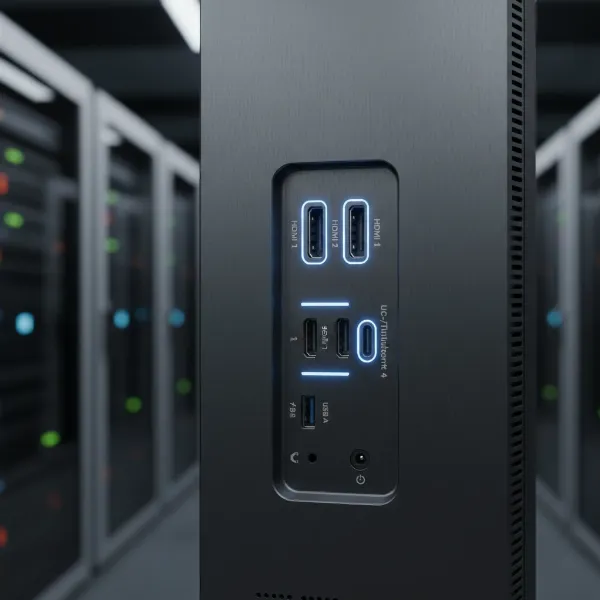 Close-up of a computer monitor's back panel showing various connectivity ports like HDMI, DisplayPort, and USB-C.
Multi-Monitor Connectivity (Daisy-chaining, Docks)
For advanced multi-screen setups, features like DisplayPort daisy-chaining can significantly simplify cable management by allowing you to connect multiple monitors in series from a single port on your graphics card. A dedicated docking station or a monitor with a built-in USB-C hub can also serve as a central connection point for your laptop, monitors, and various peripherals, streamlining your desk setup. Ensure your graphics processing unit (GPU) has enough outputs and power to drive your desired number of high-resolution displays; a powerful GPU with 8GB VRAM is often recommended for complex multi-monitor environments.
Ergonomics and Other Features
Considering the long hours spent in front of screens, ergonomic features and additional functionalities can greatly enhance comfort and productivity for traders.
Adjustable Stands and VESA Mounts
An ergonomic monitor stand that allows for height adjustment, tilt, swivel, and pivot is crucial for maintaining a healthy posture and reducing strain on your neck and eyes. The ability to pivot a monitor to portrait mode can be particularly useful for viewing long lists of data or vertical charts. For ultimate flexibility and a cleaner desk, VESA compatibility (Video Electronics Standards Association) is essential. This allows you to mount your monitors on aftermarket desk arms or stands, providing superior adjustability and freeing up valuable desk space.
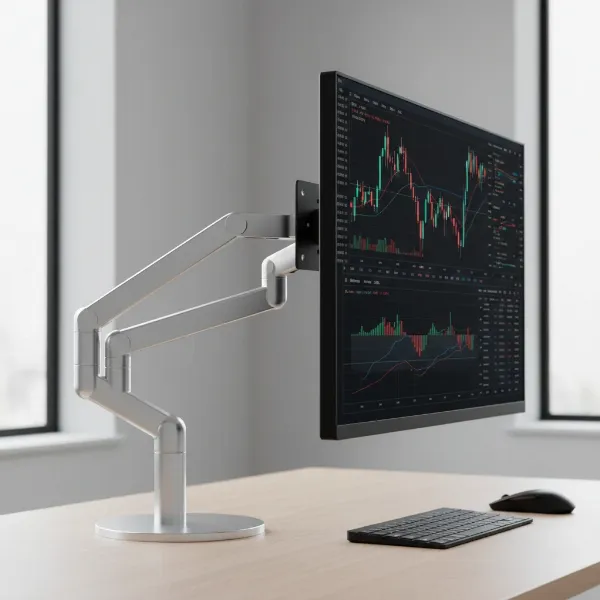 A computer monitor on an adjustable ergonomic stand, with VESA mount compatibility shown.
Eye Comfort Technologies (Blue Light Filters)
Long trading sessions can lead to eye fatigue. Many modern monitors include eye comfort features such as blue light filters (software or hardware-based) and flicker-free technology. Blue light filters reduce the emission of potentially harmful blue light, which can disrupt sleep patterns and cause eye strain. Flicker-free backlighting technology eliminates screen flickering, providing a more comfortable viewing experience over prolonged periods.
KVM Switches and Integrated Speakers
Some monitors incorporate a KVM (Keyboard, Video, Mouse) switch, allowing you to control multiple computers with a single set of keyboard and mouse, which can be beneficial if you use separate machines for different trading tasks. While integrated speakers are convenient, their audio quality is often basic. For critical audio alerts or media consumption, external speakers or headphones are usually preferred.
Comparison of Monitor Types for Trading
Choosing between standard, ultrawide, and curved monitors depends heavily on your trading style, desk space, and budget. Here’s a comparative overview:
| Feature | Standard Monitors | Ultrawide Monitors | Curved Monitors |
|---|---|---|---|
| Pros for Trading | Cost-effective, highly flexible for multi-monitor arrays, easy to find high-resolution options, can be rotated to portrait mode for vertical data streams. | Vast single screen real estate reduces bezels, excellent for side-by-side applications and spreading out complex dashboards. Eliminates gaps between screens. | Immersive viewing experience, matches natural peripheral vision, which can reduce eye strain and head movement during long sessions, especially with larger displays. |
| Cons for Trading | Bezels in multi-monitor setups can break visual continuity. Requires more cables and possibly a more powerful GPU for numerous screens. | Can be more expensive, may require a powerful graphics card to drive high resolutions, some legacy software might not optimize well for extreme aspect ratios. | May not suit all user preferences; some find the curve distracting initially. Potential for glare depending on lighting. Can be bulky and take up more desk space. |
| Ideal Use Case | Traders building a robust triple or quad monitor setup for distinct data feeds (e.g., one for charts, one for news, one for order entry). Good for mixed-use workstations. | Traders seeking a streamlined, seamless dashboard to view multiple charts and applications simultaneously without the distraction of bezels. Replaces 2-3 standard monitors. | Traders desiring a more immersive and comfortable viewing experience, particularly with a large primary display where reduced eye and neck movement is a priority. |
Where to Buy Computer Monitors for Stock Trading
Acquiring the right computer monitors for your stock trading setup requires looking at reliable sources that offer a wide selection, competitive pricing, and good return policies.
Reputable Online Retailers
Major online retailers like Amazon, Newegg, and Best Buy offer an extensive range of computer monitors from various brands, often with detailed specifications and customer reviews. These platforms provide the convenience of shopping from home and frequently feature sales or discounts. When buying online, always check the seller’s reputation and the product’s warranty information. Dell’s own website is also a great resource for their range of UltraSharp and other productivity-focused monitors, which are popular among traders.
Specialized Electronics Stores
Visiting specialized electronics stores, if available, can be beneficial. These stores allow you to see monitors in person, compare their size, brightness, and color reproduction firsthand, and test ergonomic adjustments. Staff at these stores can often provide expert advice and help you navigate the technical specifications to find a monitor that best fits your trading needs.
Guide to Choosing the Right Computer Monitor for Your Trading Setup
Making the final decision on your trading monitors involves a systematic approach, ensuring that your investment perfectly aligns with your trading style and overall workstation goals.
Assess Your Trading Needs and Style
Before diving into specifications, consider your personal trading style. Are you a scalper needing rapid updates across many small charts, or a long-term investor monitoring fewer, larger timeframes? Do you prioritize a vast amount of simultaneous information, or a cleaner, more focused setup? Your specific workflow—how many applications you run, the number of charts you track, and your need for live news feeds—will dictate the ideal number, size, and type of monitors you require. For example, some professional traders utilize 3 to 6 monitors to track various aspects of the market.
Determine Your Budget
Computer monitors, especially high-resolution and specialized models, represent a significant investment. Establish a realistic budget range early in your decision-making process. While it’s tempting to go for the cheapest option, compromising too much on essential features like resolution and panel quality can hinder your trading efficiency and comfort in the long run. Conversely, a 144Hz monitor might be overkill if your primary focus isn’t high-frequency chart updates, allowing you to reallocate funds to higher resolution or better ergonomics.
Research Product Information and Specifications
Thoroughly research the technical specifications of any monitor you consider. Pay close attention to native resolution, panel type (IPS, VA), connectivity ports, and ergonomic features. Don’t overlook details like brightness (nits) and contrast ratio, which impact visibility in different lighting conditions. Websites like DisplaySpecifications.com can be helpful for in-depth comparisons.
Compare Different Models
Once you have a shortlist, compare different models side-by-side. Look at their features, specifications, and price points relative to your needs. Consider how different combinations of monitors (e.g., two 27-inch 4K monitors versus one 49-inch ultrawide) might fit into your physical workspace and enhance your trading workflow.
Read Reviews and Seek Expert Opinions
Customer reviews and professional expert opinions offer invaluable real-world insights into a monitor’s performance and reliability. Look for reviews from other traders or professionals who use monitors for similar data-intensive tasks. Pay attention to comments regarding text clarity, eye strain, build quality, and customer support. Forums and communities dedicated to trading setups can also provide practical advice and recommendations.
“A well-configured multi-monitor setup is more than just an aesthetic choice for traders; it’s a strategic asset that allows for immediate access to critical information, transforming how traders interact with market data and ultimately improving decision-making speed.” – Computermonitorpc Admin, Display Technology Specialist
Conclusion
Building an optimized multi-screen trading setup is a strategic investment that significantly enhances your ability to navigate the complexities of financial markets. By prioritizing factors such as high resolution, appropriate screen size, ergonomic design, and robust connectivity, you can create a powerful workstation that supports faster decision-making and reduces long-term fatigue. Whether you opt for a versatile array of standard monitors, the seamless expanse of an ultrawide, or the immersive comfort of a curved display, the right Computer Monitor configuration is instrumental in transforming market data into actionable insights. Equip your trading desk with displays that not only show you the market but empower you to conquer it.
Are you ready to elevate your trading experience with a meticulously chosen multi-monitor setup?
Frequently Asked Questions
How many monitors do I really need for stock trading?
The ideal number of monitors for stock trading varies based on your individual trading style and the complexity of information you track. While some traders manage effectively with a single large, high-resolution monitor or ultrawide display, many professional traders find a three-monitor setup optimal. This allows for dedicated screens for charting, news feeds, and order execution, enhancing efficiency and reducing tab-switching. Advanced traders might even utilize six monitors for maximum data visibility across various market segments.
Are curved monitors good for stock trading?
Yes, curved monitors can be an excellent choice for stock trading, particularly for larger sizes or ultrawide formats. The curvature is designed to match the natural arc of human vision, which can reduce eye strain during prolonged trading sessions by keeping the edges of the screen within your peripheral view. They offer an immersive experience, making it easier to track multiple charts and data streams across a single, continuous display without noticeable distortion.
Is a high refresh rate important for trading?
While crucial for fast-paced gaming, a very high refresh rate (e.g., 144Hz+) is generally not a top priority for most stock trading activities. Trading charts are typically static or update at speeds that are well-accommodated by a standard 60Hz or 75Hz refresh rate. Your budget is usually better allocated towards a higher resolution (1440p or 4K) and a quality IPS or VA panel, which will have a more direct impact on the clarity and detail of your charts.