In the dynamic world of computer monitors, finding a display that balances exceptional performance with an accessible price point can feel like an endless quest. For years, the AOC G2 Series has stood out as a beacon for budget-conscious gamers and users, earning its revered title as the “Budget King” of monitors. This comprehensive review delves into what makes the AOC G2 Series, particularly models like the 24G2 and 27G2, a consistent recommendation, exploring their features, performance, and whether they still hold their crown in today’s competitive market.
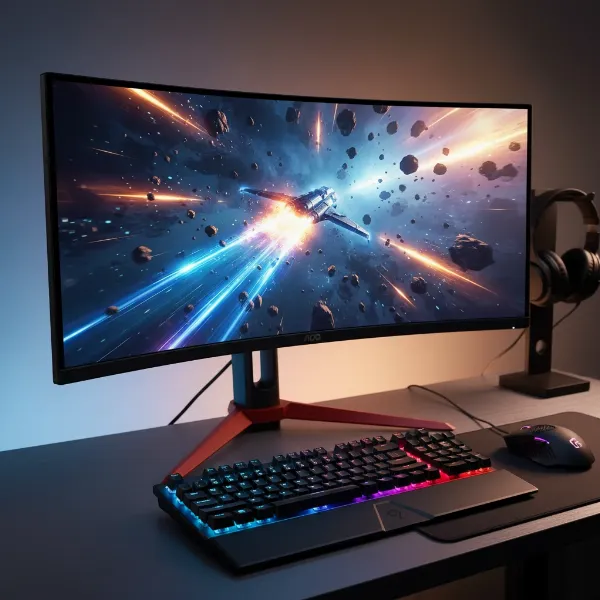 A gamer focused on a sleek AOC G2 series gaming monitor, showcasing its vibrant display and thin bezels.
Popular Computer Monitor Technologies
Before we dive deep into the AOC G2 Series, understanding the fundamental display technologies helps appreciate its value proposition.
Computer Monitor LED
LED (Light Emitting Diode) monitors are essentially LCD (Liquid Crystal Display) monitors that use LEDs for backlighting. This technology allows for thinner panels, improved contrast, and better energy efficiency compared to older CCFL (Cold Cathode Fluorescent Lamp) backlights. The majority of modern monitors, including the AOC G2 Series, leverage LED backlighting for their display panels.
Computer Monitor LCD
LCD (Liquid Crystal Display) monitors are a foundational display technology where liquid crystals are used to block or pass light from a backlight. While the term “LCD” can refer to any monitor using liquid crystals, in common parlance, it often distinguishes older, less advanced panels from newer iterations like OLED or QLED, even though LED monitors are a type of LCD.
Computer Monitor OLED
OLED (Organic Light Emitting Diode) monitors represent a premium display technology where each pixel generates its own light. This allows for perfect blacks, infinite contrast ratios, and extremely fast response times, resulting in stunning visual fidelity. However, OLED monitors typically come with a significantly higher price tag and can be susceptible to burn-in over prolonged static image display.
Computer Monitor QLED
QLED (Quantum Dot Light Emitting Diode) monitors are an enhancement of traditional LED-backlit LCD panels. They incorporate a quantum dot layer to significantly boost color volume, brightness, and overall picture quality, aiming to compete with some of the visual benefits of OLED while retaining the advantages of LCD technology, such as higher peak brightness and lower cost.
AOC G2 Series: The Budget Gaming Champion
The AOC G2 Series carved out a niche for itself by offering a combination of high refresh rates, low response times, and vibrant IPS panels at an incredibly attractive price. It challenged the notion that competitive gaming monitors had to be expensive, bringing premium features to the mainstream.
Models like the AOC 24G2 and AOC 27G2 quickly became household names for gamers, distinguished by their responsive IPS panels, while the AOC CQ27G2 offered a curved VA alternative for those prioritizing deeper blacks and immersion. These monitors were celebrated for democratizing high-performance gaming displays, making them accessible to a wider audience.
Key Features of AOC G2 Series Monitors
The enduring appeal of the AOC G2 Series stems from its well-rounded feature set that punches above its weight class.
Panel Technology: IPS vs. VA
The most popular models within the AOC G2 Series, such as the 24G2 and 27G2, predominantly feature IPS (In-Plane Switching) panels. IPS technology is lauded for its wide 178° viewing angles and excellent color reproduction, making images look consistent and vibrant from nearly any perspective. These monitors often come factory-calibrated, offering impressive color accuracy suitable even for entry-level content creation. However, a characteristic of IPS panels is “IPS glow,” which can be noticeable as a slight backlight bleed around the corners, particularly on dark backgrounds in dimly lit environments.
Alternatively, the AOC CQ27G2 utilizes a VA (Vertical Alignment) panel with a curved design. VA panels are celebrated for their superior contrast ratios, typically around 3,000:1, which translates to much deeper blacks compared to IPS panels. This makes them excellent for cinematic content and games with dark scenes. However, VA panels can sometimes suffer from black smearing in fast-moving dark scenes, and their viewing angles, while decent, are not as broad as IPS, potentially leading to color shifts when viewed from extreme angles.
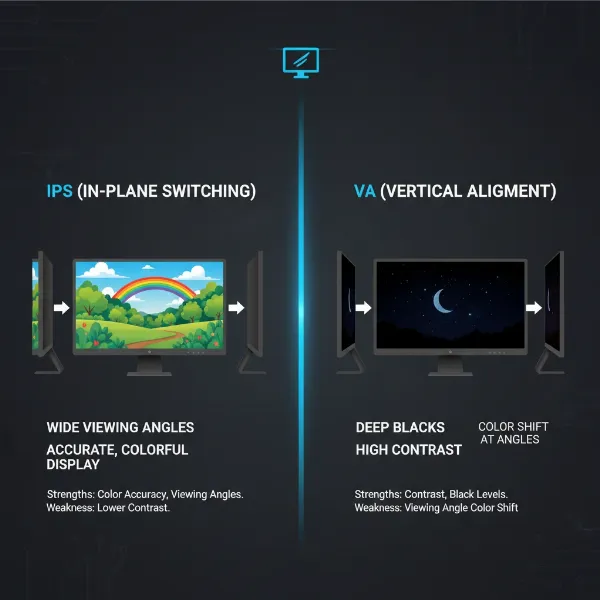 Visual comparison illustrating the viewing angles and contrast differences between IPS and VA monitor panel technologies.
Resolution and Screen Size
The AOC G2 Series offers popular configurations to suit different preferences:
- AOC 24G2: A 24-inch screen with a Full HD (1920×1080) resolution. This combination yields a pixel density of approximately 92.56 PPI (pixels per inch), providing sharp details and ample screen space for gaming and general use without being overly demanding on your GPU.
- AOC 27G2: A 27-inch screen also with Full HD (1920×1080) resolution. While offering a larger immersive canvas, some users might find the pixel density (around 81 PPI) less sharp than the 24-inch variant, potentially showing individual pixels more readily.
- AOC CQ27G2: A 27-inch screen with a Quad HD (2560×1440) resolution and a curve. This offers a significantly sharper image than 1080p on a 27-inch panel, making it ideal for productivity and detailed gaming, with the curve adding to immersion.
Refresh Rate and Response Time
For gamers, these are critical specifications where the AOC G2 Series truly shines:
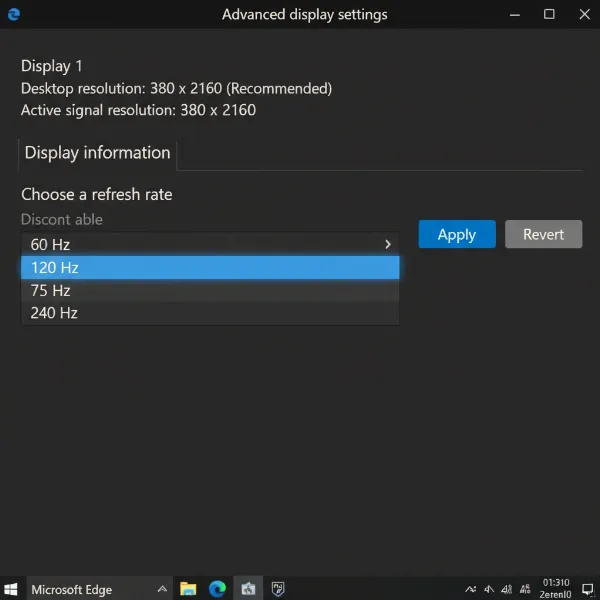
- Refresh Rate: Most G2 Series monitors boast a swift 144Hz refresh rate, ensuring fluid motion and a highly responsive gaming experience. Some newer iterations, like the AOC 24G2SPU, push this further to 165Hz [cite: 3, PC Monitors (24G2SPU)].
- Response Time: Advertised with a rapid 1ms MPRT (Moving Picture Response Time), these monitors effectively reduce motion blur. While the Grey-to-Grey (GtG) response time for the 24G2 is estimated around 5ms with overdrive, it’s quick enough to virtually eliminate noticeable ghosting in fast-paced games. Users can fine-tune response time with various overdrive modes, though the “Strong” setting might introduce inverse ghosting at lower frame rates.
Adaptive Sync (FreeSync Premium & G-SYNC Compatible)
The AOC G2 Series monitors are equipped with AMD FreeSync Premium certification, which eliminates screen tearing and stuttering by synchronizing the monitor’s refresh rate with your GPU’s frame rate. Crucially, they are also officially ‘G-SYNC Compatible,’ meaning NVIDIA GPU users can enjoy the same tear-free experience. The FreeSync variable refresh rate range typically spans from 48Hz to 144Hz.
Ergonomics and Design
Despite their budget-friendly nature, AOC G2 Series monitors offer impressive ergonomic flexibility. The stands provide full ergonomic support, including height adjustment (up to 130mm), pivot (90° for portrait mode), swivel (+/- 30°), and tilt (-5°/22°). This extensive adjustability ensures users can find a comfortable viewing position, reducing strain during long sessions. The stands are also sturdy and include a cable management system for a cleaner setup. Furthermore, the monitors feature a matte anti-glare coating and ultra-thin bezels, contributing to a modern aesthetic and facilitating multi-monitor setups.
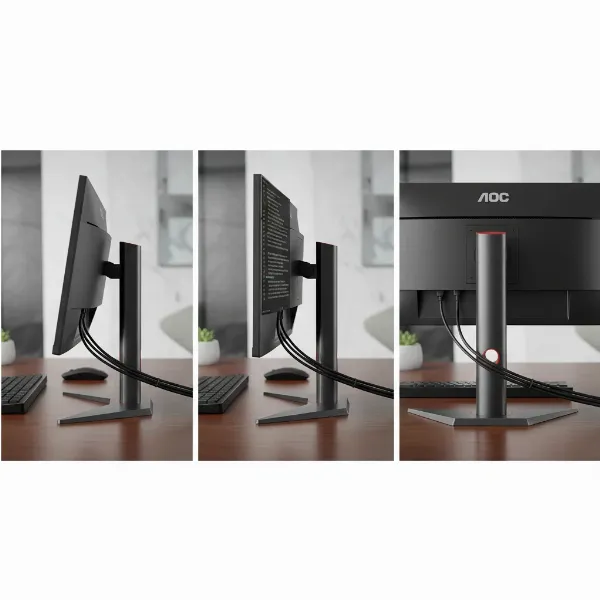 Detail shot of the AOC G2 monitor's ergonomic stand, highlighting height, pivot, and tilt adjustments.
Connectivity Options
Connectivity is robust, typically including two HDMI 1.4 ports, a DisplayPort 1.2 input, and a VGA port, ensuring compatibility with a wide range of devices. A headphone jack is also standard for audio output. Some specific ‘U’ suffix models (e.g., 24G2U, 27G2U) further enhance versatility by including a quad-USB 3.0 hub and integrated 2W speakers, though their availability can vary by region.
“The AOC G2 series brought high-refresh-rate IPS panels within reach for gamers who didn’t want to compromise on color or smoothness without breaking the bank. It fundamentally shifted expectations for what a budget monitor could deliver.” – Admin, computermonitorpc.com
Factors to Consider When Buying a Computer Monitor
Choosing the right computer monitor involves balancing your specific needs with available technologies and your budget.
Screen Size and Resolution
The interplay between screen size and resolution dictates the clarity and sharpness of the image. For competitive gaming, a 24-inch 1080p monitor (like the 24G2) is often preferred for its higher pixel density and easier scanning of the entire screen. A 27-inch 1440p monitor (like the CQ27G2) offers a sweet spot for both gaming and productivity with sharper visuals.
Panel Type
Your panel choice significantly impacts your visual experience:
- IPS (In-Plane Switching): Best for color accuracy, wide viewing angles, and vibrant images. Ideal for graphic design, casual content consumption, and most gaming.
- VA (Vertical Alignment): Offers superior contrast and deeper blacks, making it excellent for movies and atmospheric games. However, be mindful of potential black smearing and narrower viewing angles compared to IPS.
- TN (Twisted Nematic): Historically the fastest for gaming with the lowest response times, but sacrifices color accuracy and viewing angles. Less common in modern budget gaming monitors due to IPS advancements.
Refresh Rate and Response Time
For fast-paced gaming, a high refresh rate (144Hz or more) is crucial for smooth motion, while a low response time (1ms MPRT, or 1-5ms GtG) minimizes ghosting. Even for casual use, a higher refresh rate offers a noticeably smoother desktop experience.
Connectivity Ports
Ensure the monitor has the necessary ports for your devices. DisplayPort is generally preferred for gaming to utilize full refresh rates and Adaptive Sync. HDMI is versatile for consoles and other peripherals. Consider USB hubs if you need extra ports for accessories.
Other Features
- HDR (High Dynamic Range): While the AOC G2 Series offers an “HDR Effect,” it’s simulated and not true HDR performance. For genuine HDR, look for monitors with VESA DisplayHDR certifications (e.g., HDR400, HDR600) and higher peak brightness.
- MBR (Motion Blur Reduction): Some monitors, including the G2 series, offer backlight strobing to further reduce perceived motion blur. However, this often introduces flicker and reduces brightness, and typically cannot be used with Adaptive Sync.
- OSD (On-Screen Display) Navigation: While the G2 series uses hotkeys, some users prefer a joystick for easier menu navigation. AOC’s G-Menu desktop application provides an alternative for settings adjustment.
- Low Blue Light Mode: Many monitors include settings to reduce blue light emission, which can help alleviate eye strain, especially during extended use.
Comparison of Key AOC G2 Series Computer Monitors
| Feature | AOC 24G2 (IPS) | AOC 27G2 (IPS) | AOC CQ27G2 (VA, Curved) |
|---|---|---|---|
| Panel Type | IPS | IPS | VA |
| Screen Size | 24-inch | 27-inch | 27-inch |
| Resolution | 1920×1080 (FHD) | 1920×1080 (FHD) | 2560×1440 (QHD) |
| Refresh Rate | 144Hz (up to 165Hz on variants) | 144Hz | 144Hz |
| Response Time (MPRT) | 1ms | 1ms | 1ms |
| Adaptive Sync | FreeSync Premium, G-SYNC Compatible | FreeSync Premium, G-SYNC Compatible | FreeSync Premium, G-SYNC Compatible |
| Key Advantage | Higher pixel density, crisp visuals at 1080p, compact | Larger screen at 1080p for immersion | Higher resolution (1440p), deep blacks, immersive curve |
| Consideration | Smaller screen size | Lower pixel density at 27-inch 1080p | VA panel viewing angles, black smearing, lower peak brightness |
| Target User | Competitive gamers, general users on a strict budget | Gamers seeking larger screen real estate, casual users | Immersive gaming, media consumption, productivity |
Where to Buy an AOC G2 Series Computer Monitor?
Finding an AOC G2 Series monitor is relatively easy due to its popularity.
Reputable Online Retailers
Major online electronics retailers are the primary source for these monitors. Websites like Amazon, Newegg, Best Buy, and other regional electronics stores often carry various models within the G2 Series. Shopping online provides the convenience of comparing prices, reading extensive user reviews, and having the monitor delivered directly to your door.
Physical Computer Monitor Stores
While less common for specialized models, large electronics chains may stock some of the more popular AOC G2 Series monitors. Visiting a physical store allows you to see the monitor in person, assess its build quality, and check for any potential panel uniformity issues before purchase.
Guide to Choosing the Right Computer Monitor
Making an informed decision ensures you get the best monitor for your needs and budget.
Determine Your Usage Needs
Are you a competitive gamer, a casual user, a content creator, or a professional? Your primary use case will heavily influence the specifications you should prioritize. For gaming, refresh rate and response time are key. For creative work, color accuracy and resolution take precedence.
Establish a Budget
Budget monitors like the AOC G2 Series offer incredible value, but knowing your financial limits helps narrow down choices. Remember to consider not just the initial purchase price, but also potential costs for accessories like monitor arms or specific cables if they aren’t included.
Research Product Information
Dive into reviews from trusted tech sites and watch video reviews. Pay close attention to real-world performance benchmarks, especially regarding response time, input lag, and color accuracy. Websites like DisplayNinja and RTINGS, when accessible, provide in-depth technical analysis [cite: 1, DisplayNinja].
Compare Various Products
Don’t settle for the first option. Compare specifications, features, and prices across several models, including alternatives from other brands in a similar price bracket. Look at the pros and cons of each to see which aligns best with your priorities.
Read Product Reviews
User reviews on retailer sites can offer valuable insights into the day-to-day experience of owning the monitor, highlighting common issues or unexpected benefits that might not be covered in professional reviews. This helps you understand long-term reliability and user satisfaction.
Conclusion
The AOC G2 Series has rightfully earned and maintained its status as a “Budget King” in the Computer Monitor landscape. With its impressive combination of fast refresh rates, low response times, vibrant IPS (or deep-contrast VA) panels, and robust ergonomic designs, it delivers a high-performance gaming and general computing experience that far exceeds its affordable price point. While newer monitors continue to emerge, the G2 Series, especially the 24G2 and 27G2, remains a highly competitive and compelling choice for those seeking excellent value without significant compromise. If you’re looking to elevate your desktop experience or gaming setup without emptying your wallet, the AOC G2 Series offers a winning formula.
Have you experienced the AOC G2 Series, and what features did you find most impressive for its price?
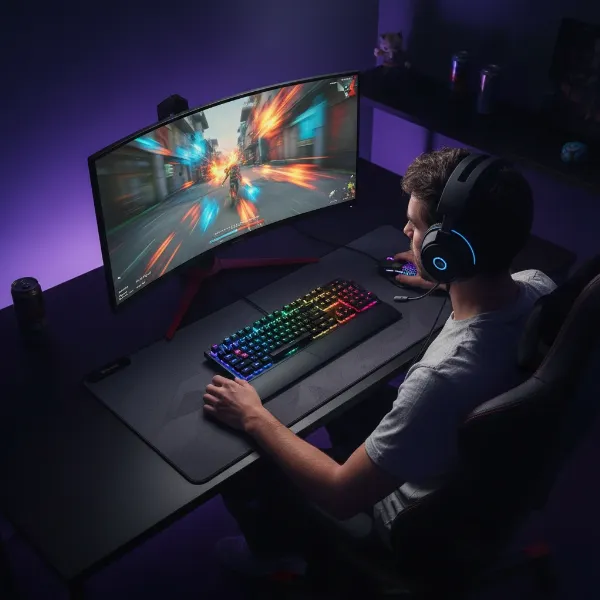 A happy gamer fully immersed in a game on an AOC G2 series monitor, reflecting satisfaction.
Frequently Asked Questions
Is the AOC G2 Series good for competitive gaming?
Yes, the AOC G2 Series, particularly the 24G2 and 27G2 models, are excellent for competitive gaming thanks to their 144Hz refresh rates, 1ms MPRT response times, and low input lag. They also support AMD FreeSync Premium and are G-SYNC Compatible, ensuring a smooth, tear-free experience.
What panel type does the AOC 24G2 monitor use?
The AOC 24G2 primarily uses an IPS (In-Plane Switching) panel, which provides wide viewing angles, vibrant colors, and good color accuracy, making it suitable for both gaming and general productivity.
Does the AOC G2 Series support G-Sync?
Yes, AOC G2 Series monitors are officially ‘G-SYNC Compatible’, meaning they work with NVIDIA graphics cards to provide a variable refresh rate experience, eliminating screen tearing and stuttering, similar to AMD FreeSync Premium.
Is a 27-inch 1080p resolution acceptable for a computer monitor?
While a 27-inch monitor with 1080p resolution (like the AOC 27G2) offers a larger screen, some users might find the pixel density to be lower, leading to a less sharp image where individual pixels might be noticeable compared to a 24-inch 1080p monitor or a 27-inch 1440p display. It is generally acceptable for casual gaming and media consumption but may not be ideal for sharp text or detailed work.