The Acer Predator X27 stands as a monument to what was cutting-edge in high-performance gaming monitors, pushing the boundaries of display technology upon its release. Combining stunning 4K resolution with a rapid 144Hz refresh rate and true HDR capabilities, this computer monitor aimed to deliver an unparalleled visual experience for enthusiasts. For those who demand vibrant colors, deep contrasts, and fluid motion, the Acer Predator X27 was, and in many ways still is, a significant benchmark. This in-depth review explores its features, performance, and where it stands in today’s evolving monitor landscape.
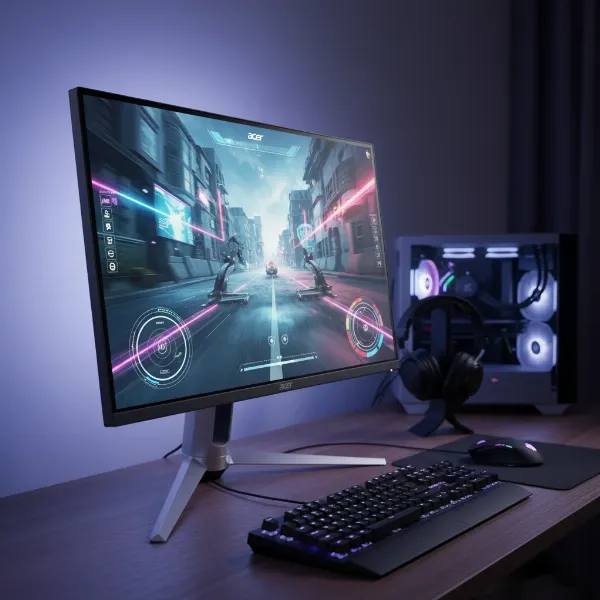 Acer Predator X27 high performance gaming monitor with sleek design and vibrant display.
Popular Computer Monitor Types
Understanding the Acer Predator X27 requires context within the broader categories of computer monitors. Each display technology offers unique advantages for different users and applications.
Computer Monitor LED
LED (Light Emitting Diode) monitors use LEDs for backlighting. These are further categorized by how the LEDs are arranged. The Acer Predator X27 utilizes a sophisticated form of LED backlighting known as Full-Array Local Dimming (FALD). This technology places an array of individual LEDs behind the entire screen, allowing for precise control over brightness in different zones, significantly enhancing contrast and HDR performance compared to traditional edge-lit LED displays.
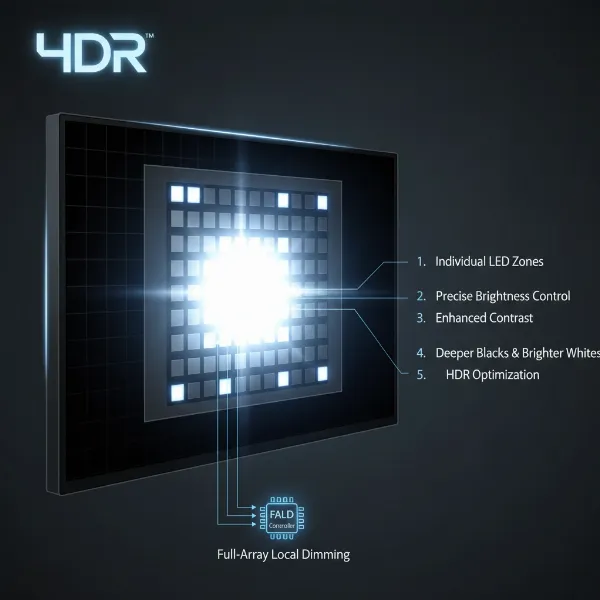 Illustration of full-array local dimming LED monitor technology enhancing contrast and HDR performance.
Computer Monitor LCD
LCD (Liquid Crystal Display) is the foundational technology for the Acer Predator X27. LCDs work by blocking or allowing light to pass through liquid crystals to create an image. The X27 specifically features an IPS (In-Plane Switching) LCD panel. IPS technology is renowned for its wide viewing angles and superior color reproduction, making it a favorite among graphic designers and gamers who prioritize visual fidelity. While IPS panels typically have lower native contrast ratios than other LCD types like VA, the X27’s FALD backlight compensates significantly.
Computer Monitor OLED
OLED (Organic Light Emitting Diode) monitors represent a newer generation of display technology where each pixel emits its own light. This allows for perfect blacks and infinite contrast, as individual pixels can be turned completely off. OLED panels typically offer faster response times and wider viewing angles than IPS LCDs. The Acer Predator X27, being an advanced IPS LCD, does not feature OLED technology.
Computer Monitor QLED
QLED (Quantum Dot LED) is a technology developed by Samsung, which enhances traditional LED-backlit LCD panels with a layer of quantum dots. These quantum dots improve color volume and brightness, delivering a more vibrant and lifelike image. Similar to OLED, QLED aims to push the boundaries of LCD technology, but the Acer Predator X27 predates the widespread adoption of specific QLED branding, relying instead on its advanced FALD and IPS panel for color and contrast performance.
Essential Factors When Purchasing a Computer Monitor
Choosing the right computer monitor involves weighing several critical specifications against your needs. For a premium display like the Acer Predator X27, these factors are elevated to deliver a top-tier experience.
Screen Size and Resolution
The Acer Predator X27 boasts a 27-inch screen with a 4K UHD resolution (3840 x 2160 pixels). This combination results in a high pixel density of approximately 163 pixels per inch (PPI), providing incredibly sharp and detailed images. For professional tasks like photo and video editing, or simply enjoying high-resolution media, the clarity is exceptional, offering ample desktop real estate for multitasking. However, operating systems often require scaling to make text and icons readable, and some older applications may not scale perfectly.
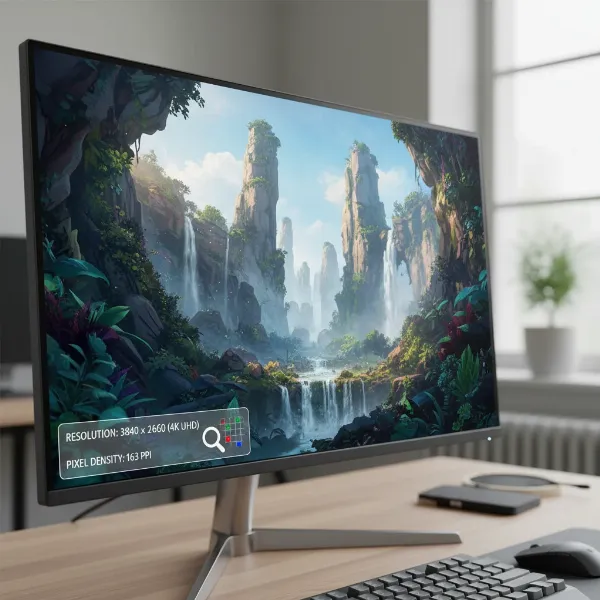 Close-up view of a 27-inch 4K monitor displaying incredibly sharp, detailed images.
- Common Screen Sizes: While 27 inches is a popular size for gaming, some users might find 4K on a 27-inch screen to be too small without scaling.
- Resolution (HD, Full HD, 2K, 4K, 8K): The 4K resolution of the X27 ensures a highly immersive and detailed visual experience, particularly for gaming and content consumption where visual fidelity is paramount.
Panel Technology
The Acer Predator X27 utilizes an IPS (In-Plane Switching) panel. IPS technology is highly regarded for its wide 178-degree viewing angles, which means colors and brightness remain consistent even when viewed from extreme off-center positions. This is crucial for collaborative work or when sharing your screen.
 Demonstration of an IPS monitor displaying consistent colors from wide viewing angles.
- TN Panels: Typically offer the fastest response times but suffer from poor color accuracy and narrow viewing angles. The X27’s IPS panel prioritizes image quality.
- VA Panels: Known for excellent contrast ratios and deep blacks, but usually have slower response times and more limited viewing angles than IPS. The X27’s FALD mitigates the native IPS contrast limitation.
Refresh Rate and Response Time
For gamers, these two specifications are paramount. The Acer Predator X27 delivers a native 120Hz refresh rate, which can be overclocked to 144Hz. This high refresh rate ensures incredibly smooth motion, reducing blur and making fast-paced action appear much more fluid than standard 60Hz monitors. The monitor also features NVIDIA G-SYNC Ultimate technology, which synchronizes the display’s refresh rate with the GPU’s frame rate, eliminating screen tearing and stuttering for an exceptionally smooth gaming experience.
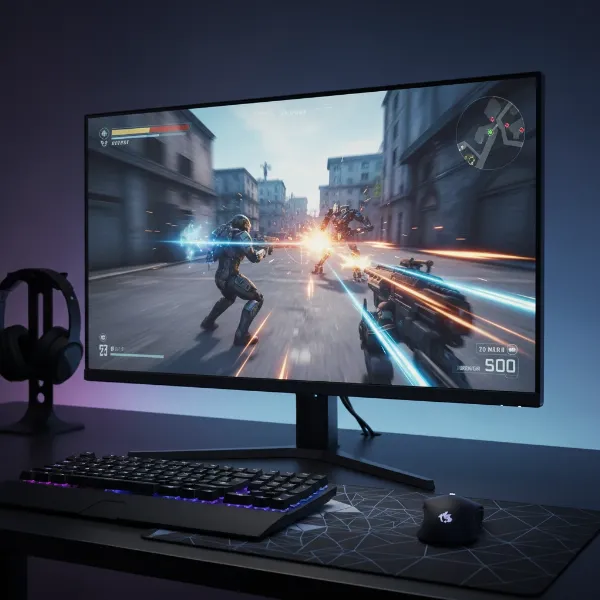 A gamer enjoying fluid motion and blur-free visuals on a high refresh rate monitor.
The response time is rated at 4ms (GtG – Gray-to-Gray) or 5ms (GtG). While not the absolute fastest (some TN panels hit 1ms), this is still very quick for an IPS panel, providing a responsive feel for gaming without noticeable ghosting in most scenarios.
- What is Refresh Rate? The number of times per second the display updates its image. Higher is better for smoother visuals.
- What is Response Time? The time it takes for a pixel to change from one color to another. Lower is better for reducing motion blur.
- Optimal for Gaming: The 120Hz/144Hz refresh rate combined with G-SYNC makes the X27 ideal for competitive and immersive gaming, especially at 4K resolution.
Important Note on 144Hz Overclock: When overclocked to 144Hz, the Acer Predator X27 uses YCbCr 4:2:2 chroma subsampling. This compression method can lead to a slight loss of color information and visible “color fringing” around text, making it less suitable for desktop use or critical color work at this refresh rate. For a full RGB 4:4:4 signal and uncompromised color, it’s recommended to stick to 120Hz or below.
Connectivity Ports
The Acer Predator X27 offers essential connectivity options, though it reflects its release era with some limitations compared to newer monitors.
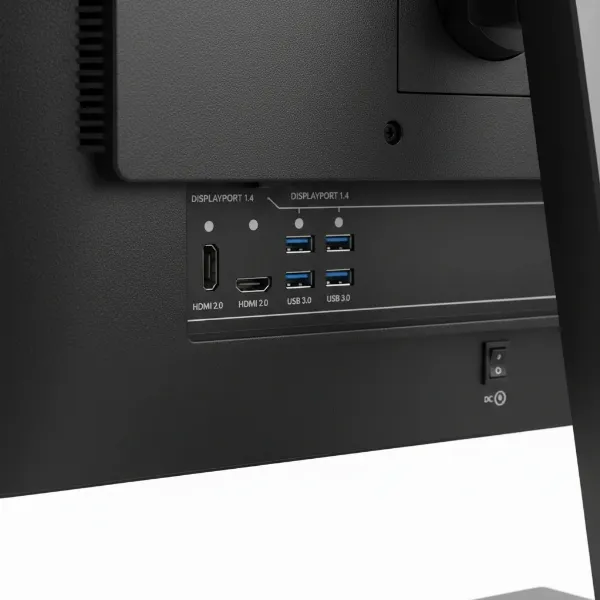 Rear view of a computer monitor showcasing DisplayPort, HDMI, and USB 3.0 ports.
- Common Ports: It includes one DisplayPort 1.4 and one HDMI 2.0 input. For G-SYNC functionality, DisplayPort 1.4 is required.
- Choosing the Right Port: DisplayPort 1.4 is essential for utilizing the full 4K 120Hz/144Hz G-SYNC capabilities. HDMI 2.0 can handle 4K at 60Hz.
- Other Connectivity: The monitor also features a USB 3.0 hub with one upstream and four downstream ports (two conveniently located on the side for easy access), and a 3.5mm headphone output. Notably absent are more modern ports like HDMI 2.1 (which would allow full 4K 120Hz RGB without subsampling) or USB-C.
Additional Features
The Predator X27 includes several features that enhance its overall appeal and user experience.
- HDR (High Dynamic Range): This is where the X27 truly shines. It is VESA DisplayHDR 1000 certified, meaning it can achieve a peak brightness of 1000 nits and offers a significantly expanded color gamut. The Full-Array Local Dimming (FALD) backlight with 384 zones allows for incredible contrast in HDR content, with effective contrast ratios exceeding 30,000:1. This produces dazzling highlights and deep shadows, making HDR-enabled games and movies exceptionally immersive.
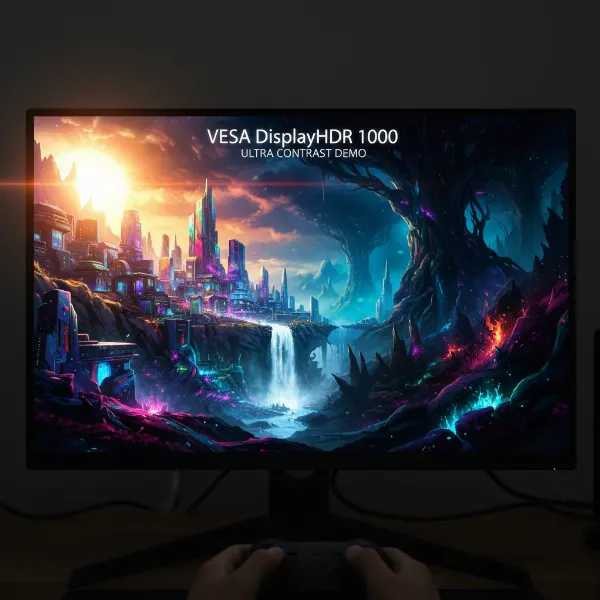 Stunning HDR content on a VESA DisplayHDR 1000 certified monitor with deep blacks and bright highlights.
- FreeSync and G-Sync: The X27 features NVIDIA G-SYNC Ultimate, providing tear-free, stutter-free gaming by dynamically matching the monitor’s refresh rate to the GPU’s output.
- Integrated Speakers: The monitor comes with two 7W (or 4W) built-in speakers, which reviewers often found to be surprisingly decent, offering better-than-average sound quality for integrated monitor speakers.
- Adjustable Stand: The robust and stylish stand offers a good range of ergonomic adjustments, including height adjustment (up to 5 inches), tilt (-5 to +25 degrees), and swivel (20 degrees left/right). This allows users to find a comfortable viewing position.
- Design & Aesthetics: The X27 features Acer’s signature Predator styling with an angular design and a sturdy metal stand. It includes customizable ambient RGB lighting along the bottom edge and rear, which can add a touch of flair to your setup or provide subtle bias lighting. It also comes with a light hood, typically seen on professional monitors, which helps reduce reflections and distractions.
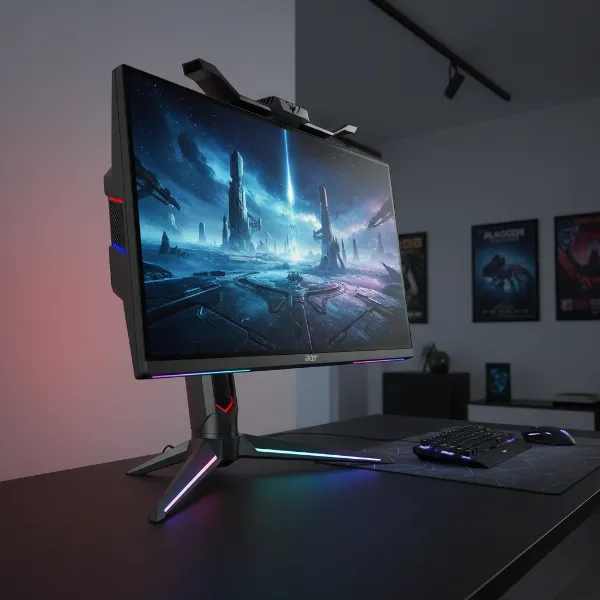 Acer Predator X27 monitor with ergonomic stand and customizable ambient RGB lighting.
- Fan Noise: Due to the FALD backlight, the X27 contains an active cooling fan. Some users reported it could be audible in a quiet environment, though others found it to be adequately quiet, especially when overshadowed by PC fan noise.
“The Acer Predator X27 provided fantastic image quality and a great 144Hz gaming experience, not to mention a stylish design, a nice stand and a few useful extras like a USB hub.” – Expert Reviews
Where the Acer Predator X27 Stands Among Monitor Technologies
The Acer Predator X27, with its IPS panel and Full-Array Local Dimming (FALD) LED backlight, sits at a unique intersection of display technologies. Here’s a comparative overview:
| Feature | LED (e.g., Predator X27 with FALD) | LCD (General IPS/VA) | OLED | QLED (Advanced LED-LCD) |
|---|---|---|---|---|
| Advantages | Excellent HDR performance (1000 nits), precise local dimming, wide viewing angles (IPS), good color accuracy, high refresh rates (144Hz 4K). | Wide viewing angles (IPS), good color accuracy, cost-effective (general LCDs), mature technology. | Perfect blacks, infinite contrast, fastest response times (sub-1ms), true HDR, wide viewing angles. | High brightness, vibrant colors, wide color gamut, good contrast (often with local dimming), no burn-in risk. |
| Disadvantages | Can have “halo” effect around bright objects on dark backgrounds, active cooling fan noise, typically higher price than standard LCDs, lower native contrast than VA/OLED. | Lower contrast ratios than VA/OLED, slower response times than TN/OLED, less impressive HDR (without FALD), backlight bleed/uniformity issues. | Risk of burn-in with static images, lower peak brightness than top-tier FALD LED-LCDs, higher cost. | Still an LCD (no perfect blacks like OLED), uniformity can vary, higher price than standard LCDs. |
| Price | Premium/High-end (at release) | Entry-level to Mid-range | Premium/High-end | Mid-range to High-end |
The Acer Predator X27, as an advanced IPS LED-LCD with FALD, delivered a pioneering true HDR experience at 4K 144Hz, a capability that was rare and expensive at its time. It offered a compelling alternative to OLED for brightness and color volume, albeit with inherent LCD limitations like the halo effect and fan noise.
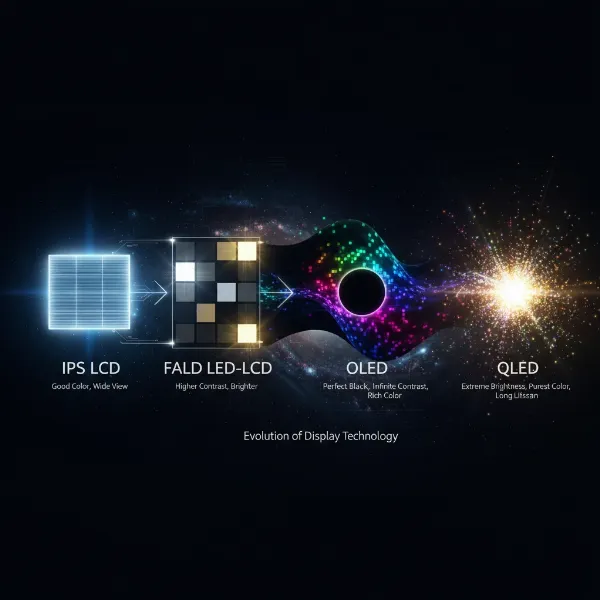 Conceptual illustration of the evolution and comparison of different monitor display technologies.
Purchasing a Computer Monitor
While the Acer Predator X27 is an older model, its legacy as a high-performance monitor means it might still be sought after or found in the used market.
Reputable Computer Monitor Stores
When considering a monitor of this caliber, even if it’s an older model, it’s essential to purchase from reputable sources. For new monitors, major electronics retailers (online and brick-and-mortar) are always the best bet. For a model like the X27, you might need to look at:
- Online Retailers: Large e-commerce platforms often have sections for refurbished or used electronics, or you might find remaining stock from smaller vendors.
- Specialty PC Hardware Stores: Shops focusing on PC components and gaming gear may sometimes have niche or older high-end inventory.
Buying Computer Monitors Online
Online shopping offers convenience and a wider selection. Be sure to:
- Check Seller Reviews: Especially for used or refurbished units, verify the seller’s reputation.
- Understand Warranty: Confirm the warranty status, particularly for older or second-hand products.
- Return Policy: Ensure there’s a clear return policy in case the monitor doesn’t meet expectations.
Guide to Selecting the Right Computer Monitor
Choosing a monitor, especially a high-performance one like the Acer Predator X27, requires careful consideration of your personal needs and priorities.
Determine Your Usage Needs
Your primary use case dictates the most important features.
- Gaming: If you’re a serious gamer, the X27’s 4K resolution, 144Hz refresh rate, G-SYNC Ultimate, and excellent HDR are massive draws. Ensure your GPU can drive 4K at high frame rates. Be mindful of the 144Hz chroma subsampling for desktop use.
- Content Creation/Professional Use: The IPS panel with good color accuracy and Adobe RGB/DCI-P3 coverage makes it suitable for photo and video editing. The 4K resolution offers immense workspace. However, the fan noise and 144Hz subsampling should be considered for critical applications.
- General Productivity/Entertainment: The sharp 4K image is great for multitasking and media consumption. The vibrant HDR enhances movies and shows.
 A person immersed in either gaming or content creation using a high-performance computer monitor.
Establish Your Budget
The Acer Predator X27 was a premium, expensive monitor at launch (around $2,000). While its price may have come down, it still represents a significant investment. Consider what you are willing to spend and what features are non-negotiable for that price. Newer OLED and Mini-LED monitors now offer similar or superior performance in some areas, potentially for a comparable or even lower price, depending on the model and market.
Research Product Information
Thoroughly investigate the specifications and underlying technologies. Understand what FALD, G-SYNC, HDR1000, IPS, and refresh rates truly mean for your experience. For the X27, specifically research the implications of its 144Hz chroma subsampling and the reported fan noise to set realistic expectations.
Compare Products
At its release, the primary competitor to the Acer Predator X27 was the Asus ROG Swift PG27UQ, which shared many similar specifications and the same underlying panel technology. Today, comparisons might involve newer Mini-LED or OLED displays that offer competitive or superior performance in various aspects, such as true blacks, faster response times, or higher refresh rates, often without the fan noise.
Review Product Feedback
Reading reviews from professional critics and actual users is invaluable. They provide real-world insights into performance, potential issues (like fan noise or firmware quirks), and overall satisfaction. Pay attention to comments regarding long-term reliability and customer support.
Conclusion
The Acer Predator X27 was a groundbreaking Computer Monitor that set a new standard for high-end gaming and visual fidelity upon its release. Its combination of a 27-inch 4K IPS panel, 144Hz refresh rate with G-SYNC Ultimate, and pioneering VESA DisplayHDR 1000 certification with 384-zone Full-Array Local Dimming delivered a truly stunning visual experience, particularly for HDR content. It offered vibrant colors, deep contrasts, and incredibly fluid motion that few could match at the time.
However, as with any innovative technology, it came with considerations, including its premium price, the necessity of powerful hardware to drive 4K at high frame rates, and minor compromises like chroma subsampling at its maximum refresh rate and the presence of an active cooling fan. Despite being an older model, the Acer Predator X27’s core strengths, especially its HDR implementation, remain impressive. For enthusiasts seeking a powerful 4K HDR gaming monitor with a rich history, the X27 continues to be a notable contender, representing a pivotal moment in display technology.
Given the rapid advancements in monitor technology, with newer OLED and Mini-LED options, would you still consider a monitor like the Acer Predator X27 for your ultimate gaming setup today?
Frequently Asked Questions
What are the main benefits of the Acer Predator X27?
The main benefits include its stunning 4K UHD resolution, a high 144Hz refresh rate paired with NVIDIA G-SYNC Ultimate for smooth gaming, and exceptional HDR performance thanks to its VESA DisplayHDR 1000 certification and 384-zone Full-Array Local Dimming backlight. It also boasts an IPS panel for wide viewing angles and accurate colors.
Does the Acer Predator X27 have fan noise?
Yes, the Acer Predator X27 incorporates an active cooling fan to manage the heat generated by its Full-Array Local Dimming (FALD) backlight. While some users found it to be a minor background hum, others noted its audibility, especially in very quiet environments.
Can the Acer Predator X27 run 4K at 144Hz without compromise?
While the Acer Predator X27 supports 4K at 144Hz (via overclock), it achieves this by using YCbCr 4:2:2 chroma subsampling. This means there’s a slight reduction in color information, which can cause minor color fringing or blurriness around text on the desktop. For optimal image quality without compromise, especially for productivity, it’s generally recommended to stick to 4K at 120Hz, which maintains full RGB 4:4:4 chroma.
Is the Acer Predator X27 suitable for content creation?
With its 4K IPS panel, good factory calibration, and wide color gamut (covering Adobe RGB and DCI-P3), the Acer Predator X27 is well-suited for content creation tasks like photo and video editing. The high resolution provides ample workspace, and HDR capabilities are beneficial for HDR content workflows. However, the fan noise and potential for 144Hz chroma subsampling should be considered.
What is Full-Array Local Dimming (FALD) on the Acer Predator X27?
Full-Array Local Dimming (FALD) is an advanced backlighting technology used in the Acer Predator X27. It employs 384 independently controlled LED zones positioned directly behind the screen. This allows the monitor to precisely adjust brightness in specific areas, creating much deeper blacks and brighter highlights, thereby significantly improving the contrast ratio and delivering a more impactful High Dynamic Range (HDR) experience.